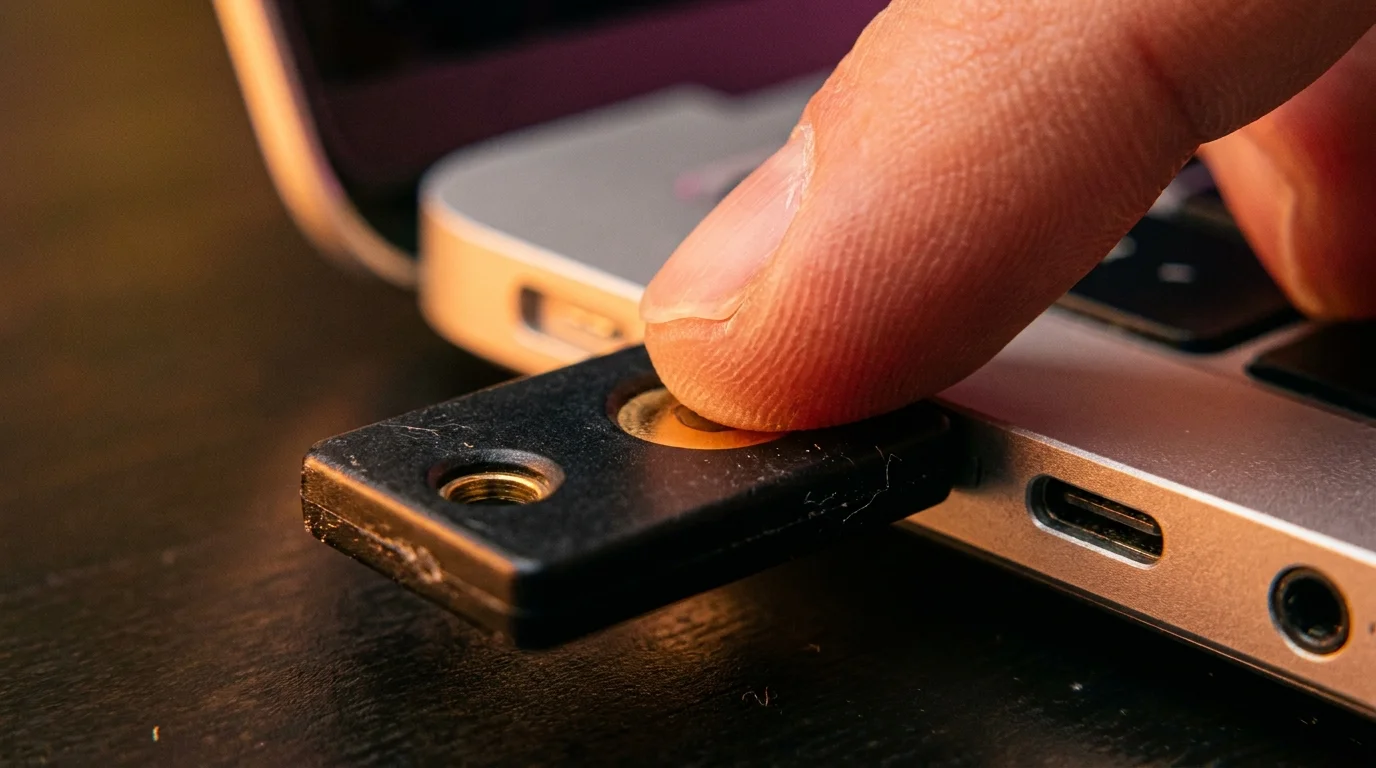
A faint amber hum spills across your desk in the dark, cast by a compact black security key plugged into an illuminated laptop port. Outside your window, the street has gone quiet, but across the country, cellular switching towers continue their tireless, automated chatter. For years, you were told that peace of mind arrived in the form of a six-digit code pinging your notifications tray. You typed those fleeting numbers into login boxes, feeling the satisfying snap of a lock falling into place.
Yet that warm feeling of safety is largely theater. A single phone call to an exhausted carrier representative miles away can dissolve that entire defense before you even brew your morning coffee. While you sleep, an identity thief needs nothing more than a manipulated telecom rep and your phone number to re-route your digital life into their own pocket.
When a carrier swaps your SIM card, your phone does not scream or ring an alarm. It simply slips into a quiet, permanent coma, whispering the words No Service in the upper corner of your screen. In those few silent minutes, your financial portals, your primary inbox, and your cloud photo libraries are stripped bare, one text message at a time.
The Illusion of the Postcard Deadbolt
Relying on SMS verification is the digital equivalent of asking your local post office to deliver the keys to your front door on an unsealed postcard. You assume the mail carrier is watchful and upright, but the vulnerability is baked directly into the route. Telecom networks were designed half a century ago to route voice calls and track cell towers, never to function as impenetrable identity vaults.
A hardware key cuts that fragile cord entirely. Instead of placing your trust in a telecom support agent making minimum wage, you shift your defense to the physical world. FIDO2 and WebAuthn protocols do not ask a distant carrier who you are; they demand proof of possession. Physical copper and silicon inside a key like a YubiKey talk directly to your browser using public-key cryptography, refusing to authorize access unless your flesh makes physical contact with the device.
Consider the experience of Marcus Vance, a 41-year-old infrastructure administrator in Austin, Texas. At 3:14 AM on a Tuesday, his phone silently lost network registration while an attacker initiated automated password resets against his personal email and investment portfolios. Every SMS-backed account Marcus owned fell within twenty minutes, but his primary identity vault never budged; it sat behind a hardware challenge waiting for a physical tap on the USB key sitting quietly on his bedside desk.
- Bose QuietComfort headphones stop crackling audio dropouts after clearing congested Bluetooth device lists
- Google Photos backup settings derail gallery transfers leaving blurry low-resolution preview thumbnails
- LG webOS smart TVs enforce noisy video ads until privacy toggles switch off tracking
- iPad Pro displays strip painful evening eye strain after toggling white point balances
- Zelle security alerts expose deceptive spoofed caller rings demanding urgent lock screen callbacks
Tailoring Your Hardware Architecture
Migrating away from fragile telecom codes is not a one-size-fits-all chore. You must align your hardware choices with the devices you touch every single day.
For the Mobile-First Minimalist: If your digital world lives almost entirely on an iPhone or modern Android handset, prioritize keys equipped with Near Field Communication (NFC). The YubiKey 5 NFC slips onto your existing keyring without adding bulk. When an account prompts for authorization, you simply brush the flat face of the key against the top edge of your handset, letting magnetic induction bridge the gap in a fraction of a second.
For the Multi-Monitor Desk Worker: If you spend forty hours a week parked at a workstation, low-profile nano keys change the entire rhythm of your day. The YubiKey 5C Nano nests almost flush inside a USB-C port, protruding just enough for your index finger to graze its capacitive edge. No frantic pocket searching interrupts your focus; a simple tap of your finger grants cryptographic entry without a single code to memorize.
For the Resilient Vault Keeper: True security requires an answer to human error and sudden loss. Always configure hardware keys in pairs: a primary key that travels on your keychain, and an identical twin stored in a fireproof desk drawer. Binding both keys simultaneously to your password manager and primary email ensures you never face the agony of an unrecoverable account lock.
The Mindful Lockdown Protocol
Transitioning away from carrier-based codes requires a deliberate, step-by-step decoupling of your most critical digital profiles.
Begin with the root of your identity tree: your primary email. If an attacker controls your inbox, they control the master reset link for everything else you own.
- Acquire two hardware keys (one daily driver, one designated offline backup).
- Log into your primary email account and navigate directly to the security and two-step verification dashboard.
- Register both hardware keys under distinct names (e.g., ‘Primary Keychain’ and ‘Vault Spare’).
- Purge all registered cellular telephone numbers from your two-factor recovery methods.
- Download and print your one-time emergency recovery codes, stashing them alongside your spare key.
Once your email is tethered to your physical touch, repeat this protocol across your password manager, cloud storage hosts, and financial platforms. Each severed phone toggle represents an entire attack vector closed forever against remote intercept.
Tactical Hardware Toolkit
- Primary Key: YubiKey 5 NFC (USB-A or USB-C) for cross-platform utility.
- Redundant Backup: Identical secondary key stored safely at home.
- Setup Duration: 15 minutes per core identity account.
- Crucial Setting: Remove SMS recovery numbers entirely after registering hardware tokens.
The Quiet Grace of Absolute Control
When you detach your safety from the cellular grid, a profound psychological shift takes place. You no longer flinch when news alerts break about massive telecom database leaks or rogue insider attacks within mobile carriers. You know that even if someone possesses your legal name, your home address, your social security number, and your password, they are still stranded on the other side of an insurmountable physical chasm.
The tiny piece of molded polymer sitting in your laptop port does not care about clever phishing sites, spoofed cell towers, or social-engineering phone scripts. It responds only to the warm press of your thumb. In an era where our most intimate memories and hard-earned assets float in the intangible ether of the cloud, anchoring your safety to an object you can roll between your fingers brings a calm, unshakable certainty.
The most sophisticated cyberattack on earth collapses instantly the moment it demands a physical key that lives in your front pocket.
| Key Point | Detail | Added Value for the Reader |
|---|---|---|
| Attack Vulnerability | SMS relies on carrier personnel and telecom routing (SS7). | Eliminates the risk of remote social engineering and insider threats. |
| Phishing Resistance | FIDO2 keys bind cryptographic tokens strictly to the authentic URL. | Stops fake credential-harvesting websites from intercepting your login. |
| Friction Factor | Replaces typing transient six-digit codes with a single physical tap. | Saves daily workflow time while dramatically raising defensive posture. |
Frequently Asked Questions
What happens if I lose my primary YubiKey?
As long as you registered a secondary backup key during your initial setup, you can immediately access your accounts using the spare and deregister the lost key in seconds.Can a scammer clone a YubiKey if they briefly hold it?
No. The private cryptographic keys are burned permanently into the secure element of the silicon chip and cannot be read, duplicated, or exported by any consumer software.Does a hardware key work with all of my smartphone apps?
Most major mobile operating systems and modern apps support WebAuthn and FIDO2 via NFC or direct Lightning/USB-C connection, allowing seamless tap-to-login verification.Why shouldn’t I keep SMS as a backup method on my accounts?
Leaving an SMS verification route active leaves the back door unlocked. Attackers will deliberately bypass your strong key by clicking ‘Try another way’ and choosing text verification.Do YubiKeys require internal batteries or charging?
No. Hardware security keys draw tiny amounts of power directly from the USB port or through the NFC field created by your smartphone, ensuring they never run out of charge.