The tabletop in the corner café is slick with spilled oat milk, lit by harsh fluorescent tubes that make every spec of dust visible. Across the small laminate surface sits an ultra-thin laptop, its silver anodized aluminum cold against your fingertips. The seller smiles warmly, offering a crisp charging cable while reciting how lightly the machine was used for basic college essays. To the naked eye, the glass is immaculate, the edges are sharp, and the Apple logo catches the afternoon light without a single hairline fracture.
Yet when your palm rests across the trackpad, something feels subtly off. The click feels tight, resisting downward travel like a spring compressed against a brick wall. Most buyers mistake this stiff mechanical response for fresh factory tolerances, assuming an unused machine should feel firm under hand. In reality, the battery cells beneath that precision-milled aluminum top case are quietly expanding, turning the unibody chassis into an enclosed pressure vessel.
Second-hand platforms across the country are flooded with these seemingly pristine ultrabooks. When lithium-ion packs degrade under sustained heat or erratic wall-power cycles, they generate gas that pushes upward against the trackpad and downward against the lower bottom plate. Before you hand over cash or authorize a peer-to-peer transfer, you do not need a screwdriver or a technician bench to verify what lies under the metal. You only need five deliberate minutes and a specific sequence of keystrokes built right into the machine’s boot firmware.
The Geometry of Concealed Strain
Buying pre-owned consumer electronics often feels like appraising a used vehicle strictly by checking whether the exterior paint has been washed. We inspect the perimeter for dents, test the webcam in a bright room, and assume that if the operating system boots smoothly, the machine is healthy. But modern ultra-compact laptops are engineered with tolerances measured in tenths of a millimeter, leaving zero breathing room between internal hardware layers.
When a pouch-style battery cell fails, it does not rupture outward with dramatic smoke during everyday idling. Instead, it slowly oxidizes, puffing up like bread dough rising inside an oven. Because the CNC aluminum unibody refuses to yield easily, that swelling exerts mechanical force on everything nearby. It pinches the display ribbon cables beneath the hinge, distorts keyboard switches, and bends the internal logic board, generating invisible solder micro-fractures that will eventually brick the machine three months into your ownership.
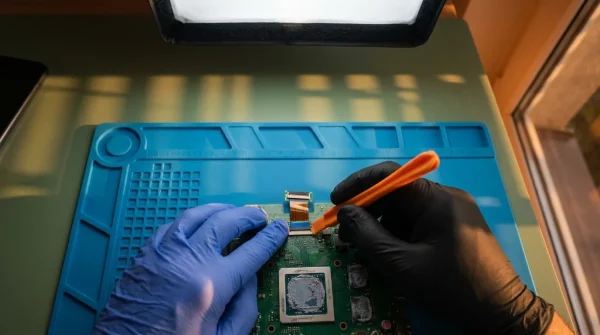
Marcus Vance, a 39-year-old micro-soldering specialist who runs an independent repair shop in Portland, sees this heartbreak weekly. He explains that sellers frequently disguise failing displays and spent batteries behind clean fresh macOS installs, knowing most buyers simply click through the setup assistant and smile. Marcus notes that an authentic factory display carries encrypted pairing tokens to the logic board; if a cheap third-party screen was swapped in after a drop, the hardware quietly disables baseline ambient color sensors, leaving telltale diagnostic traces that no seller can wipe away with a factory reset.
- Whoop 4.0 bands trigger erratic pulse spikes over greasy wrist sweat film
- Baseus GaN chargers scorch smartphone battery health without overnight trickle charging switches
- Microsoft Authenticator app blocks catastrophic SIM swap takeovers stripping vulnerable SMS codes
- Pixel Buds Pro silence crackling audio dropouts through rapid Bluetooth cache resets
- iCloud Photo Library deletes irreplaceable family camera rolls during hasty phone trade-ins
Triage Layers: Identifying the Model Footprint
Before running your functional tests, you must understand the physical baseline of the specific machine resting in front of you. Apple has shifted structural chassis designs substantially over recent production cycles, meaning internal failure signs present differently depending on the generational architecture.
The Tapered Wedge Chassis (M1 and Intel Legacy)
These models feature the classic razor-thin front edge that slopes upward toward the display hinge. Because the front lip is so thin, battery swelling almost immediately creates a rocking motion when the laptop rests on a dead-flat surface. If you push down on opposite diagonal corners—such as the top-left corner and bottom-right corner—any wobble indicates that the battery pouches have bowed the bottom panel outward, lifting the rubber feet off the table.
The Flat-Slab Chassis (M2 and Newer Generations)
With squared-off aluminum profiles, these newer enclosures distribute internal space differently. Here, cell expansion rarely produces a dramatic wobble early on; instead, it presses straight up into the Force Touch trackpad. A normal tactile click should feel crisp across the entire surface, from the bottom edge directly up to the top boundary beneath the spacebar. If the upper third of the trackpad feels dead or requires heavy thumb pressure to register a click, internal pouch inflation has already commenced.
The Five-Minute Field Diagnostic Protocol
When meeting a seller, politely decline the temptation to spend your time browsing the web or checking wallpaper settings. Open the lid, ask them to leave the device powered off, and execute this strict four-step evaluation sequence without skipping a beat.
1. The Cold Flat-Surface Rock Test
Place the laptop on an undeniably flat, hard table—never on a couch, lap, or tablecloth. Use two index fingers to tap alternating corners. If the rubber feet do not make simultaneous, uniform contact with the table surface, the bottom casing is deformed from battery expansion.
2. The Diagnostic Keystroke Sequence
Power the machine down completely. The keystroke method depends on the internal processor:
- For Apple Silicon (M1, M2, M3): Press and continue holding the Power / Touch ID button down from a cold off-state until the screen displays ‘Loading startup options.’ Release the button, then immediately press and hold Command + D until the language picker or diagnostic progress bar appears.
- For Intel-based Models: Press the Power button and immediately press and hold the D key (or Option + D if not connected to familiar Wi-Fi) until the diagnostic globe loads on screen.
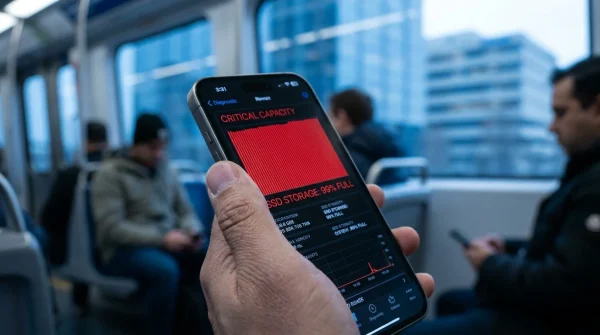
Let the automated hardware scan run its course; it takes roughly two to three minutes. When complete, inspect the reference codes displayed on the screen. Codes PPT004 or PPT006 signal battery condition degradation or serious internal sensor faults that demand battery replacement. Code VDC001 reveals an issue with the camera system, often linked to aftermarket display swaps where the camera ribbon flex fails factory handshake routines.
3. The True Tone and Ambient Light Handshake
Once the operating system boots, pull down the Control Center from the top-right menu bar and click into the Display slider. If the ‘True Tone’ toggle is missing entirely, you are looking at an uncertified aftermarket screen swap. Third-party replacement panels lack the serialized ambient light sensors that communicate with the native board, quietly exposing repair histories that sellers often hide.
4. The Cycle Count vs. Design Capacity Audit
Hold down the Option key, click the Apple logo in the extreme top-left corner, and select ‘System Information.’ Navigate down to the ‘Hardware’ tab and click ‘Power.’ Do not just check the cycle count; look closely at the ‘Condition’ flag. If the battery shows under 400 cycles but reads ‘Service Recommended,’ that pack has suffered severe thermal degradation or has cell imbalance from being left permanently tethered to high-wattage wall bricks.
Tactical Toolkit for the Meetup
- A reliable USB-C flash drive with a single high-resolution image to test port data transfer.
- A flat non-flexible surface or rigid plastic clipboard if meeting outdoors.
- Your phone set up as a personal mobile hotspot to allow the onboard diagnostic tool to verify reference codes online.
- A microfiber cloth to inspect whether keyboard anti-reflective coating is permanently stained (delamination).
The Clarity of Walking Away Clean
There is a specific kind of psychological pressure that occurs when sitting across from a private seller. You have driven twenty miles, coordinated messages for two days, and holding a sleek piece of modern engineering makes you want to overlook minor mechanical oddities. The urge to rationalize a tight trackpad or a missing display setting as an inconsequential software bug is remarkably strong.
Mastering this brief routine shifts the balance of that interaction entirely. It transforms what could be a blind gamble into a calm, systematic inspection. When you know how to read the hardware’s internal language, you remove emotion from the equation, protecting your bank account from someone else’s neglected battery cells or poorly executed basement repairs. The best used tech deal is not the cheapest listing you can find; it is the one you walk away from with absolute certainty that every single internal tolerance is holding firm.
The health of an ultra-thin laptop is never written on its polished aluminum lid; it is etched into the mechanical travel of its trackpad and the encrypted handshake of its display bus.
| Diagnostic Step | Observable Fault Sign | Added Value for the Reader |
|---|---|---|
| Surface Rock Test | Diagonal chassis wobble on flat glass or laminate | Instantly detects physical battery expansion without opening the casing screws. |
| Onboard Diagnostic Scan | Error codes PPT004, PPT006, or VDC001 | Identifies failing cell chemistry and unauthorized board-level sensor bypasses. |
| Display Menu Verification | Missing True Tone switch in Control Center | Proves whether the screen was replaced with a cheap aftermarket non-OEM panel. |
| System Information Power Audit | Low cycle count paired with ‘Service Recommended’ | Prevents buying units damaged by chronic thermal throttling and permanent wall-plug strain. |
Frequently Asked Questions
Can I safely use a MacBook Air if the battery has just started to swell slightly?
No. Swelling indicates that the lithium-ion pouch has suffered internal gas generation from cell degradation. Continuing to charge and heat an expanding battery risks catastrophic thermal runaway, cracked trackpad glass, and permanent mainboard bending.Why does an aftermarket display disable True Tone if the screen still works?
Modern panels contain an embedded microcontroller serialized to the specific laptop processor during manufacturing. When an uncertified replacement screen is installed without Apple proprietary calibration equipment, the system disables ambient color matching functions automatically.Does a low battery cycle count guarantee the battery is in great shape?
Not necessarily. A laptop that remained plugged into a high-wattage charger at 100% capacity for two years straight in a hot environment may only register 60 cycles, yet its actual chemical capacity and cell health can be severely deteriorated.What should I do if the seller refuses to let me run Apple Diagnostics?
Politely collect your belongings and walk away. The built-in diagnostic scan takes less than three minutes, writes no personal data to the drive, and is the standard baseline for verifying hardware authenticity. Refusal is an immediate red flag.Will a simple factory macOS reinstall fix battery diagnostic error codes?
No. Apple Diagnostics runs at the pre-boot firmware level directly from system ROM. It queries the hardware controller chips directly, meaning software reinstalls or drive wipes cannot hide internal component failures.