A quiet Tuesday night in your living room carries a distinct texture. The dull thrum of the refrigerator compressor, rain tapping lightly against the double-pane glass, and the warm steam rising from a ceramic mug of tea. On the side table sits a familiar fabric-covered disc, resting quietly among stacked hardcovers and potted ferns. It looks completely inert, a soft piece of modern home decor designed to blend into the woodwork.
You lean across the sofa to discuss a private banking matter, or perhaps comfort a partner through an emotionally raw confession. You never uttered the wake phrase. Yet, without warning, four tiny amber-white dots flicker beneath the woven fabric, glowing like predatory eyes before fading back to dull grey. You shrug it off as an electrical hiccup or an innocent network pulse.
The physical reality is far less innocent. Operating a smart speaker inside a shared living space often feels like living with someone who holds a glass against your wall. Far-field microphone arrays rely on continuous local acoustic buffering to detect subtle speech inflections. When conversational timbre, a streaming television clip, or a stray phoneme resembles the wake phrase, the local processor panics and opens an outbound transmission pipe.
Rather than discarding that accidental half-sentence once it realizes the mistake, default account telemetry quietly packages the raw audio file. By default, ambient snippets migrate straight to remote cloud servers, filed away into an indexed soundboard of your domestic life where human reviewers and machine learning algorithms parse the fragments.
The Eavesdropping Mirror: Wake Words and Acoustic Drift
Think of your voice assistant not as an obedient butler standing at attention, but as an eager court stenographer scribbling down half-heard fragments in a ledger you never get to inspect unless you demand to see it. Smart speakers do not experience sound the way human ears do. They perceive a house as an unpredictable wash of acoustic pressure waves, constantly straining to isolate frequencies between 300 and 3,400 Hertz from background dishwasher hums, barking dogs, and television dialogue.
When a syllable lands near the spectral signature of the programmed wake command, the device trips. It opens a ten-second pipeline to remote data centers, sending along the words you spoke right before and immediately after the acoustic trigger. This is acoustic drift, and under standard factory defaults, those sound files are preserved indefinitely under your central account history.
The flaw is not that the hardware makes mistakes; acoustic physics makes false triggers unavoidable in dynamic households. The structural problem lies in the corporate assumption that every captured domestic audio byte belongs on an offsite hard drive until you physically intervene to pull the plug.
- Pixel Camera app settings ruin indoor portraits with noisy digital grain
- Airport Wi-Fi hotspots intercept unencrypted network credentials through malicious twin portals
- Under-desk cable trays eliminate neck strain by securing tangled cords off carpet
- Nomad eSIM profiles prevent costly airport roaming freezes through preloaded APN setups
- Strava subscription trials drain checking accounts through hidden auto-renew app store toggles
The Whispering Archive in Practice
Marcus Vance, a 41-year-old audio technician based in Austin, Texas, stumbled onto the scope of this background retention during a routine network audit of his home studio. After downloading his raw activity archive from his provider, Marcus discovered over four hundred distinct five-second audio files logged across ten months. None of them contained a legitimate query.
Instead, the archive preserved his private phone calls with his accountant, fragments of quiet lullabies hummed to his infant daughter at two in the morning, and ambient arguments over dinner where the phrase ‘can you pass the pickle’ registered as an urgent command. Marcus realized his living space had quietly surrendered its boundaries, not because he was careless, but because default cloud settings prioritize training telemetry over personal peace of mind.
Auditing Your Acoustic Footprint: Three Setup Profiles
Every home presents distinct acoustic obstacles. Depending on where your fabric puck rests, your risk profile and operational remedies shift considerably.
The Kitchen Command Post
Kitchen counters are acoustic echo chambers filled with hard tile, stainless steel surfaces, and loud, chaotic spikes in ambient sound. Running blenders, sizzling olive oil, and talk radio create relentless false-positive triggers on nearby smart speakers. In this space, the microphone picks up dozens of phantom activations every week while you prepare meals or talk to family across the island.
Lowering the wake sensitivity slider directly in the companion app is non-negotiable here. You need the physical microphone to ignore glancing syllables and demand clear, direct, close-proximity voice projection before firing up its recording buffer.
The Bedside Sanctuary
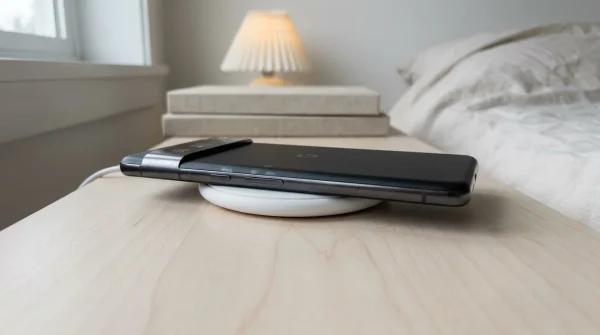
A speaker on a nightstand sits uncomfortably close to your most vulnerable personal moments: late-night pillow talk, private phone calls, and the heavy breathing patterns of deep sleep. Soft spoken murmurs often match the low-frequency envelope of wake words far more easily than sharp daytime speech, causing silent, unnoticed activations in the dark.
For nightstands, the software toggles are not enough to guarantee true peace of mind. Flipping the physical sliding hardware switch on the side of the housing mechanically disconnects power to the microphone array, serving as an absolute barrier against accidental nocturnal cloud logs.
The Shared Family Room
In high-traffic dens and living rooms, children playing video games and streaming television audio continuously flood the room. Broadcast commercials frequently use synthetic tones that intentionally or accidentally trigger voice-enabled hardware across thousands of homes at once.
Here, activating aggressive auto-deletion timelines ensures that whatever random audio files bleed through the buffer are automatically expunged from company storage drives within hours or weeks, rather than sitting in an permanent digital warehouse.
The Protocol: Cutting the Ambient Recording Leash
Reclaiming privacy does not require boxing up your hardware and banishing it to the garage. You simply need to replace passive manufacturer defaults with intentional boundaries. Follow this systematic routine to purge accumulated voice logs and shut down permanent audio storage permanently.
Start by auditing your cloud activity dashboard through your connected mobile browser or native account management panel. Once inside, move directly through these specific adjustments:
- Navigate to the Data & Privacy tab within your account settings, locate Web & App Activity, and expand the detailed controls.
- Uncheck the small box labeled Include voice and audio recordings; unchecking this halts the storage of raw audio files on external servers entirely while leaving basic voice commands functional.
- Locate the Auto-delete control panel and adjust the retention timeline from ‘Never’ down to the strictest available window (typically 3 months).
- Select Manage Activity, filter by ‘Voice and Audio’, and execute a manual purge of all historic recordings logged since the device was unboxed.
- Open the hardware companion app, navigate to device settings for each specific speaker, and dial the ‘Hey Google’ sensitivity toggle down toward the least sensitive mark.
Perform a quick acoustic test once these settings are locked. Speak at normal conversational volume across the room; the puck should remain dormant until you intentionally enunciate your instructions directly toward the grill.
Reclaiming the Sacred Silence of the Living Room
A home is not an office lobby or a transit hub. It is the single space where you should feel completely free to speak without drafting a mental disclaimer, where half-formed thoughts, silly jokes, and vulnerable tears can evaporate into the drywall without being converted into training datasets. Treating domestic tech with casual trust is understandable, but true domestic comfort requires deliberate friction.
When you take three minutes to dismantle passive cloud telemetry, you restore the original social contract of your living space. The ambient lights sleep until you choose to call upon them. The room breathes with you again, private and quiet, holding no secrets other than the ones you intentionally choose to share.
Real home privacy is not about retreating into analog isolation; it is about establishing firm, unyielding boundaries on the digital tools you invite through your front door.
| Key Point | Detail | Added Value for the Reader |
|---|---|---|
| Acoustic Drift | Phonetic similarities in ordinary speech trigger phantom audio uploads. | Reveals why four glowing lights appear even when you never spoke the wake command. |
| Raw Audio Telemetry | Default accounts store actual audio snippets, not just text transcriptions. | Informs users that human contractors and algorithms can review private domestic sounds. |
| Voice History Disabling | The specific sub-setting located deep inside Web & App Activity controls. | Stops cloud retention of spoken voice tracks without breaking basic smart speaker utility. |
| Auto-Purge Threshold | Configurable automated sweeps that expunge logs at set intervals. | Eliminates the mental chore of manually scouring activity records every month. |
| Mic Sensitivity Slider | Software adjustment for microphone pickup thresholds across different rooms. | Stops noisy kitchens and television speakers from constantly triggering phantom recordings. |
Frequently Asked Questions
Will turning off voice history break my ability to control smart lights or play music?
No. Disabling the voice and audio recording sub-setting only stops the platform from keeping permanent copies of your raw voice files on remote servers. Your speaker will still process real-time commands smoothly.How often does a typical smart speaker trigger by accident?
Independent acoustic studies indicate most consumer smart speakers register between 1.5 to 3 phantom activations per day, depending on nearby television use, conversational cadence, and background room noise.Can I listen to the accidental audio clips that were already recorded?
Yes. By visiting your account’s Web & App Activity dashboard and filtering for audio events, you can manually play back every sound file logged by your device before choosing to permanently delete them.Does the physical mute switch actually disconnect the microphone?
Yes, on the Nest Mini hardware, the physical slide toggle cuts circuit power to the microphone array directly, illuminating solid orange LEDs to show the hardware is electrically deaf.Why do technology companies save these audio clips by default?
Platform providers leverage billions of real-world ambient sound snippets to train natural language processing models, using your home environment to improve speech recognition across accents and background noise.