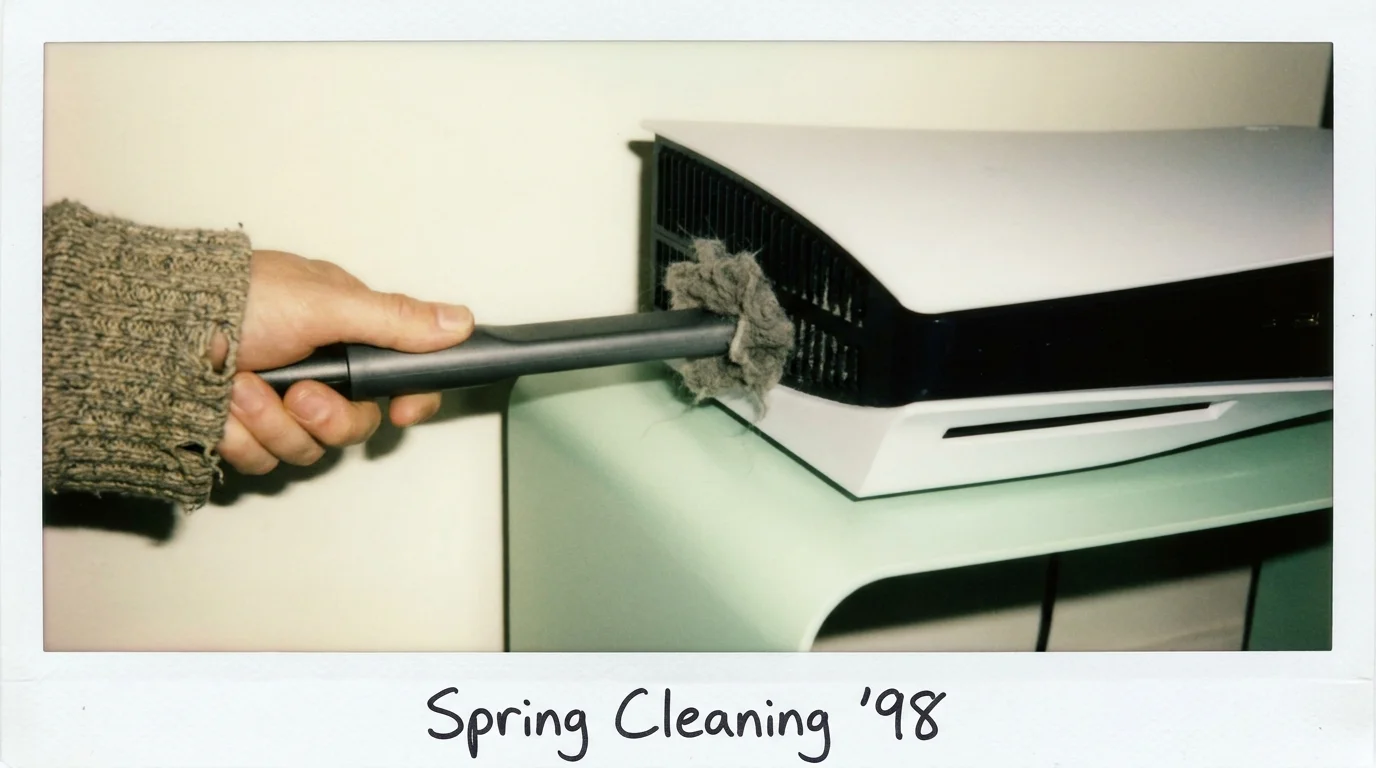
You sink into the couch after a long workday, dimming the floor lamps while the TV washes the room in cool blue light. The living room is quiet except for the subtle rustle of a late evening breeze against the windowpane. You press the controller button, anticipating nothing more than the soft chime of your PlayStation 5 coming alive and settling into its near-silent idle hum.
Then, twenty minutes into a match, the room fills with an anxious, metallic shriek. What begins as a gentle whir transforms into an unmistakable, high-pitched mechanical whine, echoing off the drywall like a tiny jet turbine spooling up on a runway. You rest a hand near the rear exhaust, feeling a thick wave of trapped heat that smells faintly of scorched wool and dry indoor dust.
Modern console design promises whisper-quiet performance, yet your machine is clearly gasping for breath. The instinct is to blame a failing cooling fan or faulty internal bearings, but the real culprit is sitting invisibly behind the pristine white curved plates. Your console is slowly breathing through a wool sweater, suffocating under a felted layer of household particulate that no surface dust cloth can reach.
The Dual-Chamber Trap and the Power Supply Choke
Most players treat their console like an appliance, assuming that keeping the glossy center stripe polished with a microfiber cloth preserves the airflow inside. In reality, modern consoles function like high-efficiency convection kilns, pulling ambient room air through narrow intake slits and driving it across an intricate array of heat pipes and aluminum fins.
When dust enters these channels, it does not settle uniformly. Instead, static charges and centrifugal forces bundle pet dander, stray rug fibers, and microscopic lint into dense, felt-like mats right against the primary fan fins and the secondary heatsink channels. Once that thermal barrier forms, the internal temperature sensor registers rapid thermal spikes, commanding the pulse-width modulation fan to ramp up to maximum velocity in a desperate bid to move air.
Yet the most dangerous choke point remains invisible from the outside. Hidden past the main fan cavity lie dedicated catchers designed to direct debris away from sensitive silicon, alongside narrow ventilation perforations carved specifically for the internal power supply unit. When lint blankets these intake holes, the power supply rapidly overheats independently of the main processor, triggering sudden, unceremonious emergency shutdowns mid-game without a single warning message.
- Google Nest Mini microphones secretly store accidental room audio through default history
- Pixel Camera app settings ruin indoor portraits with noisy digital grain
- Airport Wi-Fi hotspots intercept unencrypted network credentials through malicious twin portals
- Under-desk cable trays eliminate neck strain by securing tangled cords off carpet
- Nomad eSIM profiles prevent costly airport roaming freezes through preloaded APN setups
A Bench View From the Repair Desk
Marcus Vance, a 38-year-old consumer electronics restoration technician based outside Chicago, keeps a glass jar of felted gray lint discs on his workbench as a cautionary display for his customers. Every week, players bring in consoles they assume need expensive board replacements or liquid metal reapplications after repeated blackout crashes during graphic-intensive sequences. In nearly nine out of ten cases, Marcus pops the outer panels, applies a grounded low-pressure nozzle directly to the recessed vacuum ports, and extracts a solid plug of compacted dust that was choking the internal power unit entirely.
Mapping the Dust Load to Your Living Room Environment
Not every home generates the same debris profile, and understanding your space determines how quickly these thermal blankets accumulate behind the shell.
The Carpet and Low-Shelf Setup: Placing your console on a low media shelf or directly on a rug creates a vacuum effect that pulls in heavy synthetic fibers. These long carpet strands act like reinforcement mesh, weaving finer dust into impenetrable mats that clog the power supply intake within four to six months.
The Multi-Pet Household: Microscopic pet dander is naturally oily, causing it to adhere instantly to cooling fins upon contact. Rather than floating freely through the exhaust, hair and dander form a tacky base layer that catches everyday household dust, turning a quiet cooling system into a high-pitched blower before the year is out.
The Enclosed Entertainment Cabinet: Tucking the hardware into a tight cubby creates a stagnant thermal loop. Even if external dust is minimal, the fans must spin at triple speed to draw cool air from the room, pulling ambient dust out of the carpet with far greater suction than an open-air arrangement would ever demand.
The Low-Pressure Purge Protocol
Restoring your console to quiet operation requires a deliberate, grounded approach rather than reckless blasts of canned air, which often jam lint pellets deeper into the heatsink fins.
- Surface Disengagement: Power down the console completely, disconnect all rear cables, and let the system rest for fifteen minutes until cool. Gently slide the side plates off without forcing the plastic alignment hooks.
- Visual Port Inspection: Locate the two recessed triangular dust catcher holes integrated into the inner black chassis, alongside the lower ventilation grid running beneath the fan mount.
- Low-Pressure Extraction: Using a low-power handheld vacuum equipped with a soft, non-conductive narrow nozzle, hold the tip a half-inch above the catcher holes to lift the lint blanket out cleanly.
- Fan Cavity Sweep: Hold the fan blades stationary with a clean plastic probe so they do not spin freely against their bearings while you clear surface fuzz from the leading edges.
The Tactical Toolkit: A plastic spudger or guitar pick for plate release, a low-pressure mini vacuum or static-safe brush, a focused LED flashlight, and a microfiber towel for outer chassis clearing.
Quiet Evenings and Hardware Peace of Mind
Caring for hardware is rarely about complex technical feats; it is about paying quiet attention to how our machines interact with the rooms we live in. When you pull away the accumulated fibers and clear those buried power supply ports, the change is instant and deeply satisfying.
The shrill, mechanical anxiety disappears from your room, replaced once more by the silent, ambient calm you intended to enjoy. Taking twenty minutes twice a year to clear the airways of your console keeps the silicon cool, protects your wallet from premature repair bills, and ensures your evening downtime remains restful.
Maintaining clear airflow channels through your console’s dedicated vacuum ports prevents premature power supply thermal throttling and extends hardware life by years.
| Key Point | Detail | Added Value for the Reader |
|---|---|---|
| Airflow Restriction | Lint blankets form over the power supply intake holes under the chassis. | Identifies why wiping external vents fails to stop fan whining. |
| Thermal Panic | Cooling fans ramp up to maximum RPM to overcome blocked passages. | Helps you diagnose noise issues before paying for unnecessary repairs. |
| Cleaning Technique | Use low-pressure suction on built-in vacuum catchers, avoiding canned air. | Prevents you from inadvertently blowing debris deeper into sensitive electronics. |
Frequently Asked Questions
Why shouldn’t I use compressed canned air to clear the console vents?
Canned air often forces compacted dust blankets deeper into the sealed heatsink fins and can blast moisture or propellants onto sensitive electronic components.How often should I clean the internal vacuum ports on my console?
In homes without pets, a gentle vacuum purge every six months keeps airways clear. Pet owners should inspect the intake cavities every three to four months.Will removing the side plates to clean dust void my manufacturer warranty?
No, the side panels are designed by the manufacturer to be user-removable specifically for storage expansion and dust extraction.Why does my console shut down abruptly without an overheating error message?
When the internal power supply unit overheats due to blocked intake holes, its hardware failsafe cuts main power immediately to prevent fire, bypassing the system software warning screen.Can placing my console vertically reduce dust accumulation compared to horizontal?
Vertical placement elevates the intake vents slightly higher off media surfaces, marginally reducing floor dust ingestion, though regular vent maintenance remains necessary regardless of orientation.