A sudden chime rattles your desk at two in the morning. Your screen flickers to life, painting the dark bedroom ceiling in cool blue light, displaying a lone signal bar where your cellular carrier’s full name used to be. Within seconds, your smartphone screen reports no service, while two states away, a criminal sits in an idling sedan, watching verification codes flood into a cloned cellular identity.
Most people view two-factor authentication as an impregnable digital padlock. You memorize your passphrase, wait for a six-digit text message, punch it into a glowing box, and assume your digital homestead remains sealed behind iron bolts. Yet in the quiet infrastructure of commercial telecommunications, that six-digit code travels as naked text across an ancient signaling architecture that was never constructed to guard your life savings.
When a rogue actor tricks an overworked telecom representative into reassigning your mobile subscriber identity to a blank SIM card, your phone goes dark. In that precise second, every automated text message your bank, email provider, and investment portal sends gets rerouted into strange hands. Stopping this attack requires swapping an invisible, easily spoofed radio transmission for a cold, thumb-sized piece of molded polymer and gold.
The Postcard Fallacy and the Vault Key
Relying on mobile carrier text messages for security is like trusting an open postcard delivered by a courier who changes uniforms three times an afternoon. The telecommunications protocol handling SMS was designed in the late twentieth century simply to confirm pager pings and quick status notes, not to serve as an unyielding cryptographic defense. When you permit a web platform to ping your phone via cellular towers, you surrender control to a third-party customer service queue in another time zone.
Hardware authentication upends this dynamic by turning access into a tactile, physics-based transaction. A physical security key does not broadcast an alert over cellular towers, nor does it ask you to read a fleeting sequence of digits off a glass screen. Instead, it relies on public-key cryptography running across the FIDO2 and WebAuthn standards, generating a mathematically unique proof that exists only inside its tiny microchip.
Think of it as the difference between giving a doorman a secret verbal password that anyone with a listening device can copy versus presenting a heavy, physical brass key that cannot be photographed or duplicated. If an attacker directs you to an elaborate spoofed banking page, your browser presents the fake domain to the physical key. The key inspects the cryptographic origin, notices a single misspelled character in the address, and quietly refuses to respond, terminating the attack before it begins.
The Midnight Wake-Up Call
Marcus Vance, a 41-year-old architectural consultant based outside Denver, discovered the fragility of telecom routing on a crisp October Tuesday. While finalizing blueprint submittals for an airport terminal, his screen dropped its cellular link without warning. Within twenty minutes, automated notification emails began bouncing off his secondary laptop screen: his primary email password had been reset, his cloud storage password had changed, and an unauthorized transfer sat pending on his commercial brokerage account. The intruder had walked straight past his twelve-character passwords simply by answering carrier verification prompts sent to Marcus’s hijacked phone number. Two weeks later, after reclaiming his accounts through grueling notary affidavits, Marcus purged every SMS recovery channel from his life and anchored his identity to dual hardware tokens.
- Galaxy Buds2 Pro stop crackling audio dropouts after clearing congested Bluetooth cache registries
- OneDrive camera backups corrupt original photo transfers during hasty mobile device upgrades
- LG webOS TVs silence blaring homescreen video ads through hidden privacy switches
- OnePlus 12 displays stop stinging eye fatigue after locking DC dimming toggles
- Citibank fraud alerts mimic trusted caller IDs on buzzing screens to steal logins
Tuning Your Defenses by Risk Profile
Moving away from cellular verification does not require an overhaul of your daily routine, but it does demand choosing an operational posture that aligns with how you move through the world.
For the Mobile Nomad
If you split hours between airport lounges, commuter rail tables, and noisy coffee counters, reach for keys equipped with near-field communication (NFC) alongside a dual USB-C plug. You simply brush the flat face of the key against the back of your phone when prompted, letting close-range radio induction complete the handshake without draining battery or leaving sensitive adapters sticking out of your device ports.
Ensure your keychain keeps the hardware shielded from coarse grit. A small silicone sleeve prevents abrasive pocket lint from dulling the exposed gold contact pads, preserving crisp electrical continuity when you tap your device on the go.
For the Home Office Anchor
Those operating primarily from a desktop workstation benefit from a low-profile, nano-sized hardware key designed to sit nearly flush in an open computer port. It rests unobtrusively in a peripheral dock or the side chassis of your machine, requiring nothing more than a split-second index finger tap to satisfy an identity prompt.
Because stationary workstations rarely travel, this setup removes all daily friction while keeping primary communication channels walled off from remote SIM swaps. The key remains entirely invisible to remote attackers probing your network from the other side of the planet.
The Mechanical Protocol: Locking Out Carrier Hijacks
Transitioning your digital life to physical keys is a methodical exercise in subtraction. By methodically pruning weak cellular channels, you turn your online accounts into unassailable fortresses that ignore hijacked telecom numbers.
- Acquire two identical hardware tokens: one designated as your daily driver and the second stored safely as an offline survival spare.
- Log into your primary email ecosystem and navigate straight into the multi-factor security menus.
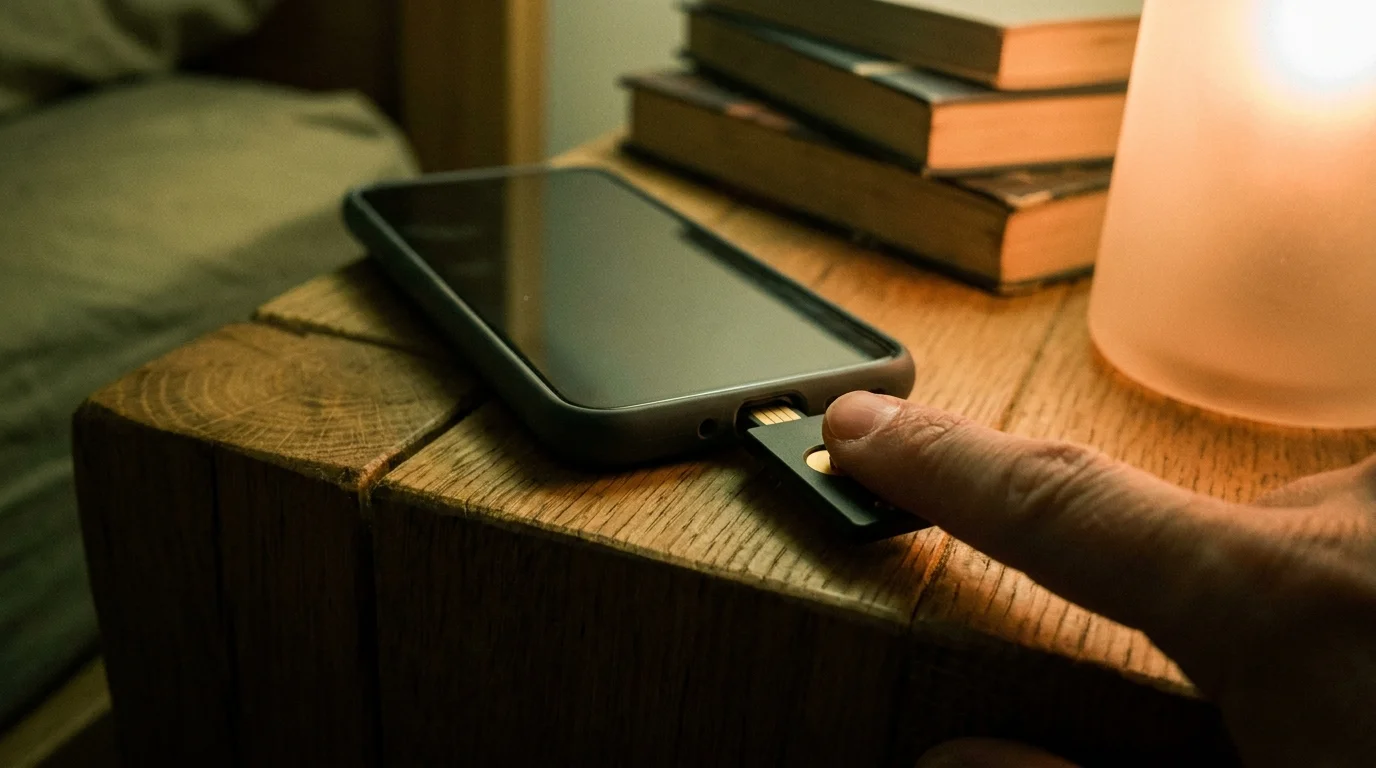
- Select security key or FIDO2/WebAuthn as your primary verification method, insert the token, and press the gleaming gold contact strip when your browser prompts.
- Repeat the registration process with your backup token before closing the settings window.
- Permanently revoke phone number and SMS verification as an allowed fallback recovery route inside your account profile.
Without removing the SMS recovery phone number, a rogue carrier swap can still bypass your hardware defense. Attackers actively search for the small link that says Try another way. Denying them that prompt is the critical strike that neutralizes the telecom exploit permanently.
The Tactical Hardware Toolkit
Keep your setup lean, robust, and geographically redundant to prevent accidental lockouts:
- Primary Key: YubiKey 5C NFC (covers contemporary laptops and mobile handsets).
- Backup Key: YubiKey 5 NFC or 5C Nano (kept in a home fireproof lockbox).
- Maintenance Window: Check contact pads every six months with a drop of 90% isopropyl alcohol on a cotton swab.
- Account Audit Time: Dedicate forty-five minutes on a quiet weekend morning to register keys across your primary email, password vault, and banking tools.
The Calm of Tangible Identity
In our headlong rush toward ethereal clouds and seamless software layers, we forgot that convenience often breeds profound fragility. We trusted our most sensitive personal records to wireless airwaves that anyone with a deceptive tongue and an offshore burner phone could manipulate.
Holding a small, physical cryptographic key in the palm of your hand restores something vital: tangible sovereignty over your private life. When authentication requires an intentional physical tap of your finger against cold metal, the invisible phantom armies roaming the world’s telecommunication switches are stopped dead at your door. You can sleep through the night with your phone resting silent on the nightstand, knowing your world cannot be traded away across a telecom counter.
Physical possession remains the only honest counterweight to an internet built on invisible deception.
| Key Point | Detail | Added Value for the Reader |
|---|---|---|
| Cryptographic Handshake | FIDO2/WebAuthn public-key authentication bound to domain. | Immune to phishing sites and cloned redirect portals. |
| Cellular Decoupling | Removal of SMS fallback channels from master credentials. | Stops carrier employee social engineering and rogue SIM clones cold. |
| Offline Redundancy | Pairing a primary daily key with an enrolled safe-kept spare. | Eliminates the fear of account lockout if everyday hardware is lost. |
Frequently Asked Questions
What happens if I lose my primary hardware key?
As long as you enrolled a secondary backup key during initial setup, you simply retrieve the spare from your home safe, sign in, and unpair the lost token from your account dashboard.Can a scammer clone my physical key if they steal it briefly?
No. The private cryptographic seeds are burned into a secure element chip that self-destructs logically under tampering and cannot be duplicated or extracted via software.Why do I have to touch the gold pad on the key?
The capacitive touch plate measures electrical capacitance from your skin, ensuring a live human is physically present at the machine and preventing remote malware from activating the key.What if my bank only offers SMS verification and rejects security keys?
Use an encrypted password vault with an authenticator app protocol for that bank, and guard that vault account with your physical hardware keys to seal the perimeter.Do security keys require batteries to operate?
No. Hardware keys draw micro-currents of power directly through the USB port or via close-range radio induction during NFC taps, making them maintenance-free for years.