By three in the afternoon, the light through your window turns thin and pale, casting long shadows across a surface crowded with black plastic stands, stray charging cords, and cold ceramic mugs. Your shoulders have crept upward toward your ears, tight as wound guitar strings. Without realizing it, you lean forward three inches, tilting your chin down just enough to track spreadsheets or edit copy, unaware that your skull feels twice as heavy to the seven delicate vertebrae in your cervical spine.
Most people blame their chairs or assume their posture is simply failing under the weight of remote work. They drop hundreds of dollars on lumbar cushions or standing desk frames, hoping mechanical furniture will magically erase physical strain. Yet every time you sit down, your eyes instinctively hunt for the center of your screen, pulling your torso along like a marionette tied to an anchor.
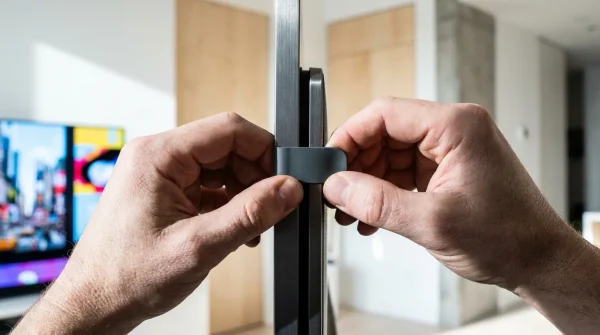
When a heavy display sits resting flat upon an OEM factory pedestal, it robs you twice. It steals roughly two square feet of primary workspace, and it pins your gaze into a permanent, subtle downward slant. Reclaiming that space is less about spending money on luxury office upgrades and far more about balancing simple mechanical leverage.
With a basic steel articulated mount like the Vivo monitor arm, the entire relationship between your body and your desk transforms. The display stops being a boulder anchored to your wood top and becomes a hovering pane of glass that meets your gaze where your spine naturally rests.
The Lever Principle: Why Factory Stands Break Your Posture
Factory monitor stands are designed to do only one thing safely: prevent a panel from tipping over during shipping or accidental bumps. To do that without custom balancing, manufacturers build them low, rigid, and wide, forcing your neck to angle downward between fifteen and thirty degrees throughout the day.
Think of your neck like a fishing rod holding a twelve-pound bowling ball. When the rod stands vertically, the weight balances cleanly down through your spine, requiring almost no muscular effort from your upper back. The moment you tilt that rod forward by even twenty degrees, physics multiplies that downward load to nearly forty pounds, turning your trapezius muscles into strained guy-wires fighting gravity for eight straight hours.
The secret of an articulating arm is not just lifting the panel off the desk; it is decoupling your screen height from your desk surface entirely. Instead of hunching to accommodate the fixed limitations of molded plastic, an adjustable arm invites you to calibrate the machine around your natural optical horizon.
Marcus Vance, a 42-year-old architectural draftsperson from Portland, spent two years dealing with chronic cervicogenic headaches that hit like clockwork every Tuesday evening. After physical therapy failed to isolate any underlying joint disease, Marcus replaced his two factory display stands with a single articulated gas-spring arm and discovered his monitors had been sitting nearly four inches beneath his natural line of sight. Within four business days of elevating the panels to true eye-level and routing the display cords through the arm’s internal tracks, the tension headaches simply vanished.
- Google Play Store traps recurring monthly charges inside obscure third-party subscription menus
- Used iPhone 13 displays reveal hidden touch deadzones through quick diagnostic field tests
- Garmin Forerunner sensors trigger erratic pulse spikes when dried salty sweat coats optics
- Ugreen Nexode chargers trigger blistering battery heat unless owners enforce slower overnight charging
- YubiKey security keys block rogue SIM swap breaches targeting vulnerable SMS authentication
Tuning the Balance: Three Workstation Variations
Every home setup serves a different rhythm, and how you tension your articulated arm dictates whether it feels like a clumsy piece of hardware or a natural extension of your sight.
For the Single-Panel Minimalist
If you work from a single 27-inch or 32-inch panel, your focus is depth and zero-bounce stability. Position the desk clamp roughly four inches off-center toward your non-dominant side, allowing the elbow of the articulated arm to fold cleanly backward without striking the wall behind your desk.
Tighten the center gas-spring cylinder until the display floats weightlessly. You should be able to nudge the monitor upward with a single index finger without having it snap back down or slowly drift toward the ceiling.
For the Dual-Screen Multitasker
Running twin screens introduces horizontal neck sweep, which can strain lateral neck muscles if configured improperly. Mount your primary screen directly perpendicular to your nose, placing your secondary communication or reference screen angled inward at twenty degrees on your dominant eye side.
This layout prevents you from keeping your head perpetually turned at a forty-five-degree angle for Slack or email. Keep both panels flush along their bezel edges so your eyes track smoothly across the visual divide without vertical jumps.
For the Sit-Stand Hybrid Worker
Motorized standing desks often induce small, frustrating micro-wobbles that make floating screens vibrate as you type. Anchor your clamp directly above one of the desk frame legs rather than in the flimsy center of the desktop board.
The rigidity of the desk leg absorbs keystroke resonance, keeping your monitor rock-solid even when you alternate between sitting and standing throughout the afternoon.
Mindful Application: The Zero-Cost Height and Cable Calibration
You do not need specialized tools or aftermarket accessories to achieve a studio-grade layout. All you need is the hex wrench included in the box, ten minutes of intentional quiet, and an honest assessment of your seating position.
Sit back comfortably in your chair with your feet flat on the floor and let your shoulders drop completely loose. Close your eyes, take a slow breath, and open them naturally without adjusting your chin. Your direct line of sight should intersect precisely with the top one-third of your computer screen.
- Set the Base Clamp: Tighten the C-clamp bracket beneath your desktop until the foam padding compresses firmly against the wood, ensuring the mounting post does not slip under lateral rotation.
- Counterbalance the Gas Spring: Turn the adjustment screw counterclockwise to increase tension for heavier panels, or clockwise for lighter screens, until the arm holds its position effortlessly when released at any elevation.
- Clear the Pivot Friction: Loosen the tilt bracket bolt slightly so you can adjust screen glare without loosening hardware, then retighten just enough to eliminate downward panel droop.
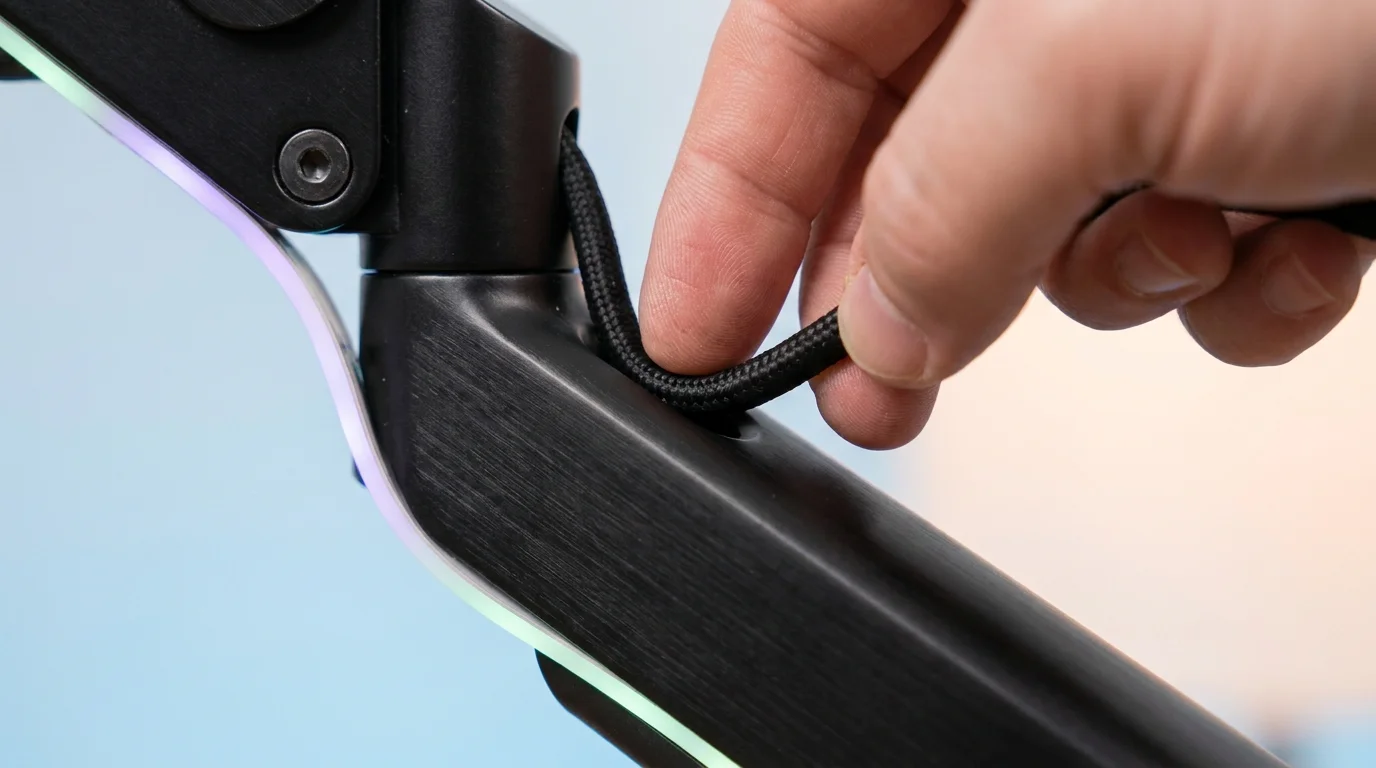
- Strip the Wire Spaghetti: Unclip the built-in plastic channel covers running along the underside of both arm segments. Route your power and video cords through these tunnels, ensuring you leave three inches of slack loop at the elbow joint so moving the arm does not yank your display ports.
The Ergonomic Tactical Toolkit
- Eye-to-Glass Distance: 20 to 28 inches (roughly arm’s length from your knuckles).
- Vertical Viewing Angle: Top edge of screen 0 to 15 degrees below natural eye horizon.
- Cable Loop Slack: Exactly 3 inches of bend radius at every moving arm hinge.
- Hex Tension Target: 1.5 turns past the point where the screen stops sagging downward.
The Bigger Picture: Reclaiming Space and Mental Clarity
A cluttered desk surface is more than an aesthetic nuisance; it produces an ambient mental friction that follows your work all day long. When power cables snake across your blotter and heavy plastic bases box in your keyboard, your working environment feels congested and cramped.
Lifting that hardware up into the air opens a wide, clear expanse of wood beneath your hands. Suddenly there is room to open a paper notebook, rest your forearms without hitting cold plastic, or simply enjoy the clean negative space of a tidy workstation.
When your screen meets your gaze naturally, your body stops fighting the workday. Your breath moves deeper into your diaphragm, your neck muscles remain soft, and your energy stays directed entirely at the creative or analytical tasks in front of you. True physical comfort rarely requires complex systems; often, it is simply a matter of putting your tools exactly where your body needs them to be.
“Ergonomics is not something you buy in a box; it is the quiet art of eliminating the friction between human anatomy and daily tools.”
| Key Point | Detail | Added Value for the Reader |
|---|---|---|
| Line-of-Sight Alignment | Screen top sits level with horizontal eye height | Stops forward chin-poking and eliminates upper back spasm |
| Under-Arm Cable Routing | Cords clip inside integrated chassis channels | Removes visual clutter and prevents port tugging during adjustments |
| Footprint Recovery | Replaces bulky factory bases with a 4×4-inch clamp | Reclaims up to 40% of usable desktop space for writing or accessories |
Frequently Asked Questions
Will a monitor arm damage my hollow-core or veneer desk?
Thin hollow-core tabletops (like paper-honeycomb designs) can crush under high clamp pressure; use a simple wood or steel reinforcement plate between the clamp and desk to spread the load safely.How do I stop the monitor from slowly drifting upward on its own?
Your arm’s gas spring is over-tensioned for the weight of your screen; turn the adjustment hex bolt toward the minus symbol until the display stays firmly wherever you set it.Can I use a monitor arm if my desk is pushed directly against a drywall partition?
Yes, but you should clamp the mount off-center and fold the articulated elbow horizontally parallel to the back edge rather than pointing straight back into the wall.Do I need extra-long cables when routing through an articulated mount?
Standard three-foot cables are usually too short once routed through the internal arm channels; swap them for six-foot cords to ensure full range of motion without straining your computer ports.What should I do if my monitor does not have screw holes on the back?
If your screen lacks standard VESA mounting points, you can attach an inexpensive universal VESA adapter bracket that cradles the panel edges securely without drilling.