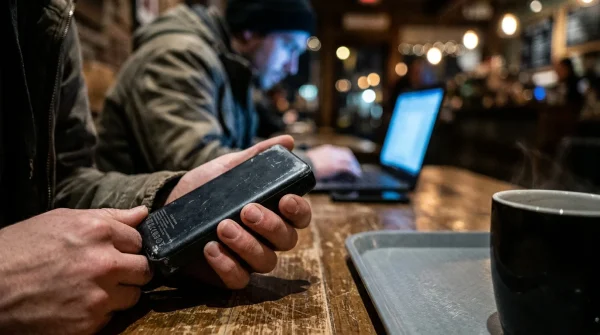
The steam wand hisses against cold oat milk, sending a cloud of roasted hazelnut and toasted beans across the polished oak counter. You slide into a low leather armchair, tuck your jacket behind you, and drop your phone onto the small round table next to a warm ceramic mug. Outside, commuter traffic crawls along the rain-slicked avenue at thirty miles an hour, while inside, the ambient low hum of conversational murmur creates that familiar haven of quiet productivity.
You glance down at your lock screen, expecting the tranquil green battery pill to rest untouched while you sip your dark roast. Instead, an unsettling warmth radiates through the phone’s glass backplate, and your battery percentage drops noticeably before you have even taken your third sip. You have not opened an app, scrolled through video feeds, or answered a single message, yet your device feels like it has been running a marathon in the background.
Most people blame a degrading battery cell or an unoptimized social media update running wild behind the scenes. In reality, you have walked directly into a silent network trap: the Starbucks Wi-Fi captive portal, an open access point that seizes your device’s connection attempts, suspends standard encryption protocols, and locks your mobile operating system into an aggressive, power-hungry authentication loop.
The Captive Gate: Why Intercepted Handshakes Burn Processing Power
When you walk past an open commercial access point, your phone behaves like a polite traveler approaching an automatic door. It sends out small diagnostic ping packets—specifically querying lightweight web addresses like Apple’s captive check or Google’s connectivity servers—to determine whether it has clear passage to the open internet. Under normal home or office conditions, the router returns an instantaneous status code, your phone confirms full connectivity, and its central processing unit drops into a low-power slumber known as deep sleep.
Public venues turn this logic entirely upside down. Instead of passing your probe forward or politely refusing it, the gateway server forcibly hijacks every outgoing DNS query and cleartext HTTP request. The router tricks your phone into thinking the entire internet is a single, locally hosted splash page demanding your acceptance of terms, your email address, or your zip code. Because your operating system detects that internet access is blocked, its background network manager refuses to rest.
Think of it like trying to breathe through a thick flannel pillow while someone repeatedly asks you your name. Your smartphone refuses to sleep because it perceives an interrupted connection that must be urgently resolved. Network daemons fire every few seconds, firing up the radios at maximum transmission power, screaming into the digital void, and waking the processor cores over and over. Within thirty minutes of passive sitting, this captive portal limbo can drink ten to fifteen percent of your battery reserve without transferring a single byte of useful data.
- Vivo monitor arms stop hunched neck stiffness and organize messy tangled desktop cables
- Google Play Store traps recurring monthly charges inside obscure third-party subscription menus
- Used iPhone 13 displays reveal hidden touch deadzones through quick diagnostic field tests
- Garmin Forerunner sensors trigger erratic pulse spikes when dried salty sweat coats optics
- Ugreen Nexode chargers trigger blistering battery heat unless owners enforce slower overnight charging
The Engineering Log: When Julian Traced the Ghost Drain
Julian Vance, a 38-year-old network systems administrator from Seattle, first noticed the anomaly during his daily morning stop along Pike Street. Carrying a phone with a freshly calibrated battery, Julian sat down for twenty minutes with a pour-over coffee, leaving his handset face-down on the counter. By the time he stepped out onto the sidewalk, his battery had shed nearly a fifth of its charge, and internal battery telemetry showed background system services consuming more power than the display itself.
Hooking his handset to a packet analyzer, Julian discovered the culprit: his device was caught in an aggressive captive-portal retry storm. Every sixty seconds, the operating system attempted to refresh its background synchronization pipelines, only to have the commercial router intercept the packets and serve raw HTML login forms. Worse still, because Julian had disabled randomized identifiers during an earlier home-lab experiment, his phone was broadcasting its permanent hardware MAC address and plaintext device hostname—literally broadcasting ‘Julian-iPhone-Pro’ to every packet sniffer within fifty yards of the café counter.
The Three Profiles: Balancing Coffee Shop Convenience and Silent Leaks
Every smartphone user interacts with public coffee shop infrastructure differently, and understanding your specific behavior determines whether you are bleeding battery or coasting on standby.
The Transient Commuter
You step inside for ninety seconds to pick up a mobile order and walk right back out to catch your bus. Your phone automatically grabs the familiar open SSID because you used it three months ago. In those ninety seconds, your phone aggressively renegotiates credentials, launches a hidden webview instance in system memory, and keeps cellular data radios throttled. To avoid this, set your device to never auto-join unencrypted public networks; let connection be a conscious choice rather than an accidental capture.
The Remote Laptop Nomad
You intend to sit at the corner table for three hours with a laptop, using your phone strictly for secondary alerts and multi-factor authentication. If you connect your phone to the coffee shop portal, both devices now occupy separate local addresses on an untrusted subnet. A far smarter approach is tethering your laptop directly to your phone’s personal cellular hotspot, keeping your communication contained inside an encrypted carrier tunnel while letting your phone manage a single, predictable transmission stream.
The Casual Browser
You simply want to browse the morning news while enjoying a pastry without running up your cellular plan. If you choose to log into the portal, you must complete the splash page transaction immediately. Leaving the terms-and-conditions screen floating unaccepted in your notification shade keeps the captive portal watchdog active, draining current while your device repeatedly prompts you to finish sign-in.
Mindful Network Hygiene: The Quick Tactical Setup
Shielding your hardware from captive portal drain does not require complex technical degrees or third-party paid utilities. It simply requires establishing clean operational boundaries before you place your cup on the table.
- Open your Wi-Fi settings, locate the venue’s public network name, and turn off Auto-Join entirely.
- Ensure Private Wi-Fi Address (or Randomized MAC) remains strictly toggled on for all commercial open profiles.
- Disable Auto-Login on the coffee shop network so your phone does not silently spin up background browser containers.
- If your battery suddenly runs hot in a crowded café, toggle Airplane Mode on and off once to instantly kill stalled handshake loops.
By enforcing randomized MAC addressing, your operating system generates a rotating, cryptographic hardware identifier for each specific network. This stops commercial tracking appliances from mapping your foot traffic across multiple store branches while shielding your real hardware profile from passive listeners sharing the same local channel.
The Reclaimed Morning: Digital Quiet on Your Own Terms
Stepping into a coffee shop should feel like a pause in the momentum of a loud world. The warmth of the mug in your hand, the rhythmic click of ceramic against saucers, and the gentle pace of early morning thoughts deserve your undivided attention. Technology ought to serve that stillness, not covertly run hot against your thigh while stealing precious operational life from your daily tools.
When you take deliberate control over how your handheld hardware interacts with unseen public infrastructure, you trade subtle anxiety for genuine digital composure. You no longer have to wonder why your phone feels exhausted before noon. With a few deliberate adjustments, your pocket stays cool, your battery remains stout, and your personal data stays yours alone—allowing you to savor every last sip in quiet confidence.
“True network security is not about building impenetrable digital fortresses; it begins with refusing to answer every uninvited knock at your digital door.” — Marcus Thorne, Embedded Network Security Researcher
| Key Point | Detail | Added Value for the Reader |
|---|---|---|
| Captive Portal Loops | Intercepted HTTP requests prevent low-power sleep modes. | Stops unexpected 15% hourly background battery drain. |
| Private MAC Addressing | Rotates hardware identifiers on untrusted Wi-Fi routers. | Prevents coffee shop beacons from tracking your physical store visits. |
| Hostname Masking | Stops broadcasting personal names like ‘Sarah-iPad’ across subnets. | Protects your identity from bad actors monitoring café Wi-Fi traffic. |
| Auto-Join Suppression | Forces your device to stay on encrypted mobile cellular bands. | Eliminates phantom connection stalls while walking past open venues. |
Frequently Asked Questions
Why does my phone get warm when I sit inside a coffee shop?
When your device connects to an open network without finishing the captive portal splash screen, its background networking daemons continuously ping testing servers. This continuous loop prevents the system processor from entering deep sleep states, generating steady heat.Does using Starbucks Wi-Fi expose my banking or email passwords?
Modern web browsers and sensitive apps use transport layer security (HTTPS) to encrypt actual data payloads. However, the initial captive interception and unencrypted local network traffic can expose your unencrypted DNS requests, device name, and device hardware address.What does Private MAC addressing actually do on public Wi-Fi?
Instead of transmitting your physical network card’s permanent serial code, your phone manufactures an arbitrary, randomized address unique to that single network. This scrambles automated telemetry databases seeking to catalog your device across store locations.Why does cellular data stop working as soon as I sit down near an open portal?
Your operating system defaults to Wi-Fi traffic whenever a local radio link is established. Until the captive portal is accepted or rejected, the phone holds outbound requests in queue rather than routing them through your cellular connection, causing apps to freeze.How can I stop Starbucks Wi-Fi from popping up on my screen automatically?
Navigate to your Wi-Fi configuration list, select the informational icon next to the network SSID, and disable both ‘Auto-Join’ and ‘Auto-Login’. Your phone will then ignore the signal until you explicitly choose to connect.