Midnight settles over a quiet suburban bedroom. Outside, an autumn draft nudges against the glass, while inside, the only glow is the faint amber digits of an alarm clock and the muted fabric rim of a cylinder resting on your nightstand. You slide under the covers, trade a few sleepy words with your partner about tomorrow’s schedule, and let the room fade into darkness. You naturally expect those words to vanish into the pillows and carpet, leaving no trace behind.
Yet that small cylinder on the nightstand sits permanently on the edge of its seat. It filters the slow sweep of the ceiling fan and the rustle of your sheets, listening for a phonetic trigger. When a late-night whisper like ‘let us check the lock’ mimics a wake syllable, cyan light flickers in the dark, an audio packet is compressed, and your private chatter drifts off to a distant server farm. Your home should never spy on your quietest hours, but modern hardware is built to collect everything until you establish a clean line.
You often discover this intrusion weeks later when scrolling through a companion smartphone app. Stumbling across a five-second recording of your own voice whispering in the dark feels like finding an uninvited listener standing by your closet door. It is an unsettling reminder that convenience often extracts an invisible domestic price.
The Acoustic Net in the Corner of the Room
We often think of smart assistants as discreet digital butlers waiting outside the bedroom door. In reality, they act more like fine-mesh drift nets cast into the ambient air of your living space. They do not wait to be invited; they sweep up room frequencies in perpetual three-second loops, searching for a pattern match.
We tend to rely on software switches and privacy policies to protect us, treating digital checkmarks like heavy deadbolts. But software is fundamentally porous, shifting with every cloud update and algorithm patch pushed at three in the morning. True domestic peace does not come from accepting user agreements; it arrives when you replace software trust with mechanical certainty.
The Late-Night Network Surge
Marcus Vance, a forty-two-year-old network hardware analyst from Raleigh, North Carolina, noticed this behavior while running traffic diagnostics on his home router at two in the morning. He watched his nightstand speaker push outward data bursts four separate times in an hour without anyone uttering a wake command. When he decoded the traffic logs, he discovered raw audio fragments containing a muffled cough, bedsprings shifting, and a sentence from an audiobook playing at low volume. Marcus realized that when acoustic algorithms guess wrong, your ordinary life becomes remote training data.
Setting Boundaries Across Different Living Spaces
Every room in your home possesses a unique acoustic weight and emotional boundary. A kitchen counter demands different privacy rules than the table where you sleep.
- Samsung Scene Optimizer triggers grainy digital noise across dim evening camera shots
- Starbucks Wi-Fi portals intercept unencrypted smartphone logins triggering drained battery bars
- Vivo monitor arms stop hunched neck stiffness and organize messy tangled desktop cables
- Google Play Store traps recurring monthly charges inside obscure third-party subscription menus
- Used iPhone 13 displays reveal hidden touch deadzones through quick diagnostic field tests
For the Bedroom Sanctuary:
This space belongs entirely to rest, vulnerability, and private conversations. Here, convenience must yield completely to absolute acoustic silence. Physical disconnection guarantees total privacy because no cloud update can bridge a broken wire. When you enter this room to sleep, active listening should cease entirely until morning.
For the Busy Family Kitchen:
Kitchens are chaotic acoustic environments filled with running faucets, clattering pots, and cross-room banter. False triggers happen constantly during dinner prep. The goal here is workflow containment: sever the human review pipelines and auto-upload loops in your account settings while keeping hands-free timers and shopping lists operational.
For the Home Workspace:
Sensitive client discussions, proprietary business calls, and banking details are regularly spoken aloud near your desk. Leaving an open microphone within earshot of your monitors creates an unnecessary compliance risk. A disciplined habit of silencing the array during phone meetings protects your professional integrity.
The Three-Step Acoustic Lockdown
Taking back control of your personal space does not require throwing your hardware into an electronics recycling bin. It simply means taking intentional, manual steps to neutralize automated background recording.
Follow this straightforward maintenance routine to silence unwanted eavesdropping across your home:
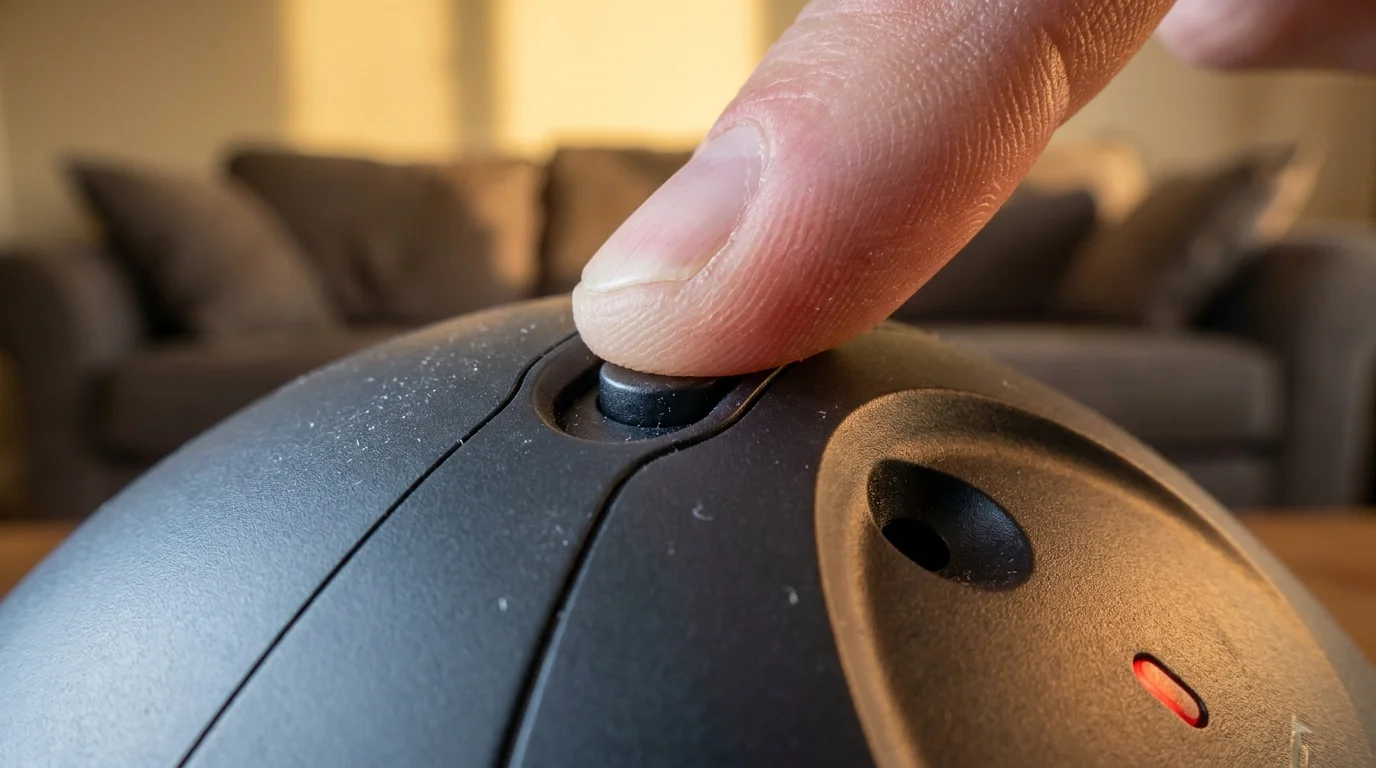
- Depress the Physical Mute Toggle: Locate the microphone button on the top panel of your speaker, stamped with a struck-through microphone or circle. Press it until the light ring turns a solid, unblinking red. This action breaks the physical electrical circuit feeding current to the microphones, making eavesdropping electrically impossible.
- Erase Stored Snippet History: Open the smartphone companion app, select Settings, proceed to Account Privacy, and open Voice History. Tap the delete command to purge all recorded voice clips from company servers immediately.
- Opt Out of Human Cloud Review: In that same privacy menu, toggle off the switch labeled for database improvement. This explicitly blocks remote employees or software vendors from reviewing ambient snippets captured inside your walls.
- Deactivate Remote Room Paging: Switch off in-home communication permissions like automatic room-to-room audio streaming unless you actively use them. This eliminates accidental open-mic links between downstairs spaces and your bedroom.
Tactical Toolkit:
Keep these exact reference markers in mind: a solid red halo signifies an open physical circuit; a cyan ring with a blue wedge indicates active data transmission. Keep devices at least four feet away from your head to prevent sleep sounds from triggering the wake engine, and set data retention schedules to immediate deletion.
The Restorative Calm of an Unheard Room
The moment that mechanical switch clicks down and the ring turns deep red, an immediate sense of relief settles over the room. The invisible presence dissolves into plastic and silicone. You are no longer sharing your evening sanctuary with an acoustic sensor analyzing the pitch of your private thoughts.
We spend our workdays tracked by calendars, web trackers, and incoming pings that constantly pull at our attention. Your private sanctuary demands stillness from the technology you purchase with your own hard-earned money. Cutting the circuit on your nightstand is a simple, grounding act of self-respect that keeps your bedroom exactly what it was always meant to be: peaceful, personal, and entirely your own.
True privacy is not a promise written in an app policy; it is a physical break in the copper circuit.
| Key Point | Detail | Added Value for the Reader |
|---|---|---|
| Hardware Mute Switch | Physically disconnects the electrical line to the microphone array | Prevents accidental room eavesdropping regardless of firmware bugs |
| Snippet Deletion | Purges existing voice recordings from external cloud servers | Prevents historical voice profiles from lingering in remote databases |
| Four-Foot Buffer Rule | Keeps the smart speaker away from pillows and bedside chatter | Eliminates phantom wake commands caused by sleep talking or sheets rustling |
Frequently Asked Questions
Does the red light on my speaker mean the microphone is completely deaf? Yes. When the ring turns solid red, the physical switch opens the circuit, cutting electrical power to the microphones so no audio can travel through the sensors.
Will setting the hardware mute stop my morning alarms from going off? No. Alarms and timers are processed locally through internal clocks and will ring normally even while the microphones remain completely shut off.
Why does the speaker light up when nobody said its name? Everyday phrases often share phonetic frequencies with the wake command, causing the onboard processor to mistake casual conversation for a direct prompt.
Does turning off voice recording history make the assistant less responsive? Not at all. Your daily queries, light controls, and timers function identically without storing your voice clips on remote servers.
Can I mute the microphones using a voice command or the smartphone app? No. You must press the physical button on top of the device, which ensures that software updates cannot secretly override your privacy.