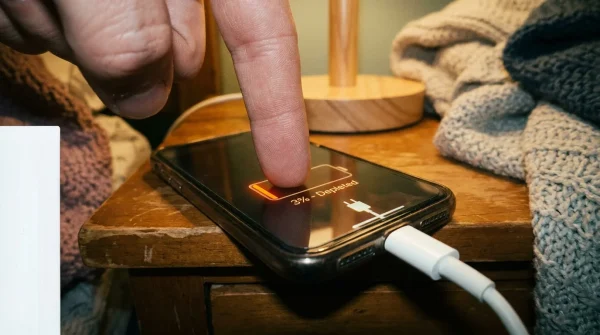
The soft chime cuts through the quiet hum of your kitchen at seven in the evening. You glance at the glass slab resting on the marble counter, its screen illuminating the dusk with an alarming buzz. An alert reads: PayPal Security: Unusual sign-in attempt detected from an unrecognized IP in Moscow. Confirm your identity immediately or your account will be frozen. Below it sits a short, clinical link, waiting for your thumb.
Your pulse skips. You did not buy anything exotic today, nor did you request a password reset. You feel that primal, urgent pull to protect your hard-earned funds before digital thieves drain your balance. Yet the real threat is not lurking on an offshore server waiting to break into an encrypted vault; it has already landed right on your home screen, dressed in the polite, hurried language of modern banking safety.
We have spent years training our minds to believe that immediate panic demands swift tapping, trading our deliberate caution for reckless speed. When your phone buzzes with an urgent verification alert, your instinct tells you the barrier between safety and disaster is a single tap on an official-looking link. But in reality, true institutional security never operates on a sixty-second countdown clock sent across an unencrypted cellular tower.
The Trojan Shortcode: Why Verification Messages Betray You
To grasp why these fraudulent messages penetrate our defenses, you must look beneath the glossy surface of modern telecommunications. Standard cellular text messages travel across SS7 protocols—antiquated routing networks designed half a century ago when phones were tethered to kitchen walls with coiled plastic cords. In that analog landscape, identity was absolute, and nobody anticipated a world where a computer program could masquerade as your neighborhood bank.
When an attacker launches a smishing operation, they do not just guess your credentials; they purchase cheap bulk routing credits through offshore aggregators. By manipulating the alpha tag headers inside the network packet, they force your handset to file their malicious warning inside the identical conversation thread as genuine messages. Your phone groups incoming texts by their apparent sender name rather than their cryptographic origin, making the wolf stand proudly in the same flock as the sheep.
The anatomy of the deception is brutally calculated. The message never asks for your cash directly. Instead, it mimics a security checkpoint: a two-factor verification failure, an unexpected login alert, or a simulated charge of $489.12 for electronics you never ordered. By providing a problem that demands an immediate denial, they manipulate you into clicking a portal engineered to harvest your master password, your backup security answers, and the live one-time passcode sent seconds later.
- Samsung One UI settings silence aggressive background battery drain across phone displays
- Bose QuietComfort headphones trigger dull eardrum ache during long active noise cancellation sessions
- Netgear Nighthawk routers trigger stuttering video streams as crowded 6GHz bands drop packets
- Amazon Kindle e-readers wipe downloaded libraries leaving blank e-ink screens overnight
- Telegram mobile cache hoards gigabytes of invisible media flashing red storage bars
The Lesson from a Fraud Investigator’s Workbench
Marcus Vance, a forty-four-year-old digital forensics analyst from Columbus, Ohio, spent twelve years untangling high-profile corporate breaches before a single notification nearly bypassed his own household defenses on a casual Sunday morning. His spouse received a text supposedly from their payment provider warning that a recurring charge for a luxury subscription had failed. The typography was flawless, the sender name matched their previous two-factor codes, and the landing page copied every CSS stylesheet down to the exact hex shade of royal blue.
Marcus caught the intrusion only because he inspected the raw routing header rather than the screen display. Behind the convincing facade, the shortcode was not routed through a domestic financial carrier but through an unmonitored virtual SIM bank operated out of Southeast Asia. That experience revealed a sobering truth: if a professional trained in packet inspection can pause in uncertainty, an exhausted parent juggling groceries and dinner does not stand a fighting chance without automated machine defense.
Filtering the Noise: Layers of Defense for Modern Handsets
Protecting your personal accounts does not require abandoning mobile banking; it simply requires moving the security perimeter away from your emotional judgment and back into hardware-level filtering. Different devices handle carrier streams differently, and tailoring your settings stops these spoofed transmissions before they light up your display.
For the Daily Commuter on iOS
Apple devices hide an aggressive gatekeeper behind their minimalist interface. By separating authenticated contacts from open carrier traffic, you transform an anxiety-inducing inbox into a quiet, orderly filing cabinet.
- Navigate to your handset Settings and tap into the Messages pane.
- Scroll downward until you spot the Unknown & Spam category.
- Toggle the switch labeled Filter Unknown Senders to active.
- Under the SMS Filtering section, select your carrier verification partner or default device intelligence.
Once enabled, any alert originating from a number not saved in your personal contact list is instantly silenced and placed into an isolated secondary folder. The deceptive red notification badge vanishes, giving you time to breathe, verify your account status through an independent browser session, and discard the bait.
For the Power User on Android
Android utilizes real-time Google verified caller intelligence, comparing incoming packet IDs against global telemetry databases to flag spoofed enterprise shortcodes.
- Open the primary Messages application and tap your profile avatar in the upper search bar.
- Choose Messages settings, then scroll directly to Spam protection.
- Ensure that Enable spam protection is set firmly to on.
- Return to the main settings page, select Caller ID & spam, and toggle Filter spam calls & texts to eliminate phantom vibrations entirely.
This setting quietly intercepts messages where the sender ID fails basic domain authentication, tossing fraudulent alerts into an quarantined archive without disrupting your afternoon train ride or family dinner.
Mindful Application: The Three-Minute Inbox Lockdown
Reclaiming your peace of mind requires a quiet, deliberate routine rather than frantic overhauls. Set aside three uninterrupted minutes tonight with a warm mug of tea and audit your mobile perimeter step by step.
- Never tap an inline verification link: If an alert claims your profile is frozen, press the physical home button, open your standalone browser, and type the destination address by hand.
- Purge dead financial threads: Delete ancient conversation logs containing historical shortcodes. Keeping old threads makes it simpler for modern spoofed headers to merge seamlessly into authentic archives.
- Audit verification channels: Wherever your service allows, abandon cellular SMS for account confirmations and bind your credentials to an offline software authenticator or physical security key instead.
- Forward the payload: Copy suspicious messages verbatim and transmit them to your carrier by forwarding the text directly to 7726 (SPAM), poisoning the scammer’s routing pool.
Treat incoming mobile alerts the same way you treat an uninvited stranger knocking on your front door at midnight: with the deadbolt securely fastened and your eyes checking the peephole before you ever turn the handle.
The Bigger Picture: Reclaiming Emotional Sovereignty from the Screen
Modern mobile communication was meant to knit our lives closer together, allowing voices from across continents to feel as close as a neighbor across the fence. Somewhere along the way, we permitted corporate aggregators, rogue actors, and automated dialing machines to turn our personal pockets into an unregulated trading floor for our attention and our security.
When you activate these deep device filters and train yourself to ignore urgent digital ultimatums, you do far more than shield a checking account. You dismantle the underlying mechanism of modern digital extortion: the manufactured rush of panic. You teach your nervous system that a vibrating piece of glass in your pocket does not dictate your heart rate, returning your attention to the warmth of the room you inhabit and the real people sitting across from you.
Real security is not about running faster than the predator; it is about building a gate so solid they stop knocking altogether.
| Key Point | Detail | Added Value for the Reader |
|---|---|---|
| Header Spoofing | Offshore routing systems fake carrier sender IDs to nest malicious texts inside authentic company threads. | Removes personal self-blame by exposing the underlying telecommunications loophole. |
| Panic Architecture | Messages fabricate immediate financial peril to short-circuit analytical thought before link verification. | Provides an emotional signal: urgent panic in a text almost always indicates deliberate deception. |
| Unknown Sender Filtering | Native device toggles in iOS and Android automatically quarantine texts from unsaved shortcodes. | Eliminates the problem at the hardware level so fraudulent alerts never light up your screen. |
Frequently Asked Questions
Can simply opening a suspicious text message compromise my account?
No, opening an SMS cannot compromise your credentials on modern, patched mobile operating systems. The danger lies in interacting with the embedded hyperlinks or replying directly with personal data.Why do these fraudulent texts appear inside the exact same thread as legitimate alerts?
Handset operating systems index text messages using sender header strings rather than cryptographic identities. When an offshore sender mimics an established enterprise shortcode, your device mistakenly files it within your existing conversation.What should I do if I already clicked a suspicious link and typed my login details?
Immediately open an independent browser window, navigate directly to your account portal, update your master password, and terminate all active login sessions from your security dashboard. Contact your bank to place a temporary fraud watch on linked cards.Does blocking the individual phone number prevent future attacks?
Blocking individual numbers provides minimal protection because automated operations rotate through thousands of virtual VoIP numbers every hour. Enabling system-wide spam filtering at the operating system level is significantly more effective.Why don’t cellular carriers block these spoofed shortcodes before they reach our phones?
Carriers handle billions of data packets every second across legacy cellular infrastructure that lacks native origin-authentication layers. While carriers gradually implement new routing protocols, client-side filtering on your phone remains your strongest immediate shield.