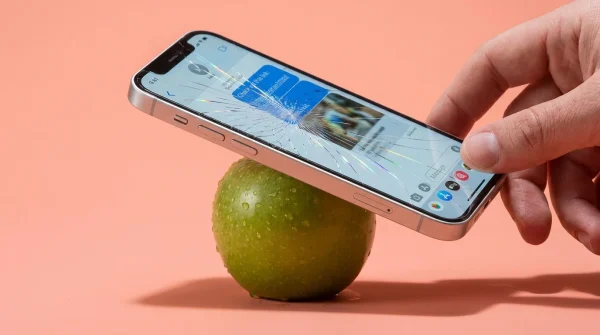
The harsh amber bar strikes without warning across the top of your screen just as you tap to record a fleeting moment. Your camera shutter locks, your email pauses mid-sync, and the operating system informs you that your device has reached zero available megabytes. You stand in the grocery store aisle or on a sunlit sidewalk, swiping desperately through camera rolls to delete memories you desperately wanted to keep.
When you open your phone’s native settings menu, the diagnostic bar paints an infuriating picture. Photos take up twenty gigabytes, your messages swallow ten, but a mysterious, grey-tinted block labeled “App Data” or “Other” stands like an immovable monolith, devouring over fifty gigabytes of high-speed flash storage. You delete old videos, offload casual games you haven’t opened since autumn, and empty your trash folders, yet phantom storage remains obstinately frozen in place.
The culprit is neither a rogue operating system glitch nor a collection of invisible system diagnostics. It is your daily music companion sitting quietly on your home screen, continuing a silent campaign of hoarding that turns your local phone storage into an unmanaged data landfill. Every single album you skimmed during a rainy afternoon drive three months ago is still taking up residence inside your phone.
Streaming platforms sold us on an ethereal vision of media where millions of master recordings float weights-free through the ether, accessible on demand without touching local silicon. In reality, streaming apps operate on a much cruder physical principle: aggressive, silent local hoarding that hides in plain sight behind encrypted app partitions.
The Phantom Hoard: Why Streaming Music Never Stays in the Cloud
To understand why your flash storage is choking, you must peel back the illusion of modern audio streaming. When you tap play on a high-bitrate track, your device does not simply channel sound waves through a digital straw and discard them into the breeze. Instead, it downloads the encrypted audio file in fragments directly to your phone’s internal NAND memory, storing it inside a sandbox so that playback never stutters if your subway rolls through a dead zone.
This temporary holding pen is known as cache, and in an ideal software architecture, it clears itself out once space grows tight. However, modern audio platforms build their architectures around speed and instantaneous response rather than digital housekeeping. The system considers local flash memory cheap and dispensable, meaning temporary files become permanent squatters unless you intervene directly.
The true deception occurs when your operating system attempts to clean house. When you navigate to iOS or Android storage screens and tap “Offload App” or clear miscellaneous system data, the operating system politely knocks on the application’s front door. But because the audio cache is registered as active application content rather than junk system files, the phone backs away without touching a single track, leaving tens of gigabytes trapped in digital limbo.
- Baseus GaN chargers slash expensive replacement costs while matching blistering laptop charging speeds
- Android notification listeners intercept sensitive banking verification codes behind rogue flashlight app permissions
- Chrome Privacy Sandbox settings expose browsing habits to advertising trackers until manual toggles switch
- Thick silicone cases trap blistering charger heat degrading smartphone battery bars within months
- iPad Air M2 hardware penalizes buyers paying heavy premiums over discounted predecessor models
Marcus Alvarez, a thirty-eight-year-old embedded systems engineer in Austin, spent an entire Saturday evening dissecting his partner’s phone after it repeatedly refused to complete an iCloud backup. Despite having fewer than a thousand photos and no heavy mobile games installed, the 128-gigabyte handset showed less than one gigabyte free. Digging through terminal diagnostics, Marcus traced nearly sixty gigabytes of unindexed blob files directly to Spotify’s private directory—thousands of forgotten playlist previews, cached podcast episodes, and ultra-high-definition song streams that the operating system was completely powerless to scrub.
Tailoring Your Local Storage Across Audio Habits
Not every listener burns through storage at the exact same velocity. The degree to which your local flash memory is held hostage depends heavily on how you interact with albums, algorithmic mixes, and download toggles.
For the Daily Playlist Nomad, the accumulation is gradual but lethal. If you rely on daily algorithmic discovery mixes, your application downloads hundreds of fresh tracks every week to ensure smooth skipping. You listen to a song once, dismiss it, and never revisit it, yet discarded audio remains fully cached in uncompressed containers, quietly stealing storage day after day.
For the Offline Commuter, the trap is structural. Tapping that small downward green arrow on a mega-playlist feels like a lightweight convenience before a flight or train ride. What many listeners overlook is that these curated playlists update weekly in the background; new songs download automatically while older removed tracks often leave behind persistent orphaned data within the partition until a manual purge is triggered.
For the High-Fidelity Enthusiast, the numbers multiply exponentially. Streaming audio at Very High quality (320kbps) consumes roughly three times the disk space of standard quality streams. When an app keeps thousands of these higher-density files in local reserve, hitting fifty gigabytes of dead weight takes barely four months of casual listening.
The Three-Minute Cache Reclamation Protocol
Reclaiming this trapped real estate does not require resetting your phone, losing your custom playlists, or wiping your saved library. It simply requires bypassing your phone’s blind operating system menus and speaking directly to the internal audio engine.
First, open your Spotify app and tap your profile avatar in the upper corner, then select Settings and Privacy. Scroll past the standard playback options until you locate the dedicated Storage sub-menu.
Here, the veil drops. You will see a clear, unvarnished graphic breakdown separating three distinct buckets: Other Apps, Downloads, and Cache. In almost every crowded phone, that central Cache bar will register anywhere from fifteen to sixty gigabytes of space. Tap Clear Cache. A confirmation box will appear warning you that this will remove temporary files, but your downloaded songs will stay intact. Confirm the command.
To permanently prevent the app from re-colonizing your empty storage, complete these three preventive adjustments:
- Toggle your Download Quality setting to Normal or High rather than Very High; human ears rarely detect the difference through mobile earbuds, yet it cuts file sizes by half.
- Disable Download over Cellular and turn off automatic offline updates for algorithmic mixes you do not explicitly need while traveling.
- Set a calendar reminder to tap that internal Clear Cache button on the first Sunday of every month to sweep away accumulated acoustic dust.
Tactical Toolkit:
- Audit target: Reclaim 15GB to 50GB of raw flash memory in under 180 seconds.
- Audio Bitrate baseline: Set mobile streaming to 160kbps (High) instead of 320kbps (Very High) to cut cache velocity by fifty percent.
- Purge frequency: Once every thirty days to avoid memory compaction bottlenecks on modern flash drives.
Reclaiming Physical Territory in a Virtual Age
There is a quiet psychological tax that comes with living on the brink of digital starvation. When your phone repeatedly warns you that space is gone, it induces a subtle, persistent friction—you hesitate before taking a video of friends laughing, you delay necessary system updates, and you contemplate shelling out three or ten dollars a month for extra cloud tiers you do not actually need.
Understanding that your media tools are secretly hoarding ground brings immediate clarity. Your hardware is not suddenly obsolete, and you do not need to upgrade to a pricier phone model simply to have breathing room. True digital peace of mind begins when you understand how local memory behaves, clearing out invisible baggage so your pocket technology remains nimble, light, and entirely your own.
Clearing an application cache is not about throwing away your past listening history; it is simply sweeping the sawdust off your workshop floor so you have room to build something new.
| Key Point | Detail | Added Value for the Reader |
|---|---|---|
| OS Menus are Blind | Device settings classify encrypted music buffers as critical app runtime data rather than temporary clutter. | Prevents you from wasting hours fruitlessly offloading apps or wiping personal photo albums. |
| Internal App Purge | Clearing the cache inside app settings targets temporary buffers without touching saved offline songs. | Instantly reclaims 20GB to 50GB of real space without erasing curated road-trip libraries. |
| Bitrate Throttling | Dropping mobile streaming from 320kbps to 160kbps halves cache growth with zero perceptible quality drop on consumer earbuds. | Stops phantom storage bloat before it starts, keeping your phone fast and responsive long-term. |
Frequently Asked Questions
Will clearing the Spotify cache delete my downloaded songs?
No. The dedicated “Clear Cache” button exclusively scrubs transient playback files and track fragments; songs you have explicitly marked with the green offline download icon remain stored and available for offline listening.Why doesn’t my phone’s regular storage cleaner remove these files automatically?
Mobile operating systems treat app sandbox storage as private. Because streaming apps flag their cached media containers as active data rather than system trash, the operating system leaves them alone to avoid breaking user playback.How quickly does this phantom storage build back up?
If you stream audio for two to three hours daily at high bitrate settings, your app will easily accumulate ten to fifteen gigabytes of cached track data within thirty to forty-five days.Does clearing the cache log me out or erase my personal playlists?
Not at all. Your account credentials, custom playlists, followings, and listening algorithms live safely on the service’s central servers and remain completely unaffected by cleaning your phone’s local drive.Can I move this offline cache to an external SD card on Android devices?
Yes. In the Android version of the app’s storage settings, you can choose your external SD card as the preferred storage destination, keeping your primary internal flash memory clear for system tasks and photos.