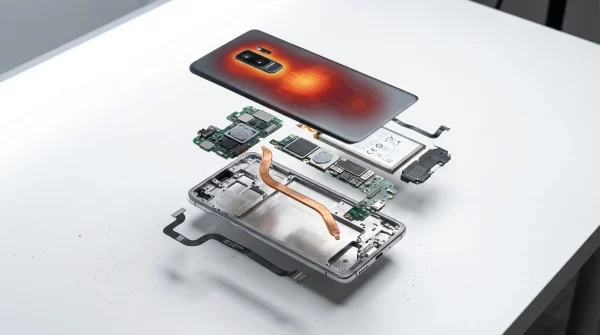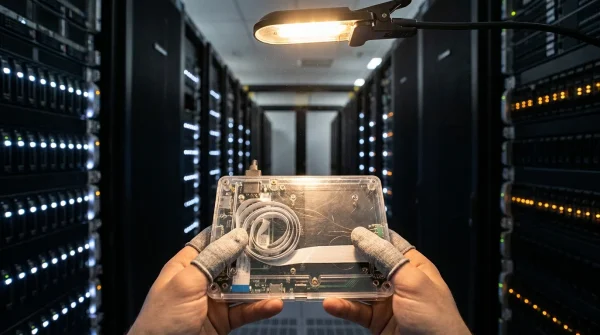
A soft layer of twilight settles across your living room, catching the matte black speaker grill covered in faint dust on a wooden credenza. You pull out your phone, drag the volume slider up two notches, and wait. For three agonizing seconds, nothing moves. The room stays quiet until the sound suddenly leaps forward in an awkward, jarring burst.
You likely assume your phone is talking directly to the metal cylinder sitting three feet away over your home network. In reality, that simple touch had to leave your house, race through regional switches, negotiate a token at a remote corporate data center, and return to your living room just to adjust the coil inside your speaker cone.
It feels like breathing through a pillow when modern consumer audio insists on an open internet pipe for the most basic local tasks. When corporate servers hiccup or software redesigns break communication paths, your expensive hardware becomes little more than an elegant paperweight.
The Invisible Leash Inside Your Living Room
We spent decades treating home sound systems like durable appliances. You bought an amplifier, ran copper wire, and expected the system to sing whenever an electrical current passed through it. Modern multiroom setups shifted that contract, swapping physical permanence for digital convenience.
The central illusion rests on the idea of local autonomy. Your devices sit on the same subnet, share the same router, yet remain strictly tethered to cloud authentication endpoints. When an ecosystem pushes a major firmware redesign or retires legacy API endpoints, local hardware suddenly stumbles over basic commands. A speaker does not lose its acoustic fidelity overnight; its digital tether simply gets tangled thousands of miles away.
Understanding this architecture reveals an unexpected advantage. Once you recognize that these units are simply small Linux computers running network media decoders, you stop relying on proprietary applications. You can peel away the cloud layer and run high-fidelity audio entirely within your home perimeter.
- Samsung Smart TV tracking features secretly expose private viewing data through telemetry
- Claude 3.5 Sonnet automation tools force messy text notes into working software
- macOS Sonoma wallpaper animations trigger jerky window lag across external monitors
- ChatGPT down alerts force tech infrastructure teams into local failover models
- Amazon Kindle DRM updates trigger silent locks on sideloaded book files
The Packet Trail in Marcus Vance’s Workshop
Marcus Vance, a 42-year-old network architect living outside Seattle, spent years outfitting his mid-century ranch with pristine multiroom audio. During a routine home network audit on a rainy Saturday, Marcus isolated his audio gear on a dedicated VLAN without wide-area internet access. Within minutes, his mobile controllers stopped discovering the hardware altogether.
Puzzled, Marcus ran a packet capture tool on his gateway. He watched in disbelief as every play, pause, and volume increment generated outbound HTTPS requests to remote analytics and authentication servers. When those requests dropped, the local control loop completely fell apart.
Marcus refused to box up thousands of dollars in custom audio drivers. Instead of accepting planned obsolescence, he set up a lightweight local bridging daemon on an energy-efficient home server. Within an evening, his entire fleet of speakers was back online, streaming bit-perfect FLAC audio without sending a single byte outside his front door.
Reclaiming Control Across Different Audio Profiles
The AirPlay Purist
If your household lives within the Apple ecosystem, proprietary cloud apps are entirely redundant. Using open-source bridges like AirConnect, you can broadcast virtual AirPlay endpoints for every legacy room controller on your network. Your phone discovers the speaker natively in Control Center, sending pristine audio streams directly over the local Wi-Fi without pinging outside servers.
The Multi-Room Synchronizer
For whole-home audio without cloud drift, local audio managers like Music Assistant integrate directly into open home automation hubs. This approach treats your speakers as raw UPnP/DLNA renderers. Local processing completely eliminates cloud lag, restoring immediate response times when adjusting multi-zone groups during dinner parties.
The Zero-Telemetry Purist
For those who want zero network chatter, you can assign static local IP addresses to each audio unit and apply outbound firewall drop rules on your router. Paired with an open-source media server, your hardware functions as a closed, reliable sound appliance that will never break due to a remote corporate update.
Mindful Restoration: Setting Up Your Local Audio Bridge
Restoring real local control to your audio setup does not require replacing your physical hardware. It simply requires changing how your devices receive their digital instructions.
Begin by taking stock of your existing speaker units and noting their MAC addresses. Transitioning to local control removes unpredictable software bloats and restores instant, tactile response.
- Deploy a local bridging tool such as AirConnect or Music Assistant on any constantly running local machine, like a mini PC or network-attached storage drive.
- Verify that multicast traffic (mDNS) flows freely across your local network so mobile controllers discover the new virtual endpoints instantly.
- Disable automatic cloud firmware updates within your hardware’s legacy management console to protect existing network protocols.
- Stream your audio using direct streaming protocols (UPnP, DLNA, or AirPlay) straight from your media player to the local IP address of your gear.
The Tactical Toolkit
- AirConnect: Open-source binary that creates local AirPlay and UPnP bridges for networked audio devices.
- Music Assistant: A self-hosted music library manager that turns raw network speakers into independent, locally grouped sound systems.
- mDNS Reflector: Router utility ensuring discovery packets travel seamlessly across isolated home network segments.
- Static DHCP Leases: Permanent local IP assignments to prevent room renderers from shifting network locations.
The Quiet Resilience of Local Technology
There is a profound sense of satisfaction in knowing your living space works for you, rather than for a remote server cluster. When you hit play on a favorite album, sound should fill the room effortlessly, free from the whims of distant corporate infrastructure.
By untethering your hardware from proprietary cloud ecosystems, you reclaim the permanence audio equipment was always meant to have. The matte black speaker on your wooden credenza returns to doing what it was crafted to do: bringing warmth, clarity, and music into your home on your own terms.
“True ownership of your technology begins the moment you cut the remote cord and your home continues to sing without missing a beat.”
| Key Point | Detail | Added Value for the Reader |
|---|---|---|
| Cloud Dependency | Volume and discovery requests route through remote authentication endpoints. | Explains why speaker apps lag or fail when internet access drops. |
| Open-Source Bridging | AirConnect and UPnP bypass the vendor app entirely. | Restores native, zero-latency streaming directly from your phone. |
| Network Isolation | Firewall rules prevent forced, destructive firmware modifications. | Preserves your hardware investment for decades of reliable use. |
Frequently Asked Questions
Do I lose multi-room grouping if I bypass the official app?
No. Open-source local platforms like Music Assistant let you group multiple zones and synchronize playback across rooms directly over your home network.Will sound quality degrade when using local UPnP or AirPlay bridges?
Not at all. Local bridges pass uncompressed, bit-perfect PCM or high-resolution lossless audio streams directly to the internal digital-to-analog converter.Do I need advanced coding skills to install a local audio bridge?
No. Tools like AirConnect run as single, pre-compiled executables or lightweight containerized add-ons that require almost zero configuration.Can I still use popular streaming services with local audio controllers?
Yes. Local management tools integrate directly with popular music subscription APIs while handling the actual room routing inside your own network.Will blocking internet access on my speakers prevent basic music playback?
Once you point your local streams to the hardware using open protocols like DLNA or AirPlay, the speakers require no internet connection to play your audio.