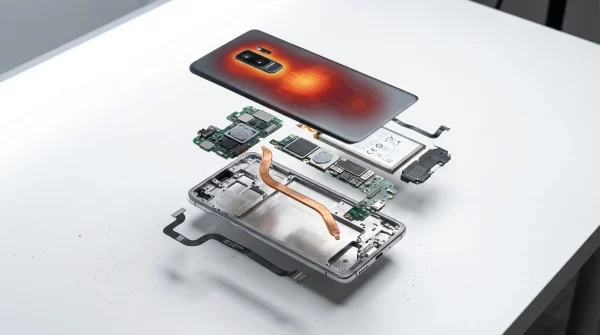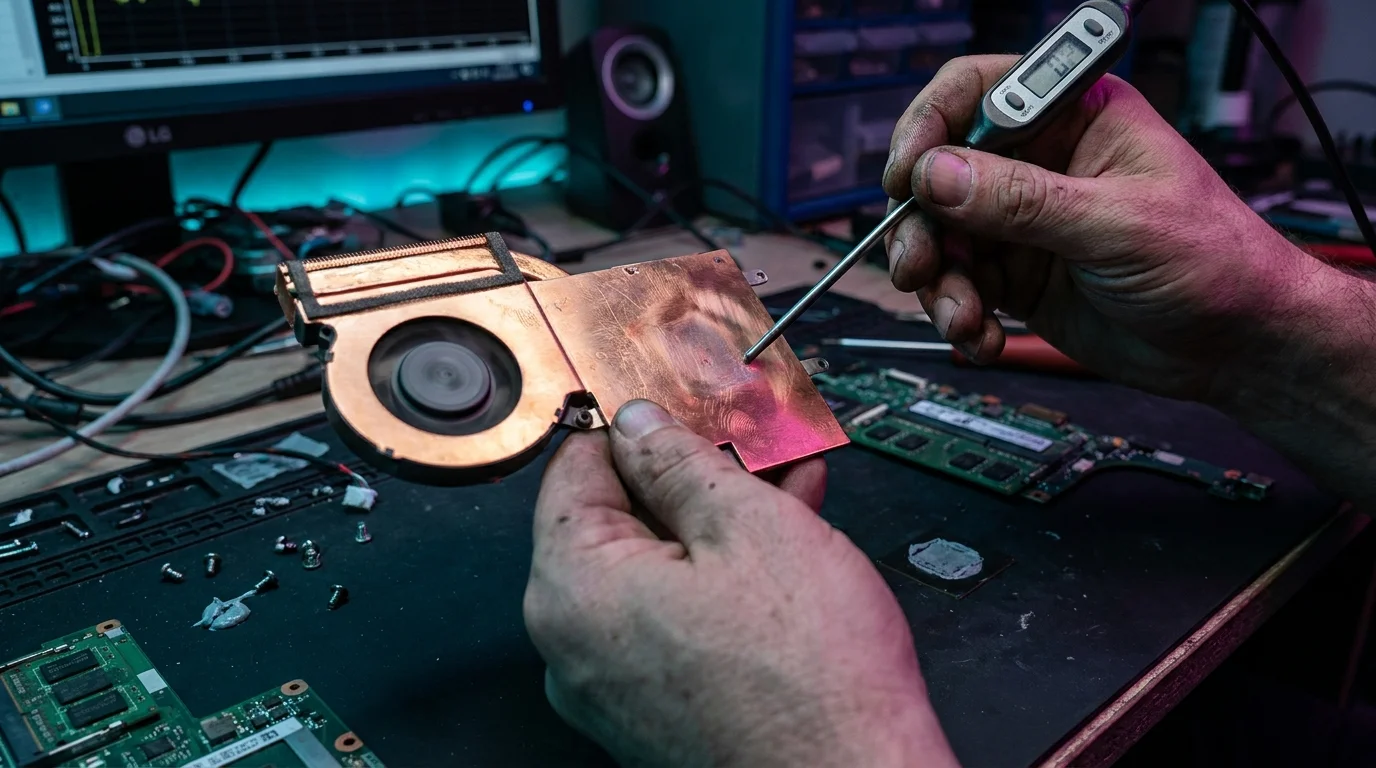
A sharp, high-pitched whir breaks the quiet of your workspace as the internal copper vapor chamber fan kicks into overdrive, venting a steady ribbon of dry, warm exhaust directly across your knuckles. On your screen, the sleek glass charts and glossy launch presentation promises fade under the relentless pressure of a thirty-minute terminal build. The chassis feels pleasantly cool for the first two minutes, almost effortless, humming along while processing lightweight tasks with the grace of a silent glider.
Then the translation penalty arrives. As legacy x86 instruction sets churn through Windows on ARM emulation layers, that pristine silicon begins to soak up thermal energy faster than its svelte chassis can disperse it. You watch the live telemetry clock counters plummet from a crisp 4.0 GHz down into the low twos, transforming what felt like a generational triumph into a sluggish crawl. marketing graphs hide sustained throttling behind transient, sixty-second bursts that bear little resemblance to an uninterrupted workday.
Silicon manufacturers have perfected the art of the short sprint. When a synthetic test runs for mere seconds, the chip drinks power freely, relying on thermal mass alone to absorb the initial spike before heat spreads across the die. But when you ask that same processor to continuously decode unfamiliar machine code while balancing background services, the laws of thermodynamics reassert control with unflinching precision.
The Sprinter Forced to Run a Marathon Under Load
To understand what is happening beneath the keyboard, imagine an elite sprinter who produces astonishing top speeds on a rubberized track, but is suddenly handed a seventy-pound pack and ordered to march up a mountain trail in midsummer humidity. Synthetic benchmarks like isolated single-core runs act like that hundred-meter dash; they measure peak output before heat saturates the copper heat pipes. real translation requires raw endurance, forcing the hardware to execute real-time binary conversion while simultaneously driving display pipelines and memory controllers.
When an ARM processor encounters native code, its efficiency cores handle instructions with surgical economy. The moment you introduce complex legacy business suites or non-native creative tools, the emulation engine must build dynamic translation tables on the fly. This dual workload doubles the register pressure and floods the instruction cache, causing localized hot spots on the die that trigger aggressive thermal safety rails long before the cooling system reaches equilibrium.
- Steam Deck shader cache bloat strips gigabytes of local solid state storage
- Sonos multiroom audio ecosystems trap home speaker setups behind proprietary cloud servers
- Samsung Smart TV tracking features secretly expose private viewing data through telemetry
- Claude 3.5 Sonnet automation tools force messy text notes into working software
- macOS Sonoma wallpaper animations trigger jerky window lag across external monitors
Marcus Vance, a 42-year-old systems architect based in Austin, discovered this gap during an enterprise migration pilot. After purchasing ten premium Snapdragon-powered ultraportables based purely on stellar review graphs, his team deployed proprietary database management tools built on legacy frameworks. Within fifteen minutes of continuous batch processing, the machines throttled back their core frequencies by nearly 45 percent, turning a projected productivity gain into an afternoon bottleneck that left developers staring at frozen status bars.
Mapping the Realities Across User Profiles
Not every workflow pushes the translation engine to its breaking point. The severity of thermal pullback depends heavily on where your software lives in the software stack, making it crucial to audit your daily application ecosystem before buying into theoretical peaks.
For the Cloud-Native Minimalist
If your entire routine lives inside a native web browser, progressive web apps, and modern office productivity suites, the thermal wall remains largely invisible. The processor hums along at its most efficient voltage curves, sipping single-digit wattage and maintaining cool surfaces. native silicon execution stays effortless throughout long spreadsheet sessions and video calls, delivering the whisper-quiet battery longevity promised on the box.
For the Legacy Enterprise Specialist
Those reliant on proprietary financial software, older ERP systems, or specialized peripheral drivers will encounter the sharpest decline. Emulating heavy 64-bit x86 binaries generates persistent instruction cache misses, keeping the translation engine pegged at high voltage states until the cooling assembly is utterly saturated. Here, sustained performance can dip well below older native hardware.
For the Sustained Local Creator
Audio engineers utilizing non-native plugin chains and developers compiling mixed-source repositories will feel the thermal ceiling quickly. While short export passes appear blistering fast, multi-track renders and prolonged Docker builds cause steady frequency degradation, resulting in export times that stretch far beyond initial synthetic projections.
Mindful Calibration and Thermal Triage
Managing sustained workloads on next-generation silicon requires deliberate operational adjustments rather than relying on automatic factory profiles. You can stabilize your machine’s thermals and prevent dramatic throttling cliffs by adopting a few strategic configuration habits.
- Audit running processes through Task Manager to verify which background utilities are executing as native ARM64 versus emulated x86_64 binaries.
- Elevate the rear laptop chassis by just half an inch to maximize cool airflow into the bottom intake grilles and lower baseline operating temperatures.
- Switch the system power plan from aggressive performance modes to balanced efficiency curves, preventing erratic boost spikes that overwhelm the vapor chamber early.
- Schedule intensive continuous translation tasks in discrete, fifteen-minute batches rather than endless uninterrupted render queues.
Your tactical toolkit should include a reliable hardware monitor to log package temperatures alongside core frequencies during prolonged tasks. Aim to keep sustained package temperatures below 82 degrees Celsius to prevent the firmware from cutting core clocks below baseline targets. When ambient room temperatures climb past 75 degrees Fahrenheit, active laptop cooling pads become a practical necessity rather than an optional desk accessory.
Finding Peace in Real-World Performance
Understanding the difference between synthetic burst metrics and continuous sustained execution liberates you from the cycle of spec-sheet disappointment. When you recognize that marketing benchmarks represent theoretical maximums under laboratory conditions, you can evaluate your gear based on what it genuinely accomplishes across an eight-hour day. True computing power is not measured in a momentary flash of speed, but in the steady, predictable output that keeps pace with your thoughts without faltering under load.
Thermal efficiency is not about how fast a chip can sprint when cold, but how gracefully it breathes when the work never stops.
| Workload Type | Operational Behavior | Practical User Impact |
|---|---|---|
| Isolated Synthetic Run | Pushes maximum single-core boost clock for 30 to 60 seconds without thermal buildup. | Generates high benchmark scores that look impressive in marketing materials. |
| Native ARM Execution | Operates within high-efficiency instruction pipelines with minimal thermal overhead. | Delivers silent operation, low skin temperatures, and all-day battery life. |
| Sustained x86 Translation | Continuous instruction decoding saturates vapor chamber, causing 30-45% frequency drops. | Requires active airflow management and realistic expectations for heavy legacy software. |
Why do synthetic benchmarks score so high if real emulation throttles?
Synthetic benchmarks run in brief bursts that finish before the processor die fully saturates the cooling system with heat, masking the thermal limits that appear during continuous real-world tasks.Does thermal throttling cause permanent damage to the laptop?
No, modern processors utilize built-in safety mechanisms that automatically reduce clock speeds and voltages to protect internal silicon long before dangerous temperatures are reached.Can software updates resolve translation throttling?
While software optimizations and compiler updates can make translation layers more efficient, they cannot override the physical cooling limitations of thin-and-light laptop hardware.How can I tell if an app is running through emulation?
Open the Windows Task Manager, navigate to the Details tab, and inspect the Architecture column to see whether an active process is listed as ARM64 or x64.Is an active cooling pad actually effective for vapor chamber designs?
Yes, lowering the chassis skin temperature and supplying a steady flow of cool intake air helps dissipate residual heat faster, delaying the onset of aggressive thermal throttling.