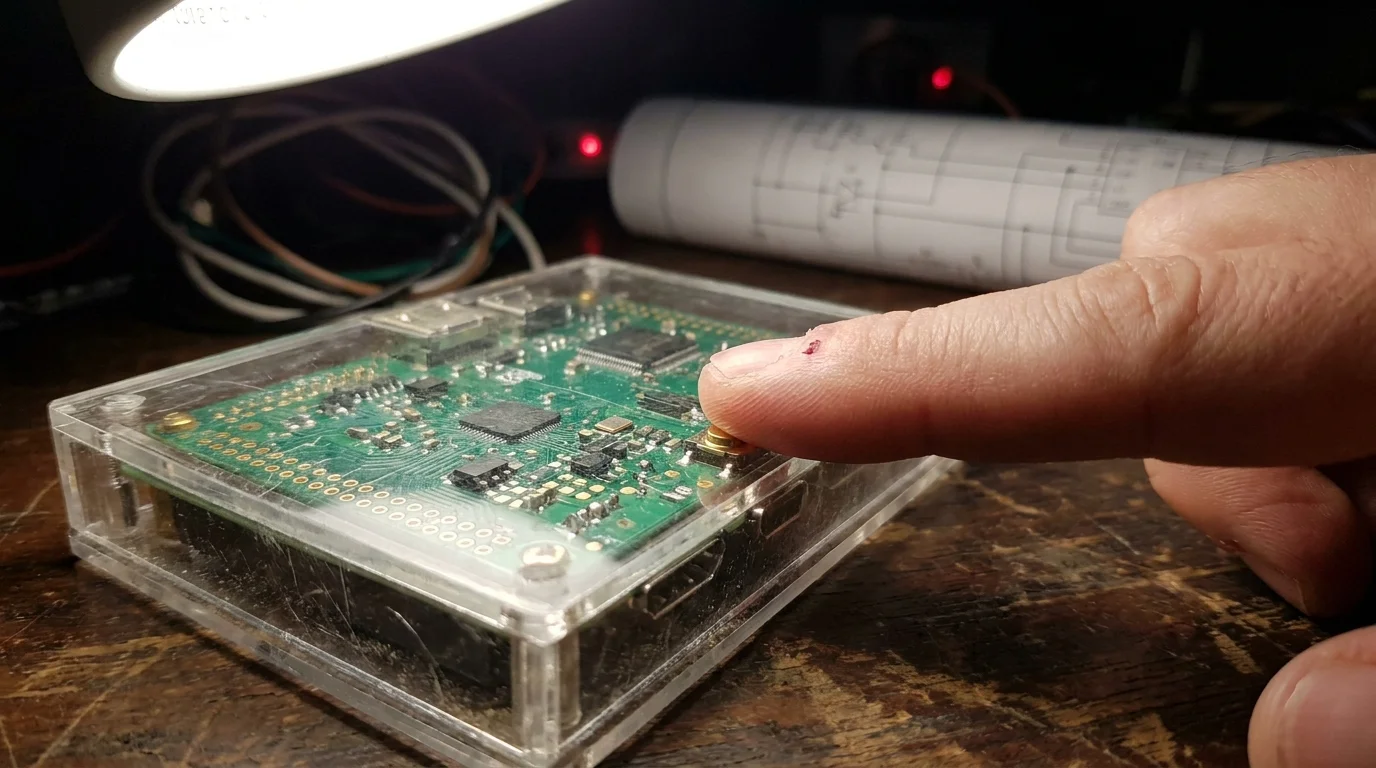
A tiny green single-board computer enclosed in a clear acrylic case sits on a low bookshelf, its pinhead-sized amber and green status lights pulsing quietly against the baseboard. When evening dusk settles across your living room floor, you tap a wireless wall rocker. The room instantly bathes in a warm, low-angled glow without a whisper of latency, crisp and immediate.
Outside your window, a sudden fiber outage leaves your neighborhood dark and disconnected. Down the street, commercial smart bulbs freeze mid-state, their voice assistants throwing robotic connection errors because a server rack hundreds of miles away suddenly stopped responding. In your space, however, everything keeps humming along smoothly without skipping a beat.
Mainstream consumer hardware has convinced millions of homeowners that modern convenience demands an endless stream of subscriptions and external dependencies. We have been conditioned to accept cloud lag, account migrations, and sudden service cancellations as the inevitable price of automated comfort.
Taking control of your own hardware architecture strips that fragility away. When you anchor your setup to Home Assistant OS running on bare metal, every sensor, dimmer, and contact switch operates directly within your walls, turning your living space into a self-contained, air-gapped sanctuary.
Breaking the Cloud Tether: Treating Your Home Like an Internal Nervous System
Imagine if your physical nervous system had to send every sensory reflex to a third-party server farm before your hand could pull away from a hot cast-iron skillet. That is precisely how most cloud-dependent smart products behave: your wall switch sends a network packet over your ISP line, passes through authentication layers, and waits for a remote API to grant permission before toggling the bulb three feet away.
A local architecture treats your home like a true biological reflex. When a motion sensor catches movement along a hallway, the local radio coordinator intercepts that transmission directly across Zigbee or Thread bands, calculating lighting curves and firing relays in under ten milliseconds.
- Snapdragon X Elite synthetic benchmarks reveal shocking thermal throttles during heavy emulation
- Steam Deck shader cache bloat strips gigabytes of local solid state storage
- Sonos multiroom audio ecosystems trap home speaker setups behind proprietary cloud servers
- Samsung Smart TV tracking features secretly expose private viewing data through telemetry
- Claude 3.5 Sonnet automation tools force messy text notes into working software
Expert Context: The Latency Breakthrough
Julian Vance, a 42-year-old network systems designer based in Austin, Texas, spent months logging packet telemetry across dozens of mainstream retail smart home products in his 1950s brick bungalow. He found that proprietary cloud bridges were transmitting hundreds of non-functional diagnostic packets every hour, artificially saturating local radio bands while adding noticeable friction to simple physical interactions. “When you flash a dedicated coordinator stick and cut off the external umbilical cord,” Julian observed while mounting his coordinator, “the entire house begins breathing at real-time speeds. Your switches respond before your finger even leaves the physical paddle.”
Protocol Selection: Mapping Your Local Radio Architecture
Constructing an air-gapped system requires choosing local protocols that refuse to communicate outside your physical perimeter. Depending on your home layout and reliability goals, you can tailor your setup to match specific spatial needs.
1. The Pure Local Radio Tier (Zigbee 3.0 & Z-Wave)
Zigbee operates on a self-healing mesh topology, turning mains-powered plugs and hardwired wall switches into functional repeaters across your floor plan. Mesh routing guarantees flawless coverage across thick plaster or concrete walls without loading your local Wi-Fi router with extra IP assignments.
2. The Open Standard Layer (Thread & Matter)
Matter over Thread brings local IPv6 routing straight to miniature devices. It bypasses proprietary bridges entirely, allowing battery-powered door contacts and climate sensors to talk securely with your coordinator without phoning home or requiring specific proprietary apps.
3. The Hardwired Edge (ESPHome & Local Ethernet)
For critical infrastructure like garage door monitors and perimeter sensors, hardwired microcontroller boards running open-source local firmware offer bulletproof resilience. Unshakable local hardware execution ensures you never have to troubleshoot dropped packets or dead batteries in vital areas.
The Local Blueprint: Deploying Your Air-Gapped Coordinator
Building a robust local network is a deliberate, tactile process. Follow this sequence to establish your private smart home foundation:
- Mount your Home Assistant OS image onto high-endurance storage rather than a standard flash card to prevent write fatigue during heavy database logging.
- Insert your dedicated Zigbee/Matter USB coordinator (such as a Sonoff Universal Dongle Plus or Home Assistant SkyConnect) into a USB 2.0 extension cable to physically isolate the radio from motherboard interference.
- Disable default cloud discovery settings inside your local software dashboard and lock your smart home VLAN off from broad external internet access at your router level.
- Pair your mains-powered repeaters first, working outward from the coordinator to establish a dense, resilient mesh web before introducing low-power battery sensors.
Your Tactical Setup Toolkit:
- Host Hardware: Dedicated mini PC or single-board unit running Home Assistant OS on bare metal.
- Radio Coordinator: High-gain CC2652P or EFR32MG21 USB dongle flashed with open-source coordinator firmware.
- Physical Clearance: A 3-to-6-foot shielded USB 2.0 extension cable to eliminate 2.4GHz USB 3.0 port noise.
- Network Isolation: A dedicated local-only IoT VLAN set up through your home router without outbound WAN permissions.
Reclaiming Digital Sovereignty at the Threshold
There is a profound sense of quiet relief in walking through a home that works entirely on your terms. No sudden terms-of-service updates will brick your security sensors, no venture-backed startup will sunset your thermostat API, and no monthly bill will arrive just to keep your hallway lights working.
When your hardware lives locally, your domestic data stays where it belongs: behind your deadbolts and within your four walls. You build an environment that remains calm, resilient, and utterly private—a dependable piece of digital craftsmanship that quietly serves you every single day.
“True smart automation does not ask for your credit card every month; it simply listens to your space and acts instantly in total silence.”
| Key Point | Detail | Added Value for the Reader |
|---|---|---|
| Zero Cloud Latency | Commands execute inside the local room in under 15ms. | Switches and motions feel as immediate as mechanical relays. |
| Total Fee Elimination | No subscriptions for cloud storage, camera triggers, or scheduling. | Permanently caps your ownership cost to the initial hardware purchase. |
| Offline Fault Tolerance | Schedules, automations, and interlocks run during internet cuts. | Preserves home comfort, security, and climate routines 24/7. |
Frequently Asked Questions
Will my smart home still work if my internet goes down completely?
Yes. Because your automations run locally on Home Assistant OS using local Zigbee, Z-Wave, or Thread networks, your routines, motion lights, and wall buttons function flawlessly without an active broadband connection.Why do I need a USB extension cable for my radio coordinator?
Modern USB 3.0 ports emit wideband radio interference in the 2.4GHz spectrum. Using a short extension cable distances your Zigbee/Thread coordinator from this noise floor, dramatically boosting sensor range and connection reliability.Can I still control my lights when I am away from home without paying a fee?
Yes. You can access your local Home Assistant instance remotely for free by setting up a self-hosted WireGuard VPN tunnel or a secure Tailscale overlay network back to your home router.Do Matter devices require an internet connection to be set up?
No. Matter is designed as a local IP transport layer. When paired over Thread or local Wi-Fi to a local Matter controller, devices operate entirely within your local subnet without needing external accounts.What happens if my single-board computer loses power suddenly?
Home Assistant OS features robust database write-ahead logging designed to handle power drops safely. Pairing your server with a simple mini-UPS backup keeps the nervous system active through regional brownouts.