A bedside table at 3:00 AM carries a silence so heavy you can hear the faint coil whine of a wall adapter. Your phone rests face down on the pine surface, its display extinguished, battery trickling up to capacity over a woven cable. Hours earlier, you copied a sensitive six-digit bank verification code, a residential gate pin, or a private text meant only for your partner. You assumed that once your screen went dark, the transient data lingering in your device’s short-term memory drifted into suspended animation.
Then comes the overnight maintenance cycle. Without a chime or a haptic vibration, an automated App Store patch slides through your Wi-Fi connection, unpacking forty megabytes of fresh code into the local storage partition. By the time your morning alarm sounds, the application looks completely identical on your home screen, but its silent background telemetry hooks have quietly re-established their roots.
Modern smartphone operating systems take pride in privacy indicators—those glowing green dots and momentary pop-up banners designed to tell you when software peeks at your camera, microphone, or clipboard. What they rarely emphasize is how silent background processes operate when the display sits dark, or how routine platform updates gently shake loose your carefully set permission restrictions.
The Phantom Tollbooth: When Your Clipboard Loses Its Lock
Think of your device’s clipboard not as a private safe tucked beneath your mattress, but as a public park bench where you momentarily set down a cardboard folder. Anyone walking by can glance at whatever papers you left lying flat on the wood. Smartphone architects built the system clipboard to be frictionless, ensuring you can grab a tracking number from a shipping email and drop it into a carrier app within a quarter of a second.
Because convenience took priority over friction, software engineers realized early on that querying the system pasteboard cache offered an effortless window into user behavior. Instead of waiting for you to tap ‘Paste,’ an application can simply inspect whatever string sits active the millisecond the app warms up in your system cache. Meta maintains that these automated checks streamline link previews and message drafts, but in practice, they turn your short-term clipboard into an automated tollbooth for ambient ad targeting.
When an operating system patch arrives, it respects your fundamental hardware permissions—like the hard toggle for your physical camera sensor. Yet automated background app refreshes sit in an administrative gray area. During minor version rollouts, background network privileges frequently reset their handshake parameters, re-arming background clipboard inspection before you ever launch the chat window.
Marcus Vance, a forty-one-year-old digital forensics consultant in Austin, Texas, caught this behavior while analyzing network telemetry spikes on enterprise-managed devices. ‘We observed repetitive background clipboard reads occurring at twenty-minute intervals during low-power states,’ Vance noted over a cup of black diner coffee. ‘The moment a quiet overnight patch deployed, the application’s background container initiated pasteboard queries without triggering a visible system prompt, vacuuming up two-factor tokens before the user woke up.’
- Smartphone vibration motors trigger false pocket buzzes while resting on distant wooden desks
- Dell XPS laptops quietly cap processor clock speeds behind scorching hot metal keyboards
- Smartphone market carriers switch 5G midband frequencies dropping legacy rural cellular roaming
- AMD Radeon drivers block zero-day desktop exploits following urgent consumer security update
- Galaxy S21 battery replacements revive drained battery bars saving hundreds over new flagships
Mapping the Exposure: Three Distinct Risk Profiles
Not every smartphone user interacts with their device in the same cadence. Depending on how you move data between hands and pockets throughout the day, the risk of background pasteboard harvesting shifts dramatically.
The Rapid Multi-Tasker: You routinely copy credentials from a dedicated password manager, paste them into mobile banking portals, and immediately swipe away to answer an incoming work ping. In this profile, high-value data sits completely naked on your system clipboard for hours. Because you rarely restart your handset, the cached string remains active in volatile memory, waiting for the next background refresh tick to sample it.
The Ecosystem Commuter: If you work across paired machines—like an iPhone resting beside a MacBook, or a Galaxy phone tethered to a Windows workstation—universal clipboard synchronicity expands your exposure exponentially. A credit card number highlighted and copied on your laptop instantly mirrors to your pocketed phone. Even if your mobile screen remains black, background service workers running on your mobile device can read that mirrored buffer from across the room.
The Passive Scroller: You only open social apps to catch up on family photos or local group events, but you keep background notifications enabled so you never miss an urgent message. While you might assume your exposure is minimal, telemetry routines still scan your clipboard for geographic addresses, tracking identifiers, and web links to build contextual ad maps, turning your casual web browsing into monetized data.
Mindful Application: Reclaiming Your Clipboard Perimeter
Defending your clipboard requires no technical wizardry or third-party diagnostic software. It requires only three minutes of deliberate friction inserted into your operating system’s settings menus.
Start by severing the background umbilical cord that permits software to execute tasks while your phone rests in your pocket. By halting background network updates, you force the application to freeze completely until you consciously tap its icon.
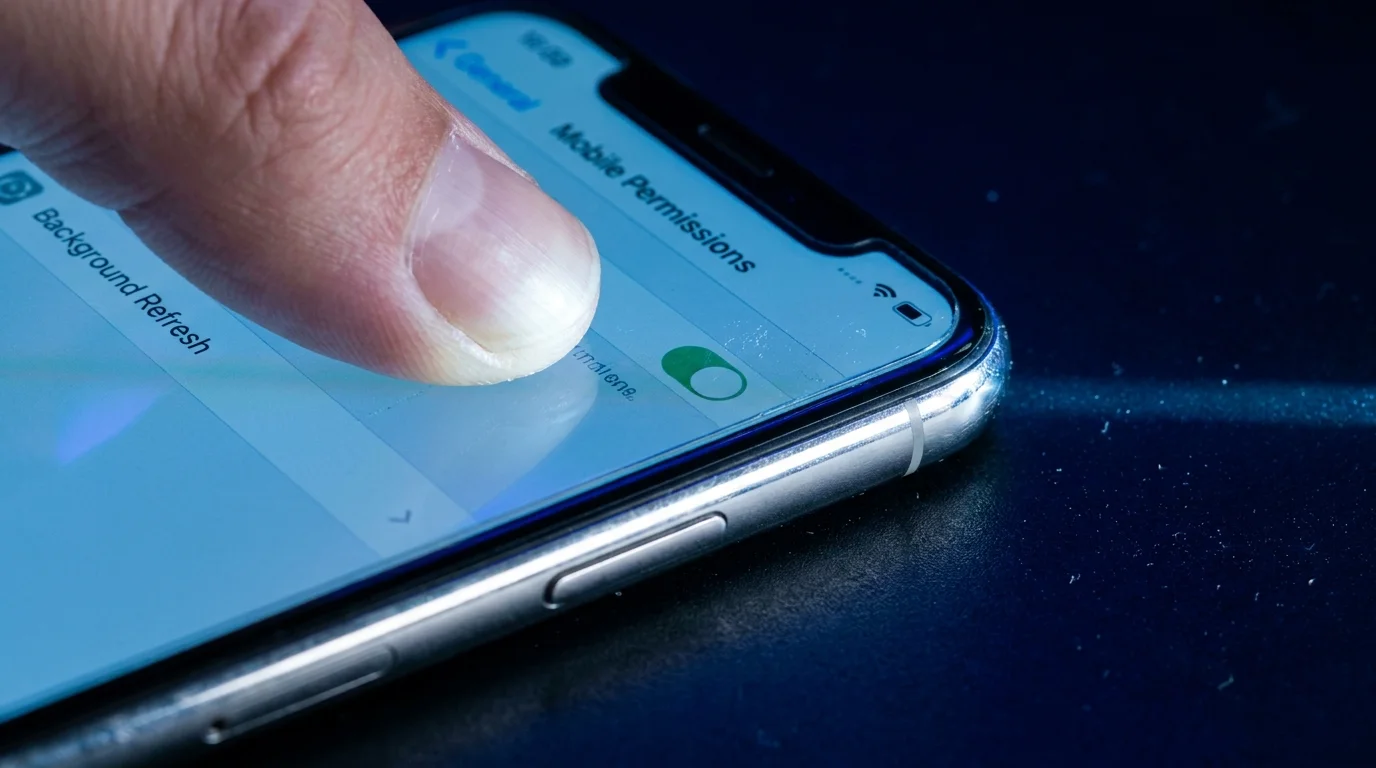
- Open your primary system Settings, scroll down to Messenger, and toggle Background App Refresh firmly to the Off position.
- Navigate to the operating system’s privacy panel, select Paste from Other Apps, and change the setting from ‘Allow’ to ‘Ask’ to force a manual permission prompt every single time.
- On Android devices, navigate to Apps > Messenger > Battery, and switch the profile from ‘Optimized’ to ‘Restricted’ to prevent sleep-state wake locks.
- Form the manual habit of purging your clipboard immediately after copying sensitive text: simply copy a blank space or single innocuous word like ‘done’ before locking your screen.
Treat these boundary adjustments as a personal hygiene ritual rather than a frantic defense. Once applied, your device stops treating your private data as an open buffet, restoring calm to your nightstand.
The Privacy Lockdown Toolkit
- Audit Frequency: Check toggles every 30 days or immediately following major operating system dot-releases.
- Clipboard Retention Target: Less than 60 seconds of exposure for passwords or financial tokens.
- Primary Setting Target: iOS: Settings > Messenger > Background App Refresh (OFF).
- Secondary Setting Target: Android: Settings > Privacy > Clipboard Access Alerts (ENABLED).
The Bigger Picture: Restoring Quiet to the Glass in Your Hand
We have grown accustomed to treating our smartphones like unpredictable houseguests who rummage through the cupboards while we sleep. Every update brings a quiet renegotiation of terms, shifting default toggles in the hope that convenience will dull our appetite for boundaries. Yet taking back control over something as modest as your clipboard reminds you that you own the glass slab, not the corporation renting space on its processor.
When you disable the background telemetry valves, your phone runs marginally cooler, your battery health lasts longer across months of daily use, and that persistent hum of digital vigilance softens. True peace of mind does not come from locking your device in a drawer; it comes from knowing that when the screen goes dark, your private life stays quiet.
Modern device privacy is not a static shield you buy once, but a garden wall you deliberately inspect after every quiet overnight storm.
| Key Point | Technical Detail | Added Value for the Reader |
|---|---|---|
| Background App Refresh | Wakes application containers in low-power states to execute telemetry routines. | Cuts stealth data harvesting and recovers 10-15% of daily battery capacity. |
| Clipboard Snooping | Inspects transient memory strings without requiring user-initiated paste actions. | Prevents sensitive one-time codes and passwords from entering telemetry logs. |
| Update Permission Drift | Application patches frequently alter secondary network defaults behind the scenes. | Gives you the exact sequence to verify settings remain locked after software patches. |
Frequently Asked Questions
Does clearing the app from my multitasking tray stop clipboard snooping?
Swiping an app away suspends its primary user interface, but background refresh workers can still trigger periodically unless the specific operating system background toggle is switched off.Why doesn’t the system paste notification alert me at night?
Operating system paste banners generally only render when the screen is powered and active; sleep-state container checks bypass visible system toasts in low-power modes.Will turning off Background App Refresh delay my incoming messages?
No. Incoming messages rely on Apple Push Notification service (APNs) or Firebase Cloud Messaging, which wake the device via high-priority system alerts regardless of that setting.Can password managers prevent background clipboard harvesting?
Most modern password managers feature an auto-clear timer that wipes the clipboard after thirty or sixty seconds, which drastically limits the window of opportunity for snooping routines.Do routine app updates always reset my privacy settings?
Core camera and microphone toggles remain intact, but auxiliary switches—such as network refresh privileges and crash telemetry—frequently revert to default state during minor patches.