The living room settles into a dim, quiet dusk, the streetlamps outside casting amber slashes across your hardwood floor. You press the power button on the remote, expecting a quiet evening with an old film or a low-lit documentary. Instead, the panel surges with brilliant, saturated light, stuttering through a looping banner video that peddles luxury automobiles or fast-food combos before your inputs even register.
You can hear the tiny, rhythmic tick of the plastic bezel expanding under thermal load as the backlight ramps up to maximum brightness. What feels like a routine visual nuisance on modern displays is actually the visible symptom of a continuous background auction. Every pixel on your screen is being cataloged, tagged, and converted into structured behavioral telemetry before the audio even reaches your soundbar.
When you plugged this sleek slab of glass into your wall, you thought you bought a private canvas for family cinema. In reality, modern living room displays are built from the ground up as billboard networks subsidizing thin hardware margins. The glowing glass looks inward into your living room just as intently as you look out into its digital worlds.
The Two-Way Mirror: How Automatic Content Recognition Operates
To understand why your dashboard stutters under heavy ad inventory, you have to picture the television screen not as a monitor, but as an active optical scanner. Inside webOS lives an invisible subsystem known as Automatic Content Recognition, or ACR. It operates like a digital fingerprint sensor constantly taking acoustic and visual snapshots of whatever appears across your input feeds.
Whether you stream through native apps, spin an archival 4K disc, or plug in a vintage gaming console, ACR samples small clusters of pixels multiple times per second. Silent background telemetry harvesting matches those visual hashes against a cloud database in real time, registering your exact pause points, channel flips, and viewing habits. Within milliseconds, that behavioral footprint is packaged and routed to third-party ad brokers to calibrate the flickering promos crowding your home interface.
We tend to view these smart interfaces as passive conduits waiting on our finger taps, but they behave far more like digital turnstiles. The sluggishness you feel when navigating your menu isn’t an aging processor; it is the system waiting for network handshakes to finish clearing commercial bids before honoring your remote control’s direction.
The Field Dispatch: A Network Engineer’s Packet Capture
Marcus Vance, a 42-year-old network reliability engineer based in Raleigh, North Carolina, first spotted the pattern while diagnosing evening latency spikes on his home fiber connection. Sitting at his workbench with a packet analyzer running across his local subnet, he noticed steady outbound encrypted traffic leaving his living room OLED display even while the panel sat idle on an HDMI input with no video playing.
- Anker fast chargers scorch phone battery health under blistering charging block heat
- iPad Mini 7 tablets recycle sluggish scrolling stutter despite expensive retail markups
- Chase Bank texts intercept private login passwords through urgent buzzing screen alerts
- Android 15 settings switch off background scanning to preserve drained battery bars
- Ring Video Doorbells lock offline motion sensors leaving frozen blank video feeds
Digging into the secure domain requests, Marcus watched the television establish constant telemetry channels to tracking servers like ad.lgsmartad.com and empirical metrics endpoints. The television was systematically dispatching diagnostic pings, interface hover logs, and content hash packets back to regional collection hubs. By simply tracing the encrypted payloads, he confirmed what hardware teardowns have documented for years: your physical hardware continuously sells access to your evening downtime.
Layered Defenses: Calibrating Privacy Across Different Household Demands
Not every home uses an entertainment center in the same fashion, and stripping out surveillance features requires tuning your machine to match your daily habits.
For the Cinema Purist
If your television serves strictly as an uncompromising monitor for dedicated streaming boxes, high-end disc players, or gaming systems, your cleanest strategy is total isolation. You can revoke network privileges entirely by wiping Wi-Fi credentials or unplugging the Ethernet cable. Bypassing the native operating system eliminates menu stutters, stops visual banner injections cold, and prevents internal acoustic or visual fingerprint engines from ever contacting external relay servers.
For the Native App Streamer
If you rely on built-in webOS services for streaming subscriptions, severance from the internet is impractical. Reclaiming your system speed requires a calculated sweep through buried diagnostic submenus to disable the specific legal agreements that empower ACR. By rejecting individualized marketing and viewing data collection while preserving standard software updates, you strip the promotional banners down to static, un-tracked placeholders.
For the Connected Smart Home
When you rely on voice remotes, local streaming protocols, or automated lighting triggers tied to your screen’s power state, network disconnection breaks ambient functionality. In this setup, network-level sinkholing using a local DNS blocker provides the ideal filter. By blacklisting tracking hostnames at the router tier, your display maintains internal smart home communication while throwing outbound ad telemetry into a dead digital void.
Mindful Application: Silencing the Telemetry Toggles
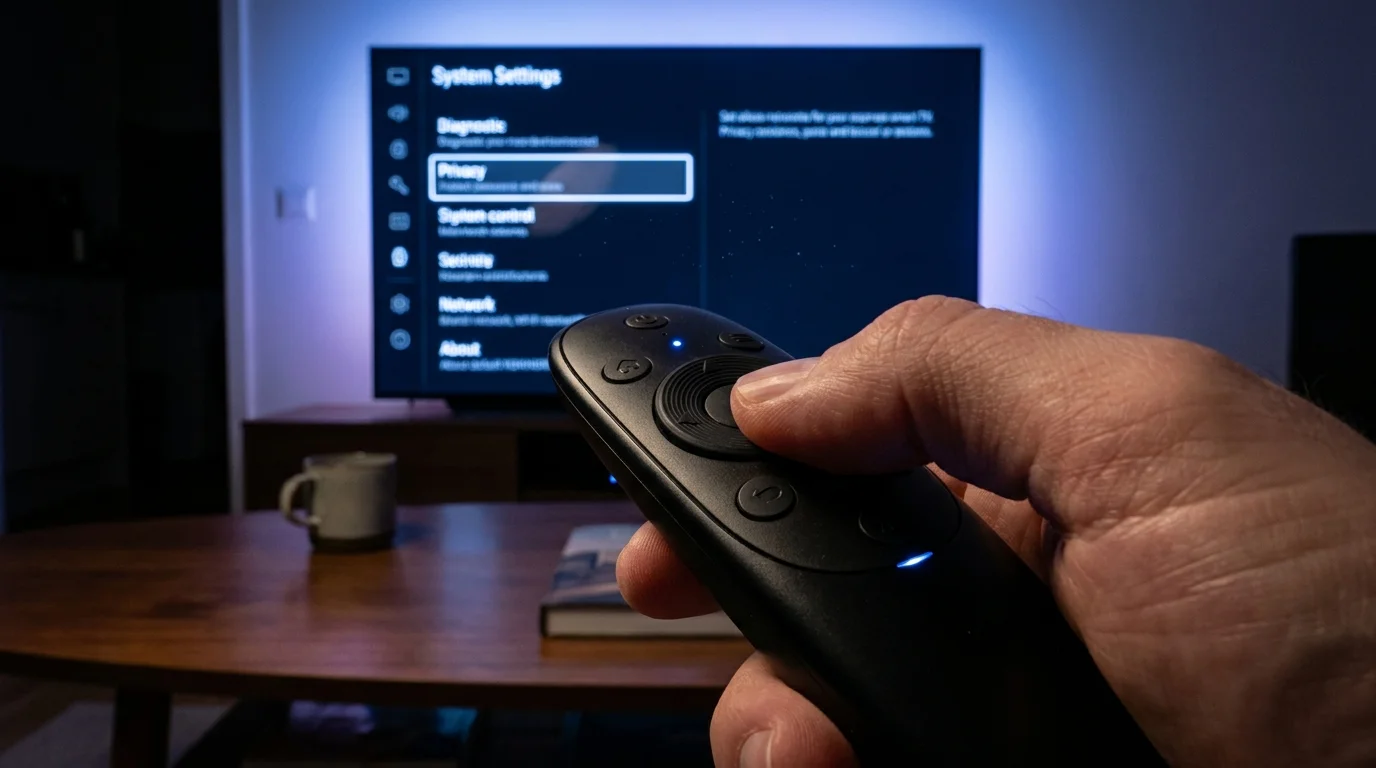
Taming your screen does not demand advanced command-line expertise. It requires patience as you walk through deliberate, hidden menu trees that manufacturers intentionally scatter across complex consent panels.
Work through these toggles methodically using your remote, allowing the interface to restart after major policy revocations:
- Open the system Settings gear, navigate to All Settings, select General, and open System.
- Locate Additional Settings and select Home Settings; toggle off both Home Promotion and Content Recommendations to halt the noisy, flickering top banner ads.
- Back out to General, choose User Agreements or Terms & Conditions (depending on your firmware generation).
- Locate the specific consent items labeled Viewing Information, Voice Information, and Interest-Based Advertising. Uncheck each one individually.
- Restart the display by holding down the remote power button for five seconds until the panel resets.
The screen might show a warning prompt insisting that certain interactive features will degrade without these toggles enabled. Denying these tracking agreements will not break core video playback, HDR formatting, or external inputs. It simply denies ad brokers an uninhibited passkey to your nightly living room habits.
The Privacy Recalibration Toolkit
Keep these technical reference parameters handy while auditing your home setup:
- Firmware Branch: webOS 6.0 through current 23/24 releases.
- Critical Domain Blacklist: ad.lgsmartad.com, lgtvsdp.com, ibis.lgappstv.com.
- Recommended Input Mode: Quick Start+ toggled to Off (forces a cold, clean boot that dumps cached tracking assets from local memory).
- Execution Time: Approximately six minutes with standard remote control.
The Bigger Picture: Reclaiming Your Quiet Space
Reclaiming control of your television is less about digital paranoia and far more about restoring intention to your personal environment. A home should serve as a retreat from the commercial noise that blankets highways, transit terminals, and smartphone feeds. When corporate display networks reach past your front door, they turn an evening sanctuary into an interactive commercial kiosk.
Taking a few quiet minutes to systematically shut down these hidden telemetry pipelines does something remarkable to the room. The menu snaps back to an immediate, fluid responsiveness. The jarring, flickering video promos vanish, replaced by quiet, static tiles that await your command rather than competing for your attention. By putting this boundary back in place, you transform your screen back into what it was always meant to be: an honest, obedient window into the stories you actually choose to invite inside.
The quietest rooms in a modern home are the ones where your devices have been deliberately taught to stay silent until spoken to.
| System Layer | Default Factory State | Added Value for the Reader |
|---|---|---|
| ACR Fingerprinting | Continuously active across all inputs, including HDMI ports. | Halts live frame hashing, reducing background network usage and protecting private viewing records. |
| Home Screen Promos | High-bandwidth auto-playing commercial video carousels. | Eliminates menu lag, lowers input latency, and creates a tranquil dashboard interface. |
| Quick Start+ Standby | Keeps the system in an active suspended state, maintaining open telemetry sockets. | Clears fragmented memory cache on full shutdown, preventing sluggish long-term navigation. |
Frequently Asked Questions
Will disabling viewing telemetry break my ability to watch Netflix or Disney+?
No. Native streaming applications rely entirely on their own standalone account authentications and will continue to function normally. You are simply severing the manufacturer-level scanning layer that monitors content across those applications.Why did my home screen reset and show advertisements again after a system update?
Major firmware updates frequently rewrite user agreement manifests, which can reset your privacy selections to corporate defaults. It is smart practice to revisit the User Agreements submenu immediately following any substantial operating system installation.Does muting the TV microphone toggle affect basic remote volume controls?
Revoking the Voice Information consent only disables cloud natural-language processing on smart voice search buttons. Standard physical volume, power, and directional navigation operate via direct infrared or local Bluetooth signals and remain completely unaffected.Can I stop tracking without digging into system submenus?
The most permanent route is taking the display entirely offline and using an external streaming stick or dedicated mini-PC running through an isolated HDMI port, which leaves the TV’s internal networking hardware completely dormant.Does blocking these tracking domains void the factory hardware warranty?
Not at all. You have full legal rights to manage the network traffic on your personal home router and decline voluntary user consent agreements built directly into the operating system settings.