By three in the afternoon, the dull throb behind your shoulder blades stops asking for attention and simply demands it. You catch yourself leaning forward, chin jutting across the desk like a turtle searching for warmth, squinting as your neck strains under the ten-pound weight of an unaligned head. Underneath, your toes accidentally kick a dusty tangle of black cords and an overloaded power strip sliding across the cold hardwood floor.
We accept this slow creep of physical exhaustion as the cost of doing modern work. You buy an expensive lumbar cushion or a kneeling stool, assuming your spine simply lacks discipline, but you ignore the heavy plastic pedestals hogging two square feet of desk space right in front of your chest. Those factory-issued display stands tether your neck to an immovable, artificial horizon.
When you sit across from two rigid screens, your eyes dictate where your cervical spine must travel. If those panels sit even slightly too high, too low, or split awkwardly down the center, your body compensates by twisting muscles into tight knots. You end up breathing through a pillow of muscle tension, fighting gravity while trying to write an email or parse a spreadsheet.
Reclaiming that physical ease does not require an ergonomic overhaul of your entire room. It begins the moment you suspend your displays in mid-air, lifting their weight off the desktop and dialing in a geometric focal point that invites your shoulders to drop naturally.
The Lever and the Plumb Line: Reframing Screen Elevation
Most default ergonomic advice repeats a common oversimplification: place the top edge of your monitor dead even with your eyes. In practice, this forces your chin slightly upward to scan down into the working canvas, converting your neck into a strained cantilever beam.
Think of your skull as a bowling ball balanced on a broomstick. The moment you tilt it forward past its natural vertical balance, the muscles running down your thoracic spine must work overtime to prevent it from tumbling forward. By dialing your displays so the screen center rests two inches below your resting horizontal eye line, your ocular muscles adjust downward while your vertebrae remain stacked like balanced river stones.
- Amazon Renewed phones conceal dead display pixels behind swift initial boot screens
- Whoop 4.0 bands skew sleep statistics when greasy grime clouds optical sensors
- Apple 70W chargers scorch smartphone backplates during aggressive overnight battery charges
- Google Authenticator apps block predatory SIM swaps by replacing intercepted text codes
- AirPods Pro 2 drop choppy audio streams until clearing network cache settings
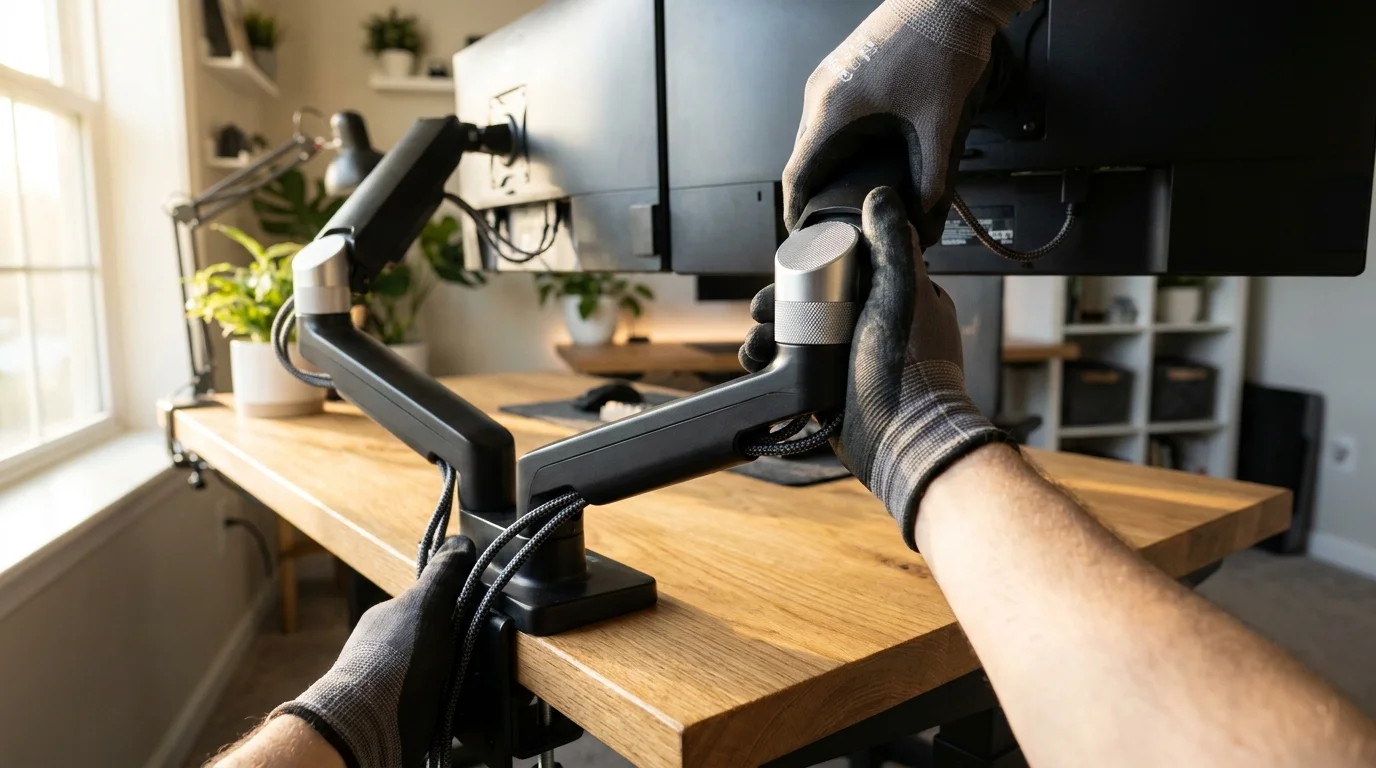
Dual monitor arms grant the mechanical freedom to lock in this subtle drop down to the exact millimeter. Instead of bending your back to meet the glass, you bring the visual plane to your rested posture, eliminating the unconscious slouch that collapses your chest before midday.
Simultaneously, mechanical arms solve the chaos below the surface. By lifting the display mounts entirely off the tabletop, they expose the channel paths required to suspend bulky power strips and unruly cables directly beneath the desktop frame, keeping them off the baseboards and away from wandering feet.
The Secret Shared in Drafting Rooms
Elena Vance, a forty-two-year-old architectural draftsperson in Denver, spent years suffering through mid-week tension migraines that radiated from the base of her skull. She cycled through standing desks and physical therapy sessions, yet every evening ended with heating pads wrapped across her neck. Her breakthrough arrived when she mounted a heavy gas-spring dual arm to her solid maple drafting table, dropped the primary screen slightly lower than recommended, and hoisted her peripheral screen inward at an easy thirty-degree angle. Within two weeks, the chronic muscular pulling vanished entirely because her head stayed centered on its plumb line.
Matching the Geometry to Your Daily Work
Dual monitor configurations are not one-size-fits-all tools; they succeed only when adapted to how your eyes move across information during a typical workday.
For the Deep-Focus Coder or Writer
Keep your primary canvas dead-center directly in front of your keyboard. The secondary monitor should sit vertically on your non-dominant side, tilted inward like the wing of an open book. This configuration handles long lines of text or chat channels without forcing continuous horizontal neck sweeps.
For the Multitasking Analyst
If you split attention equally across two workspaces, bring both screens together into a seamless shallow arc. The center seam should align with the bridge of your nose, ensuring your gaze pivots using eye movement rather than broad head turns. This stops upper spine slouching before the afternoon fatigue window opens.
For the Compact Desk Worker
If you work on an apartment-sized work surface less than twenty-four inches deep, avoid rear-sticking mechanical arms. Opt for vertical pole mounts with low-profile desk clamps that let the screens sit flush against the back wall, keeping your focal distance comfortable without crowding your keyboard.
Mindful Application: The Zero-Strain Setup
Setting up your workspace requires twenty minutes of patient adjustment rather than brute force. Approach it as an intentional calibration of your physical surroundings.
- Clamp the arm base securely to your desk, placing a thin cork or rubber pad underneath to protect the wood and absorb daily typing vibrations.
- Tighten the internal gas-strut tension screws until the screens float weightlessly, staying in place when tapped with a single finger.
- Sit in your natural, relaxed posture and extend your index finger; your fingertip should barely brush the screen surface to confirm a comfortable twenty-five-inch focal depth.
- Adjust the vertical height until the exact horizontal center of the glass rests precisely two inches below your straight-ahead gaze.
- Snap heavy power cables into the arm channels, then secure your primary power strip to the desk underside using adhesive brackets or a metal tray.
Your tactical toolkit should include: a standard 4mm or 5mm hex wrench, hook-and-loop cable ties, a clean microfiber rag, and a basic under-desk J-channel wire raceway.
The Weightless Workspace
When you sweep your desk clean of plastic pedestals and tangled cords, the shift is as mental as it is orthopedic. An open desk plane invites clear thought, letting your hands rest flat on the wood without running into plastic feet or dusty wiring.
Physical comfort at work rarely comes from drastic purchases or rigid posture drills. It comes from tiny, intelligent alignments that honor the mechanics of your skeletal frame, quietly supporting you so you can do your best work without paying for it in physical discomfort.
Ergonomics is not an exercise in static perfection; it is the art of removing physical resistance between your body and your work.
| Key Point | Detail | Added Value for the Reader |
|---|---|---|
| Vertical Sightline Drop | Center of screen positioned 2 inches below resting eye level | Relieves constant tension on the upper cervical vertebrae |
| Focal Distance Calibration | Maintain 20 to 28 inches between eyes and glass surface | Reduces micro-squinting and forward head craning |
| Under-Desk Cable Lift | Mount power strips to the desk frame via wire trays | Stops foot tangling and eliminates floorboard dust traps |
Frequently Asked Questions
How do I measure the two-inch drop accurately on my own?
Sit in your normal working posture looking straight at the wall. Have a partner place a piece of tape on the screen level with your pupils, then adjust the arm until the horizontal midpoint of the monitor sits two inches beneath that tape marker.Will a clamp-on dual arm damage a delicate desk surface?
Direct metal clamps can dent soft pine or laminate surfaces under heavy torque. Placing a small metal reinforcement plate or a pair of thin plywood shims between the clamp and the desk distributes the downward force safely.Can I use dual arms with two monitors of completely different sizes?
Yes, independent gas-spring arms allow each display to move on its own axis. You can balance their heights separately to align their visual centers even if one monitor is twenty-four inches and the other is twenty-seven.How tight should the gas spring tension screws be set?
Turn the adjustment screw toward the plus symbol until the monitor neither drifts downward on its own nor springs upward toward the ceiling when you let go. It should glide and hold with gentle pressure.What is the best way to hide thick power brick cords?
Route power bricks into an under-desk wire basket rather than inside the arm channels. Reserve the narrow built-in arm tracks strictly for flexible video cables and thin display power lines.