A faint hum of an aluminum laptop chassis warming against cold denim is a feeling you likely recognize. For months, you watched that small, discreet icon sit quietly in your top menu bar. It diligently photographed your screen every two seconds, chewing through system memory, translating pixels into optical characters, and promising that you would never lose a fleeting thought, a forgotten web link, or a buried email thread again.
Then the machine began to wheeze. System resources thinned out, hard drives choked under thousands of unindexed frame captures, and the promise of total recall turned into a persistent background burden. You were asked to pay twenty or thirty dollars every month just to preserve a personal surveillance ledger of your own mundane browser tabs. When the novelty wore off, the value disappeared, leaving you wondering why you were leasing back your own working memory.
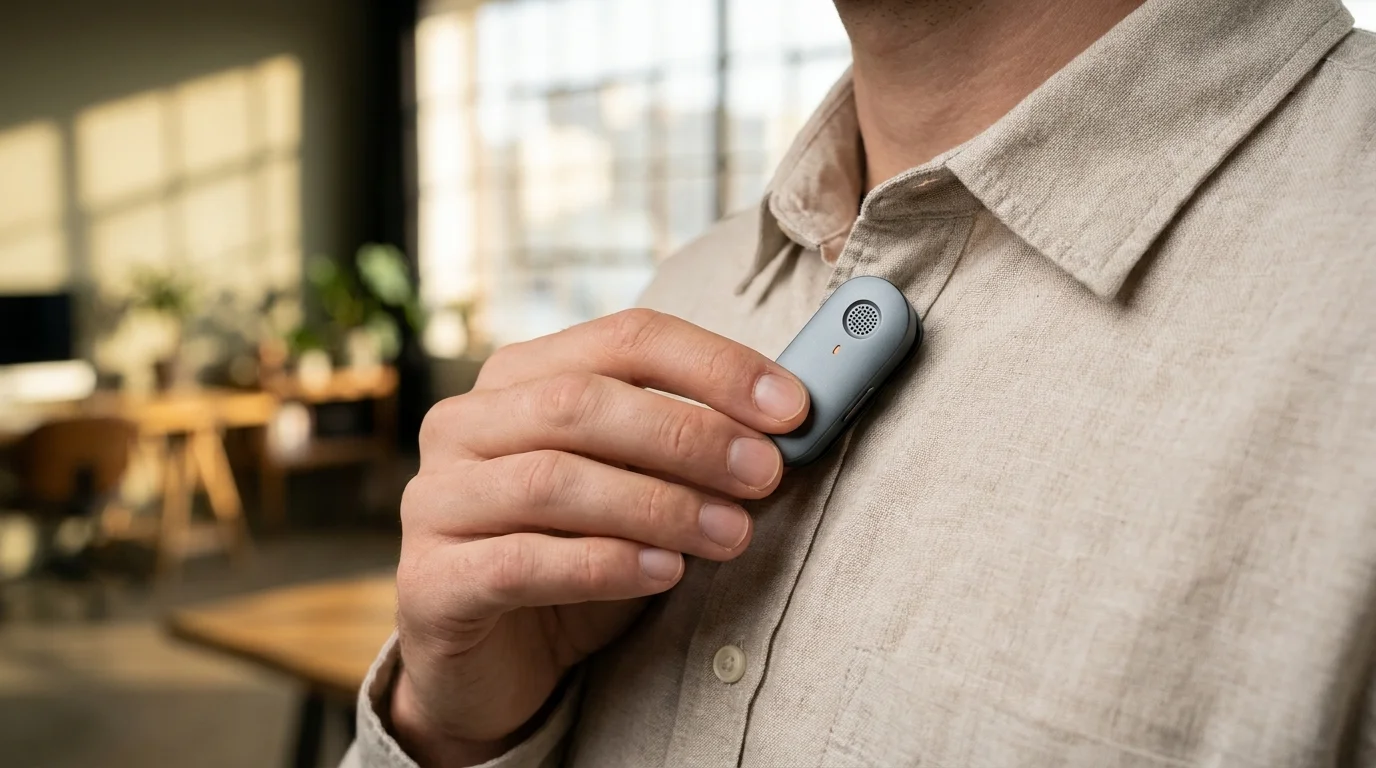
Behind high-gloss pitch decks and nine-figure valuations, a sharp contraction followed. When desktop subscriber numbers plummeted across early adopters, the minds behind Rewind AI realized that recording a computer screen is fundamentally an unnatural way to capture life. In a sudden, high-stakes gamble, the software that once promised to run silently on your MacBook has retreated, pinning its entire survival on an anodized magnetic clip that latches to your shirt collar to listen to your voice instead.
The Pivot from the Glass Screen to the Human Chest
Imagine trying to remember a dinner conversation by examining a photocopy of the restaurant receipt. That was the core miscalculation of desktop screen-logging. Watching pixels flicker across a liquid crystal panel misses where human connection happens. You do not think in browser tabs; you think in spoken commitments, hallway agreements, and spontaneous brainstorms over lukewarm coffee.
When software lives entirely on a display, it competes with every native tool Apple or Microsoft builds into their chip architecture. The moment operating systems began packaging local speech transcription and on-device neural processing straight into silicon, an external screen-scraping app became redundant. Owning dedicated physical hardware became the only escape hatch from platform obsolescence.
By migrating from an invasive background desktop scraper to a miniature magnetic pendant, the service trades heavy local storage caches for raw directional audio. Instead of chewing through battery cycles while capturing your spreadsheet edits, it waits quietly on your lapel, capturing spoken words, indexing context, and letting the digital noise on your screen dissolve.
- Oura Ring 4 smart bands trigger massive pre-order queues with sleek titanium hardware
- Google defector startups challenge traditional virtual assistants with autonomous local voice models
- Instagram mobile apps trigger blinking green camera dots by quietly re-enabling permissions
- Google Pixel 9 haptics trigger phantom pocket buzzes against resting leg muscles
- Lenovo Legion laptops cap peak processing speeds to mask scorching surface heat
Julian Vance, a 38-year-old product manager in Austin, lived through this exact fatigue. After eleven months of running the desktop utility across his two workstations, he noticed his fans running constantly during client calls, while his monthly bill kept climbing without delivering fresh answers. When his subscription renewal pinged his phone last autumn, he canceled it on the spot. It was only when a discreet, magnetic microphone prototype appeared on his desk weeks later that he understood: his actual friction had never been what he read on his monitor, but the decisions that evaporated into thin air the second he stepped away from his chair.
Mapping the Real-World Transition: How to Adapt Your Workflow
Stepping away from constant desktop recording toward wearable voice capture requires a different mental model. You are moving from passive visual hoovering to deliberate audio indexing.
For the Meeting-Heavy Remote Operator
If you spend six hours a day bouncing between conference calls, your pain point is rarely what was shown on a slide deck. The slides are almost always emailed around anyway. Your pain point is the quick aside someone murmured while two people were talking over each other. Wearable directional microphones isolate dialogue much cleaner than your laptop’s built-in array, capturing room ambiance and natural cadence without choking your computer’s graphics card.
For the Independent Maker and Deep Thinker
Creative work happens when your hands are away from the keyboard: walking the dog, pacing the kitchen floor, or driving home in evening traffic. A desktop-bound utility is completely blind to these breakthroughs. Shifting capture out into the real world gives you an open canvas where thoughts can be murmured out loud without opening an app or typing into a blank document.
Mindful Audio Adoption and Setup
Transitioning away from visual screen recorders to localized voice pendants should feel clean and intentional, not like strapping another demanding gadget to your body.
Focus on reducing data pollution rather than capturing every syllable around you. The goal is clarity, not mass data collection.
- Define explicit acoustic boundaries: Set companion software to automatically wipe ambient cafeteria hum and silence intervals, preserving only active conversational exchanges.
- Audit daily sync routines: Route transcript processing over local home Wi-Fi bands while charging overnight rather than running continuous cellular synchronization throughout the day.
- Establish personal privacy habits: Treat the physical clip like an open mic. Form the muscle memory of uncoupling the magnet whenever you step into private or informal family spaces.
The Tactical Audio Toolkit:
- Operating Range: Near-field capture calibrated within 3 to 5 feet for crisp vocal isolation.
- Storage Footprint: Compressed raw voice telemetry consumes under 15 megabytes per hour, compared to roughly 1.2 gigabytes per hour for high-framerate screen recording.
- Battery Target: Minimalist passive battery life should sustain 14 to 18 hours of standby listening before requiring magnetic cradle contact.
The Human Value of Leaving the Screen Behind
There is a profound psychological weight that comes with knowing your computer screen is constantly logging every typo, draft, and hesitation. It creates a subtle performance anxiety, as if you are always being watched by a future version of yourself digging through an archive. That is not digital memory; that is digital hoarding.
When tech pivots back to the physical world, it acknowledges that our best moments happen when we look up from our monitors. A small piece of wearable aluminum does not care what apps you have open or how messy your desktop looks. It simply listens, holds the fleeting words that matter, and lets you close your laptop at the end of the day with a light mind.
The shift away from desktop recording proves that real insight is born in natural human speech, not in the quiet glow of monitored pixels.
| Key Point | Detail | Added Value for the Reader |
|---|---|---|
| System Overhead | Retires heavy background screen capture and OCR indexing cycles. | Protects your computer’s fan speeds, CPU cycles, and battery health. |
| Capture Context | Shifts focus from static monitor pixels to real-time physical voice dialogue. | Records critical hallway decisions and spoken ideas made away from desks. |
| Data Efficiency | Drops gigabytes of video cache down to lightweight, searchable audio text. | Saves local disk space and eliminates costly tiered cloud storage upgrades. |
Frequently Asked Questions
Why did the desktop app experience a drop in active subscribers?
Many daily users found that recording every screen frame consumed significant system resources while accumulating gigabytes of data they rarely revisited, making ongoing subscription costs difficult to justify.How does a wearable clip differ from an Apple Watch or phone voice memo?
Unlike manual memo apps, the wearable device is designed for persistent, hands-free passive listening, automatically segmenting, transcribing, and indexing conversations without requiring you to tap record.What happens to privacy when wearing an audio recorder in public?
Hardware designs incorporate local mute toggles and visible LED indicators to signal when microphones are active, and compliance relies on adhering to regional two-party consent recording laws.Will desktop features disappear entirely?
The focus has redirected toward hardware and meeting summarization, meaning the legacy computer-logging tools receive fewer active updates as engineering efforts center on audio transcription workflows.Can the hardware function without an active paid subscription?
Basic physical recording and local audio storage remain accessible, but advanced cloud-based language model summarization and searchable semantic indexing typically require an ongoing membership tier.