The room settles into silence after an evening session, save for the faint, steady breath of warm air pushing through rear exhaust fins. Your television clicks into standby, bathing the dark entertainment console in a dim red power glow. Standing tall on its slender circular base, your PS5 Digital Edition looks less like an appliance and more like a sculpted piece of modern sculpture. It commands the shelf, tall and composed, exactly the way factory marketing photography insisted it should look in your home.
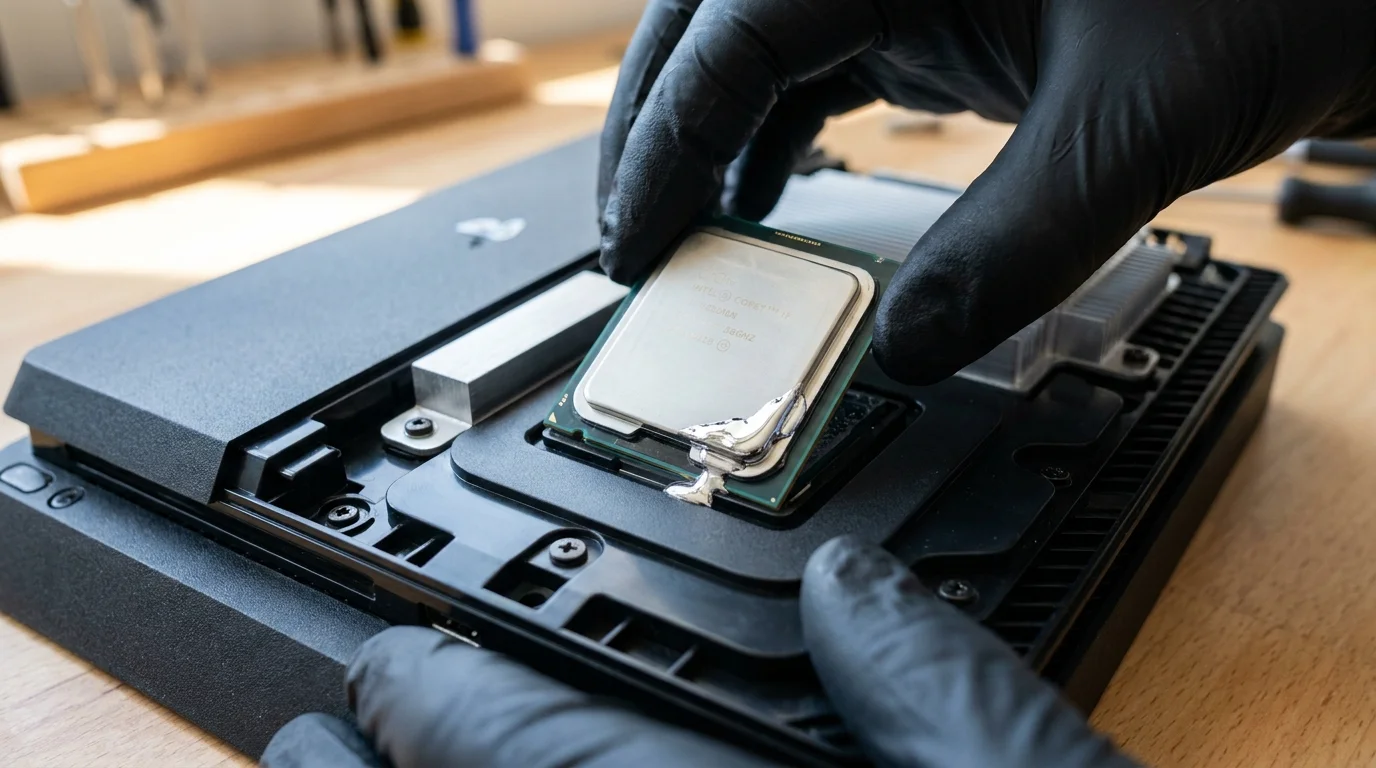
Yet underneath those sweeping matte white faceplates, a quiet physical drama plays out against gravity every single day. Modern silicon operates at blistering heat densities, demanding something far more conductive than traditional gray paste to channel that thermal energy away from the processor. In its pursuit of silence and raw compute throughput, Sony engineered an exotic interface: an ultra-dense, mirror-bright suspension of liquid metal gallium alloy sitting directly against the bare silicon die.
When your console stands upright, that liquid pool remains subject to fluid dynamics, surface tension, and continuous thermal cycling. Over months of regular play, heat softens the suspension while gravity gently tugs at the alloy mass. What begins as a microscopic gap in the foam containment barrier can quickly become an unrecoverable migration path, leaving the upper crest of your bare processor dry, exposed, and gasping for cooling relief.
The Gravity Well: Why Vertical Elegance Defies Thermal Physics
For decades, home consoles relied on viscous, silicone-based thermal grease. That traditional paste cures, thickens, and clings stubbornly to copper heat sinks regardless of whether you place the machine flat on its belly or perched on its side. Liquid metal, however, behaves like mercury trapped between two polished panes of glass. It does not cure; it remains an active, fluid eutectic mixture designed to wet micro-crevices at room temperature and transfer heat at roughly ten times the speed of conventional paste.
To contain this slippery alloy, engineers built a custom mechanical seal: a tiny perimeter sponge gasket compressed against the chip substrate. But constant heating and cooling causes microscopic expansion and contraction across the mounting bracket. Over extended play cycles, the persistent downward pull of gravity urges the molten pool toward the bottom edge of the processor. If that containment seal suffers even the slightest manufacturing variance or adhesive degradation, the liquid alloy accumulates at the base of the socket, starving the top third of the chip of contact.
The irony is bitter: the vertical stance was marketed as the definitive silhouette of this generation. Yet by orienting the die on its edge, you force liquid metal to fight downward gravitational migration during every single heating cycle.
- Bose QuietComfort Ultra earcups trigger dull ear pressure during extended listening
- Netgear Nighthawk routers trigger stuttering video streams on congested high frequency bands
- Amazon Kindle libraries legally vanish overnight leaving blank screens as licenses expire
- Galaxy Watch 7 haptics desensitize resting skin prompting relentless phantom buzz checks
- Google 30W chargers permanently degrade smartphone battery capacity leaving drained power bars
Marcus Vance, a thirty-eight-year-old micro-soldering technician who runs a busy repair bench in Portland, sees this phenomenon arrive on his diagnostic mat every week. He routinely pops open pristine, vertically maintained digital consoles that shut down with three abrupt beeps thirty minutes into a game. Once he slides the hefty copper heatsink back, the diagnostic truth is laid bare: the bottom half of the silicon is swimming under an excess puddle of liquid metal, while the upper region has developed dry gray oxidation spots where the processor baked itself against open air. “People assume a system failure is a power supply defect,” Vance notes. “Nine times out of ten, gravity simply drained the bridge between the chip and the radiator.”
Usage Profiles: Reading Your Console’s Stress Signals
Not every machine degrades at the exact same rate. How you play, how long your sessions stretch, and how air circulates through your entertainment cabinet directly influence how fast the alloy pool shifts under vertical pressure.
The Weekend Streamer
If your console primarily acts as a media hub interspersed with short, casual gaming bursts, the die rarely sustains the high temperatures required to fully loosen the liquid metal alloy. Thermal expansion cycles remain moderate, meaning the factory foam barrier holds its compression tension for years without noticeable dry spots forming on the APU surface.
The Competitive Marathoner
Hours spent pushing uncompressed high-framerate multiplayer titles generate prolonged thermal saturation around 140 to 160 degrees Fahrenheit. At these temperatures, the viscosity of gallium-indium compounds drops significantly. In a vertical orientation, this sustained fluid state accelerates downward alloy pooling, steadily raising fan speeds as the motherboard ramps its cooling curve to compensate for the drying hot spots on the upper die.
The Enclosed Shelf Setup
Tucking the standing console inside an entertainment credenza creates a localized pocket of trapped exhaust heat. This ambient oven effect prevents the console heatsink from cooling rapidly when powered down, keeping the liquid metal in an extended semi-liquid state long after you hit the power toggle. Gravity continues to pull on the thermal compound while the fans sit idle.
Laying It Flat: The Re-Centering Protocol and Horizontal Conversion
Transitioning your PS5 Digital Edition to a horizontal stance removes the downward vector entirely. Resting flat on its side, the cooling alloy remains balanced across the surface of the processor through natural capillary action, ensuring even dissipation into the vapor chamber.
Making the switch takes only ten minutes, but doing it with care prevents sudden thermal shocks to the existing alloy barrier:
- Power down your system completely and unplug the AC power cord from the wall. Let the chassis rest untouched for at least 45 minutes until the outer casing feels completely cool to the touch.
- Gently back out the single flathead retention screw securing the factory circular stand to the base of the console, storing the screw in the stand’s internal hidden compartment.
- Rotate the plastic mounting clips on the stand to match the horizontal alignment guides stamped along the inner rim of the lower white faceplate.
- Snap the support base firmly onto the rear fin edge, confirming that the plastic grip arms seat cleanly against the designated square-and-circle registration marks.
- Slide the console onto a hard, level shelf, ensuring at least four inches of open breathing room behind the rear exhaust ports and two inches along both intake flanks.
Your tactical conversion checklist requires zero specialized mechanical tools: you only need a standard flat-head coin or wide screwdriver, a microfiber cloth to wipe ambient dust off the intake vents, and a flat shelf that stays level under weight.
Restoring Balance to Your Gaming Space
There is a quiet satisfaction in choosing functional longevity over showroom aesthetics. A console resting horizontally might occupy a slightly wider footprint on your media credenza, but it operates with a predictable thermal balance that vertical stands simply cannot promise over five or six years of continuous ownership.
When the processor die lies parallel to the earth, fluid dynamics and surface tension work together rather than at war. The liquid metal remains suspended where engineers intended it to sit: an unbroken, microscopic conductive skin carrying intense heat effortlessly into copper fins. You trade an imposing vertical profile for whisper-quiet fan operation, lower board thermals, and the peace of knowing your hardware will not quietly cook itself from the top down.
Surface tension can only fight gravity for so long before liquid metal pools at the lowest mechanical threshold.
| Placement Orientation | Alloy Behavior Over 12+ Months | Real-World Hardware Impact |
|---|---|---|
| Vertical (Factory Stand) | Downhill fluid pooling toward bottom gasket edge | Increased fan RPM, dry die hot spots, eventual thermal throttling shutdowns |
| Horizontal (Side Clips) | Even capillary spread across entire silicon surface | Whisper-quiet cooling curves, stable die temperatures, extended chip lifespan |
| Vertical in Tight Cubbies | High sustained alloy fluidity combined with gravity | Premature oxidation of bare processor core and potential gasket compromise |
Frequently Asked Questions
Will laying my console horizontal fix an existing thermal dry spot?
If the alloy has not completely oxidized, running the console horizontally can allow liquid metal to slowly redistribute across the bare die through natural heat cycling and capillary action.Does the PS5 Slim or disc version suffer from this same vertical alloy drain?
Yes, all modern PS5 revisions utilize liquid metal on bare AMD APU dies, making vertical orientation a universal fluid-gravity factor across every hardware revision.How do I know if my liquid metal has pooled at the bottom?
The most common telltale signs are an aggressive, roaring fan curve within five minutes of starting a native high-end game, followed by unexpected system shutdowns without an on-screen warning.Can liquid metal leak onto the motherboard and short components out?
The perimeter foam barrier is designed to trap the alloy, but if the console suffers physical drops or extreme heat degradation, pooled alloy can breach the seal and bridge nearby capacitors.Is third-party thermal paste safer to use than liquid metal?
Standard paste cannot transfer heat fast enough to cool the PS5 processor under load; replacing the factory compound with standard silicone paste will trigger immediate thermal throttling.