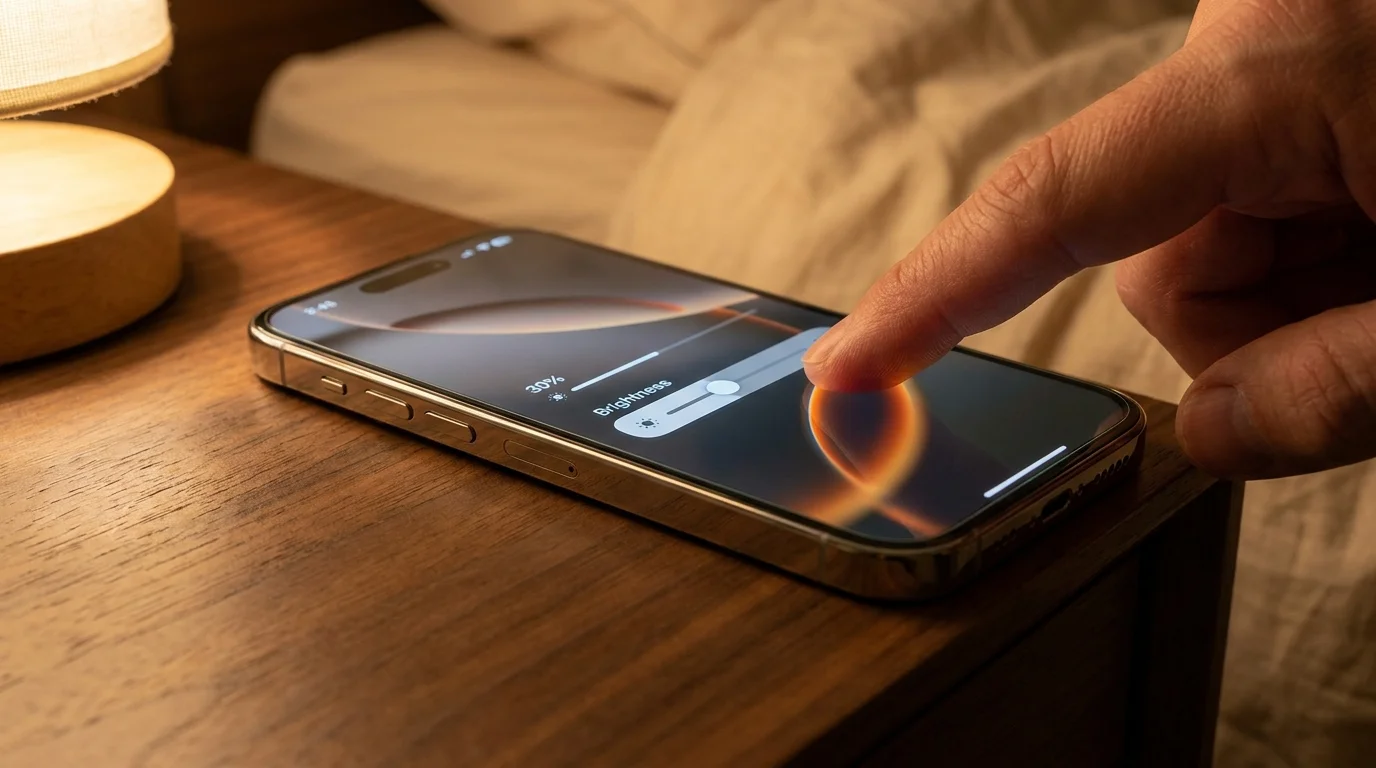
The bedroom clock reads quarter past eleven, and the house has settled into an absolute, rhythmic hush. You slide under the cool cotton sheets, prop your head against the pillow, and unlock your device for a quiet evening read. Instantly, out of habit and courtesy to the dark room, your thumb drags the control center slider down past the halfway mark, nudging it toward twenty percent.
The screen softens, glowing like an amber nightlight against your face, but within ten minutes, something shifts behind your temples. Your eyes begin to dry out, fluttering against a phantom scratchiness that feels like fine grains of beach sand, accompanied by a dull, tightening band across your brow. You assume it is simply the lingering residue of a twelve-hour workday staring at spreadsheets under harsh office fluorescents.
What you are actually enduring is an invisible mechanical strobe. While the glass panel appears calm and perfectly steady to your conscious awareness, the organic diodes underneath are snapping on and off hundreds of times every second, hammering your optical nerves into silent exhaustion.
The Strobe Beneath the Glass: Unmasking Pulse-Width Modulation
Modern flagship displays do not dim the way a bedside lamp does. When you turn down an incandescent dial, the circuit simply chokes the incoming electrical current, reducing the filament heat to produce a gentle, continuous simmer of photons. OLED panels reject direct current dimming because starving organic pixels of voltage destabilizes their delicate chemistry, throwing rich blacks into muddy greens and distorting color accuracy.
Instead, screen engineers rely on Pulse-Width Modulation, commonly known as PWM. To trick your biological sight into perceiving a softer picture, the panel does not dim; it simply switches off entirely for calculated fractions of a millisecond. At maximum brightness, the diodes stay lit almost continuously, but as you pull that brightness bar down below thirty percent, the darkness stretches. The screen begins firing brief, intense bursts of blinding luminescence followed by sharp voids of total blackness.
Your visual cortex blends this relentless flickering into a seamless, dimmer picture, yet your iris muscles and ciliary nerves register every single transition. It functions like an involuntary micro-workout: your pupils frantically dilate and constrict thousands of times an hour, struggling to adjust to a light source that is perpetually vanishing and reappearing before your eyes.
- PS5 Digital Edition vertical stands drain cooling alloy across bare processors
- Bose QuietComfort Ultra earcups trigger dull ear pressure during extended listening
- Netgear Nighthawk routers trigger stuttering video streams on congested high frequency bands
- Amazon Kindle libraries legally vanish overnight leaving blank screens as licenses expire
- Galaxy Watch 7 haptics desensitize resting skin prompting relentless phantom buzz checks
The Diagnostic Breakthrough in Cupertino
Dr. Elena Vance, a 44-year-old clinical optometrist and display ergonomics researcher based in San Jose, began noticing an unusual influx of software engineers and graphic designers complaining of intractable late-night migraines in late autumn. Their clinical visual acuity was an effortless 20/20, their tear break-up times showed healthy surface hydration, yet their ocular motor coordination was visibly fatigued. When Vance placed a high-speed photodiode oscilloscope against their devices running at 25 percent brightness, the waveform revealed aggressive, square-wave light chop cycling at 480 Hertz with extreme modulation depth. The patients were not experiencing mental burnout; their optic nerves were absorbing thousands of concussive light pulses during the exact hours their brains needed gentle visual recovery.
Calibrating Your Visual Comfort: Three Distinct Profiles
Not every pair of eyes handles sub-perceptual strobing with the same physical tolerance. Depending on your evening habits and neuro-ocular sensitivity, adjusting your screen requires a specialized touch.
For the Late-Night Bedside Reader
If you consume novels, essays, or long-form investigative journalism in a pitch-black room, extreme low brightness is your enemy. When the ambient room light is zero, the high contrast between the pulsing screen and your dark surroundings amplifies retinal shock. Your goal is keeping the hardware brightness value elevated while dampening luminance artificially using system software filters.
For the Commuter in Dim Transit
Subway cars, evening trains, and ride-shares offer uneven, shifting ambient lighting that forces your visual system to compensate constantly. Keeping your panel at mid-range brightness prevents rapid optical fatigue, ensuring the hardware duty cycle stays wide enough to minimize harsh, high-amplitude pulse drops while moving through fluctuating cabin shadows.
For the Sensitive Migraine Sufferer
A subset of users possesses profound neurological sensitivity to high-frequency flicker, experiencing nausea, brain fog, and sinus pressure after mere minutes of low-light screen use. For this group, bypassing hardware PWM modulation entirely is not a matter of comfort—it is a functional necessity for daily device usage.
Mindful Application: Neutralizing the Micro-Strobe
The solution does not involve buying tinted yellow glasses or banishing your phone to another room before sundown. Instead, you can exploit a buried software balance that keeps the physical hardware firing at full, non-flickering capacity while dimming the perceived output to a gentle glow.
By leveraging an accessibility overlay, you force the display’s backlighting to remain above the aggressive 30 percent PWM threshold, using a neutral system filter to swallow the excess glare.
- Keep Hardware Brightness Elevated: Manually lock your main display brightness between 35 and 45 percent, keeping the panel out of its aggressive low-duty cycle chop.
- Engage Reduce White Point: Navigate directly to Settings, open Accessibility, select Display & Text Size, and toggle on Reduce White Point.
- Dial the Intensity Slider: Adjust the White Point percentage slider to between 75% and 85%, which dramatically suppresses intense whites without inducing diode strobing.
- Automate with Accessibility Shortcuts: Set a triple-click of the side button to toggle this mode instantly, turning on comfortable night-reading warmth with a single gesture.
The Tactical Toolkit
To lock in visual comfort, keep these baseline metrics in mind when setting up your evening visual environment:
- Threshold Floor: 32% hardware brightness (never drag below this mark in total darkness).
- Filter Target: 80% Reduce White Point attenuation for bedtime reading.
- Ambient Support: 2700K warm background lamp placed two feet behind the display to eliminate harsh contrast boundaries.
- Reset Interval: 20 seconds of long-distance focal rest every 20 minutes of continuous text consumption.
The Bigger Picture: Reclaiming Your Sensory Margin
Mastering this hidden optical balance is about far more than dodging a transient headache; it is about reclaiming the quiet margins of your day. We spend our waking hours navigating intense sensory inputs, processing high-velocity demands across relentless digital surfaces. When you finally power down your home and retreat to your personal space, your technology should support your body, not quietly stress its biological limits.
Taking deliberate command over the invisible physics of your screen transforms a blunt tool into an intentional instrument. You wake up with rested eyes, clear temples, and the quiet satisfaction of knowing that your digital tools serve your health rather than silently chipping away at your peace.
The human eye evolved under the slow, steady arc of the sun; subjecting it to rapid micro-bursts of artificial light is an unseen tax we no longer need to pay.
| Key Point | Detail | Added Value for the Reader |
|---|---|---|
| PWM Trigger Point | Hardware brightness dropping below 30% engages sharp on-off diode duty cycles. | Identifies the exact physical tipping point where eye strain transitions from posture to optical flicker. |
| The White Point Shield | Software dimming via iOS Accessibility suppresses screen luminance without diode chop. | Allows deep nighttime viewing comfort while retaining non-fatiguing hardware stability. |
| Contrast Equalization | Pairing soft 2700K ambient light with high-duty screen settings. | Stops pupil over-dilation and eliminates tension across the frontal sinus muscles. |
Frequently Asked Questions
Why can’t I visibly see my screen flickering when brightness is low?
The flicker occurs at frequencies between 240Hz and 480Hz, which far exceeds your conscious visual flicker fusion threshold. Even though your conscious mind registers a steady image, your ocular motor nerves and pupil reflexes still physically respond to every cycle.Does turning on Night Shift solve the pulse-width modulation issue?
No, Night Shift only shifts color balance from blue spectrum light to warmer amber tones. While warmer wavelengths reduce circadian melatonin suppression, they do not alter the underlying electrical pulse rate of the organic diodes.Will using Reduce White Point drain my battery significantly faster?
Battery consumption will be slightly higher than standard low-brightness settings because the diodes produce higher baseline luminance beneath the software filter. However, the ergonomic relief and elimination of eye strain vastly outweigh this minor power trade-off.Are all smartphone users equally susceptible to PWM eye fatigue?
Susceptibility varies across individuals based on pupil reactivity, ocular alignment, and neurological sensitivity. While some users feel nothing, millions suffer silent symptoms including dry eyes, tension headaches, and unexplained evening fatigue.Can third-party anti-glare screen protectors stop the micro-strobe effect?
No, physical screen protectors only disperse surface specular reflections from ambient light. They have zero structural effect on the rapid temporal switching frequency emitted directly by the underlying display substrate.