The package arrives wrapped in triple-layered bubble wrap, smelling faintly of isopropyl alcohol and fresh cardboard. When you slide the matte platinum slab out of its sleeve, it feels cold, heavy, and undeniably premium. The chamfered magnesium edges show zero micro-scratches, the kickstand snaps open with a reassuring mechanical crack, and the freshly applied oleophobic coating makes your thumb glide effortlessly across the glass.
You power it up, and the vibrant Windows logo blooms across a crisp screen that seems brand new. On paper, you just saved five hundred dollars on a high-spec 2-in-1 workstation. The machine looks like it was plucked straight from a retail display case, wiped clean of its past, and handed to you at a steep discount.
Yet underneath that flawless exterior, an invisible clock has been ticking for years. A pristine screen and a sterile chassis often mask hundreds of charge cycles, thermal stress, and chemical degradation trapped inside sealed lithium-ion pouches. Hardware wear hides behind glass, evading the casual glance of even tech-savvy buyers.
Before you toss the shipping box or let the thirty-day return window slide past, you need five quiet minutes at your desk. With a few deliberate inputs, you can peel back the cosmetic illusion and evaluate the real health of the silicon and cells powering your device.
The Cosmetic Illusion: Peeling Back the Anodized Shell
The secondary electronics marketplace operates on visual charm. Refurbishers replace cracked digitizers with cheap third-party glass, polish away aluminum scuffs, and apply vinyl wraps to hide corner dings. These cosmetic touch-ups create the impression of a low-mileage machine, but they do nothing to restore the electrochemical battery chemistry inside.
Think of an abused tablet battery like a pair of running shoes with pristine white laces and freshly wiped rubber soles, but with collapsed arch foam inside. You cannot see the damage until you start running uphill. Lithium cells degrade predictably under sustained heat and constant AC dock connection, shrinking the battery capacity long before the physical casing shows wear.
When a tablet spends years docked at maximum charge inside a corporate cubicle, the constant heat bakes the internal layers. The chemical electrolyte breaks down, building internal resistance that starves the processor of steady voltage during sudden performance spikes. What looks like a spotless bargain on your desk might actually be breathing through a pillow every time you open a browser tab.
- Beats Fit Pro earphones stop choppy audio stutter through a simple Bluetooth network reset
- Whoop 4.0 bands deliver erratic sleep metrics when greasy skin oils coat optical sensors
- Beats Fit Pro earphones stop choppy audio stutter through a simple Bluetooth network reset
- Google Photos sync strips away local camera roll albums during rushed phone transfers
- Roku streaming sticks force noisy video banners across messy home screen layouts
A Lesson from the Workbench
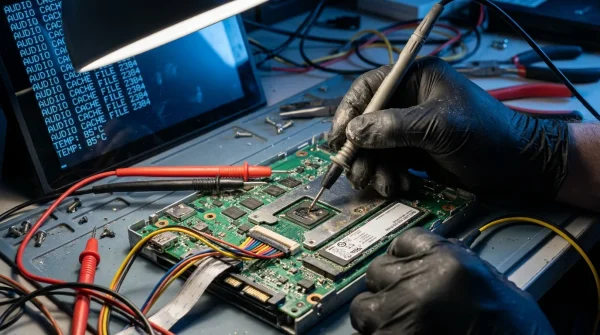
Marcus Vance, a 42-year-old independent hardware technician in Austin, spends his mornings opening returned fleet tablets under high-magnification lamps. He sees hundreds of off-lease Surface devices every month, and he knows that exterior beauty is frequently skin-deep.
“Corporate procurement teams buy thousands of these units, keep them plugged into 65-watt docks under fluorescent lights for three years straight, and never let them drop below 100 percent charge,” Marcus explains while prying an adhesive seam. “The aluminum stays flawless because it sat in a dock cradle, but the cells inside are bloated, stiff, and stripped of their factory capacity. When liquidators resell them, they polish the glass and mark them ‘Grade A Excellent.’ If you don’t audit the internal telemetry yourself, you’re buying someone else’s discarded battery problem.”
Diagnostic Profiles: Sizing Up Your Hardware Demands
Every user taxes portable silicon differently. Depending on how you plan to use this refurbished machine, specific internal flaws will impact your daily workflow in distinct ways.
For the Mobile Nomad
If you plan to work from coffee shops, airport benches, and client sites, chemical battery depletion is an immediate dealbreaker. A battery capacity loss greater than 15 percent will leave you hunting for wall outlets after barely two hours of modest document editing. Prioritize raw cell health above all else, ensuring the factory design capacity closely matches current full-charge numbers.
For the Digital Illustrator and Note-Taker
Digitizer uniformity matters more than outright battery runtime when your stylus spends hours gliding across the glass. Cheap replacement screens often suffer from irregular touch sampling rates and subtle edge discoloration. You need pristine color accuracy and consistent pen tracking from corner to corner without interference from swollen battery packs pressing against the underside of the panel.
For the Fixed-Desk Specialist
If the device will live primarily on a stand attached to an external monitor, minor battery degradation might seem tolerable at first. However, heavily cycled cells running hot under continuous power generate localized heat that throttles processor speeds. Sustained performance requires stability, making a thorough thermal and voltage audit mandatory even for stationary setups.
The Five-Minute Hardware Interrogation Protocol
You do not need specialized workshop tools or paid diagnostic software to uncover the truth about your refurbished device. Windows includes native diagnostic telemetry waiting to be queried from the command prompt, along with simple visual stress checks.
Set the device on a flat surface, plug in the original power brick, and follow this sequence step by step.
- Generate the Native Battery Report: Press the Windows Key + X, select Terminal (Admin) or PowerShell (Admin), type
powercfg /batteryreport /output "C:battery_report.html", and press Enter. Navigate to your C: drive and double-click the newly created HTML file in your browser. - Audit Capacity Loss and Cycle Counts: Compare the DESIGN CAPACITY against the FULL CHARGE CAPACITY near the top of the report. If the full charge capacity is lower than 80 percent of the design capacity, or if the cycle count exceeds 350 cycles, the battery is entering end-of-life status.
- Run the Pure White Screen Test: Open a full-screen solid white image at 100 percent brightness. Inspect the perimeter of the panel closely for a faint yellow discoloration halo visible along the warm edge of a bright white display screen, which signals glue breakdown from chronic internal overheating.
- Check for Digitizer Pressure Spots: While displaying the white test image, look for irregular bright white blotches near the center or bottom third of the display. These pressure clouds occur when an aging, subtly swollen lithium pouch pushes directly against the back of the LCD assembly.
- Verify Storage Drive Wear: Download a portable, open-source drive health utility to inspect the internal solid-state drive’s total host writes and remaining percentage life, ensuring the previous owner did not exhaust the flash memory with massive daily read/write cycles.
The Tactical Toolkit: Perform this audit within 72 hours of receiving your machine. Keep display brightness at 100% for 3 continuous minutes during the visual check, and verify the battery drain slope under the Battery usage section of your generated report to confirm smooth, linear discharge curves.
Beyond the Surface: Reclaiming Ownership of Second-Hand Tech
Buying refurbished technology is one of the smartest ways to sidestep artificial upgrade cycles and reduce electronic waste, but it requires active verification rather than passive trust. When you inspect a device’s telemetry yourself, you remove the guesswork from the transaction.
Discovering an over-cycled battery or a heat-damaged panel within your return window shifts the leverage back into your hands. Knowledge protects your wallet, giving you the clear data needed to demand a replacement unit, negotiate a partial refund, or return a compromised machine before it turns into an expensive paperweight.
“A gleaming glass screen tells you where a device has been, but the battery telemetry tells you exactly how long it has left to live.”
| Audit Step | Inspection Metric | Added Value for the Reader |
|---|---|---|
| Battery Health Report | Design Capacity vs. Full Charge Capacity & Cycle Count | Identifies hidden chemical wear before the return window expires. |
| Full-Screen White Test | Yellow edge halos and bright pressure spots | Detects thermal glue degradation and dangerous early cell swelling. |
| SSD Wear Telemetry | Total Terabytes Written (TBW) and Drive Health Percentage | Ensures internal non-replaceable flash storage has years of life remaining. |
Frequently Asked Questions
How many battery cycles are considered acceptable for a refurbished tablet?
A high-quality refurbished unit should ideally have under 150 cycles. Anything between 150 and 300 cycles indicates moderate previous use, while numbers exceeding 350 cycles suggest heavy long-term wear and imminent capacity drop-offs.What causes the yellow halo around the edges of used tablet displays?
The yellowing is caused by sustained internal heat that degrades the optical adhesive bonding the display glass to the digitizer. It commonly occurs in units kept plugged into heavy-wattage chargers under continuous high processor loads.Can I simply replace the worn battery in a Surface Pro tablet myself?
Replacing the battery in modern sealed tablets requires specialized heat guns and solvent tools to cut through stubborn adhesive without cracking the fragile display glass. It carries high repair difficulty, making a healthy native battery critical at purchase.Is a third-party replacement battery as reliable as the factory original?
Aftermarket battery cells frequently lack the sophisticated thermal management and calibrated fuel-gauge sensors of original manufacturer units, often leading to erratic percentage reporting and higher operating temperatures.What should I do if my battery report shows less than 80% remaining capacity?
Contact the seller or refurbished marketplace immediately with a screenshot of your official battery report. Most reputable refurbishers will issue an immediate replacement unit or provide a prepaid return label for a full refund.