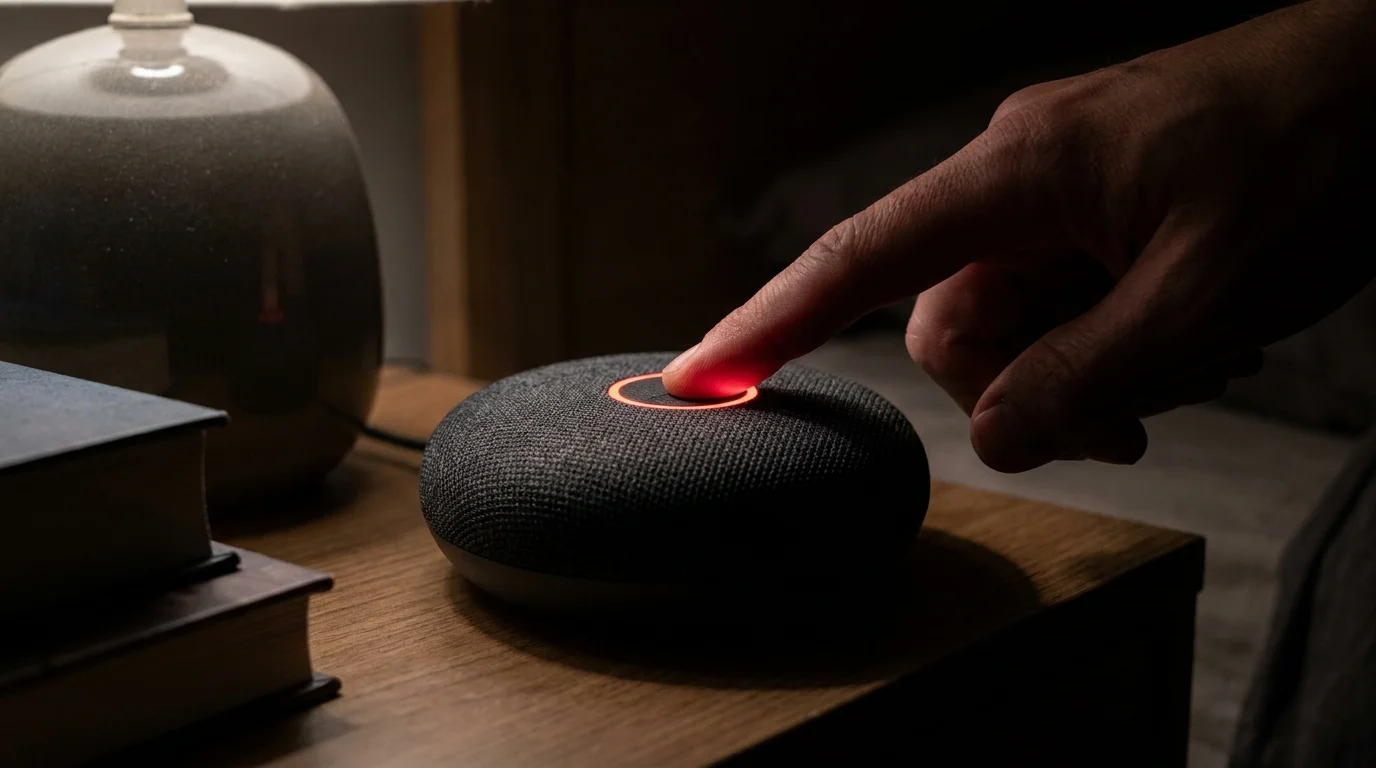
A late-autumn quiet settles over your bedroom, broken only by the soft click of a bedside lamp and the muted hum of distant street traffic. On your nightstand, resting just inches from your pillow, sits a small fabric-wrapped cylinder. To the untrained eye, it is merely an alarm clock that plays jazz or forecasts tomorrow’s morning rain. It waits in the shadows, its dark fabric blending into the night, outwardly inert.
Yet inside that compact plastic chassis, a multi-microphone acoustic array remains perpetually suspended in an infinite listening buffer. It samples ambient sound pressure thousands of times per second, discarding syllables until a sudden rise in tone or a phantom syllable mimics a wake word. When that threshold trips, the passive listener instantly becomes an open line to remote server banks, streaming raw domestic audio across your home network.
We tend to treat smart speakers like simple mechanical light switches, expecting them to activate solely on command. In practice, the default cloud retention pipelines of modern voice assistants are built on a far wider net—quietly archiving false triggers and surrounding room audio until you step in to physically draw the line.
The Acoustic Tripwire: How Ambient Audio Leaves the Room
To grasp why your nightstand speaker records when you never intended to summon it, you have to understand the difference between local edge detection and cloud processing. Your speaker does not possess the onboard compute power to analyze human language with nuanced precision. Instead, it relies on a lightweight mathematical model designed to catch acoustic profiles that resemble a chosen wake name.
Because voice recognition algorithms prioritize sensitivity over strict exclusion, near-phonetic matches frequently trip the wire. A phrase like ‘I’ll accept that’ or a line of dialogue from a late-night television show can instantly trigger the speaker’s uplink. The device begins beaming audio upstream, capturing whatever was spoken three seconds prior and several seconds following the false alarm.
Under standard out-of-the-box settings, those ambient fragments do not simply vanish after the cloud server realizes no command was issued. They are logged, transcribed, and filed into your historical voice profile. Unless you intentionally reconfigure the default data pipeline, these clips remain indefinitely available for diagnostic sampling and algorithmic modeling.
- Samsung Galaxy S24 Ultra cameras stop aggressive HDR smoothing through hidden assistant toggles
- Airport Wi-Fi logins expose private banking data requiring instant DNS encryption toggles
- Dell UltraSharp monitor arms block hunched neck strain and messy tangled desktop cords
- Baseus 100W charging blocks roast smartphone batteries under scorching chassis heat spikes
- Verizon SIM cards expose bank accounts when attackers intercept standard text verification codes
The Auditing Awakening: What Lives in Your Voice Log
Elena Ramos, a 38-year-old network systems analyst from Austin, Texas, decided to audit her household’s five-year cloud voice history following an unexpected wake-up alert in the middle of the night. Sifting through the raw audio recordings stored in her management console, she discovered hundreds of fragmented, two-to-six-second sound files captured without anyone ever saying the wake word aloud.
The clips contained intimate slices of routine domestic life: quiet bedtime conversations about finances, the muffled rustle of bedsheets, a child crying in the hallway, and private phone calls with physicians. None of these recordings had ever received an audible response from the assistant, meaning they were uploaded and saved completely unnoticed.
Federal regulators have repeatedly scrutinized ambient smart speaker retention policies precisely because these acoustic false positives create an unintentional surveillance footprint inside the home. The system is designed to swallow everything in its acoustic orbit until you explicitly instruct it to stop.
Layering Your Audio Defenses by Room
Every room carries a different expectation of privacy, and your hardware configuration should reflect those physical boundaries. Rather than disabling every smart feature across the house, you can establish clear technical zones.
The Bedroom and Nursery Zone: In intimate living areas, passive listening should be entirely disabled during resting hours. You can achieve absolute isolation by pressing the hardware microphone kill switch, which cuts mechanical power to the sensor array. When activated, a glowing red LED privacy ring around the plastic speaker perimeter confirms that the physical microphone circuit is dead, preventing both local processing and accidental cloud uplinks.
The Home Office Zone: If you take confidential work calls or handle sensitive financial discussions, software-level deletion rules are insufficient. Hardware microphone disconnection remains the only guaranteed barrier against acoustic leakage during client meetings or remote work sessions.
The Kitchen and Living Area: In high-traffic communal spaces where hands-free convenience matters most, keep the microphones active but enforce a zero-retention cloud policy. This allows the system to set timers or stream radio while immediately purging the audio transcript the second the request completes.
Mindful Application: Reclaiming Your Acoustic Perimeter
Restoring strict privacy boundaries to your smart hardware requires less than five minutes of deliberate adjustment. Follow these focused steps within your device management app to lock down your domestic space:
- Open the companion app, navigate to Settings, and select Privacy Management.
- Locate the menu labeled Manage Your Voice Recordings and switch the retention toggle from indefinite storage to ‘Don’t Save Recordings’ or configure an automatic daily purge.
- Scroll to Manage How Your Data Improves Voice Recognition and turn off the toggle for manual human voice snippet reviews. This blocks engineers and contractors from listening to your raw audio samples.
- Enable the audible start-of-request and end-of-request tones under your device sound settings, ensuring the speaker emits a distinct chime whenever the microphone activates.
For instant tactile reassurance in sensitive rooms, press the physical microphone mute button directly on top of the device. That distinct red light is an unyielding hardware interrupt, severing the mic’s electrical path at the board level.
The Peace of an Intentionally Silent Room
Technology should bend to the sanctity of your private quarters, never the other way around. A smart assistant is a tool of convenience, not a resident guest entitled to overhear your late-night worries, whispers, or domestic silences.
Taking manual control of your device’s acoustic boundaries transforms it from an unpredictable digital eavesdropper into an obedient, confined appliance. When you finally turn out the lights, you can rest knowing that your private sanctuary remains entirely your own.
The sacred boundary of a quiet bedroom should never be the cost of modern convenience.
| Configuration Layer | Default Operating Behavior | Hardened Privacy Setting |
|---|---|---|
| Voice History Storage | Saved indefinitely in cloud archives | Immediate deletion after execution |
| Human Quality Review | Enabled for algorithm training | Permanently toggled off |
| Microphone Power State | Continuous ambient standby | Hardware cut via physical switch |
Frequently Asked Questions
Does muting the speaker disable my morning alarms?
No. The hardware mute switch only kills the audio input circuit. The onboard speaker and internal processor will still trigger your scheduled alarms and timers reliably.What does the glowing red ring actually mean?
The red LED ring indicates that the microphone array has been mechanically disconnected from the power supply, meaning the device cannot process audio locally or stream data upstream.Will disabling recording history degrade voice recognition over time?
No noticeable difference occurs for daily commands like checking the weather or playing music. The core recognition model processes syntax in real time without needing your historical audio archive.Can the hardware mute switch be overridden by a remote software update?
No. The mute button operates as a physical circuit interrupt. Software commands cannot bypass a broken electrical contact on the circuit board.Why does the speaker light up when no one said the wake word?
Acoustic false positives occur when ambient speech, background television, or room noise matches the frequency and cadence of the wake phrase, triggering a momentary false upload.