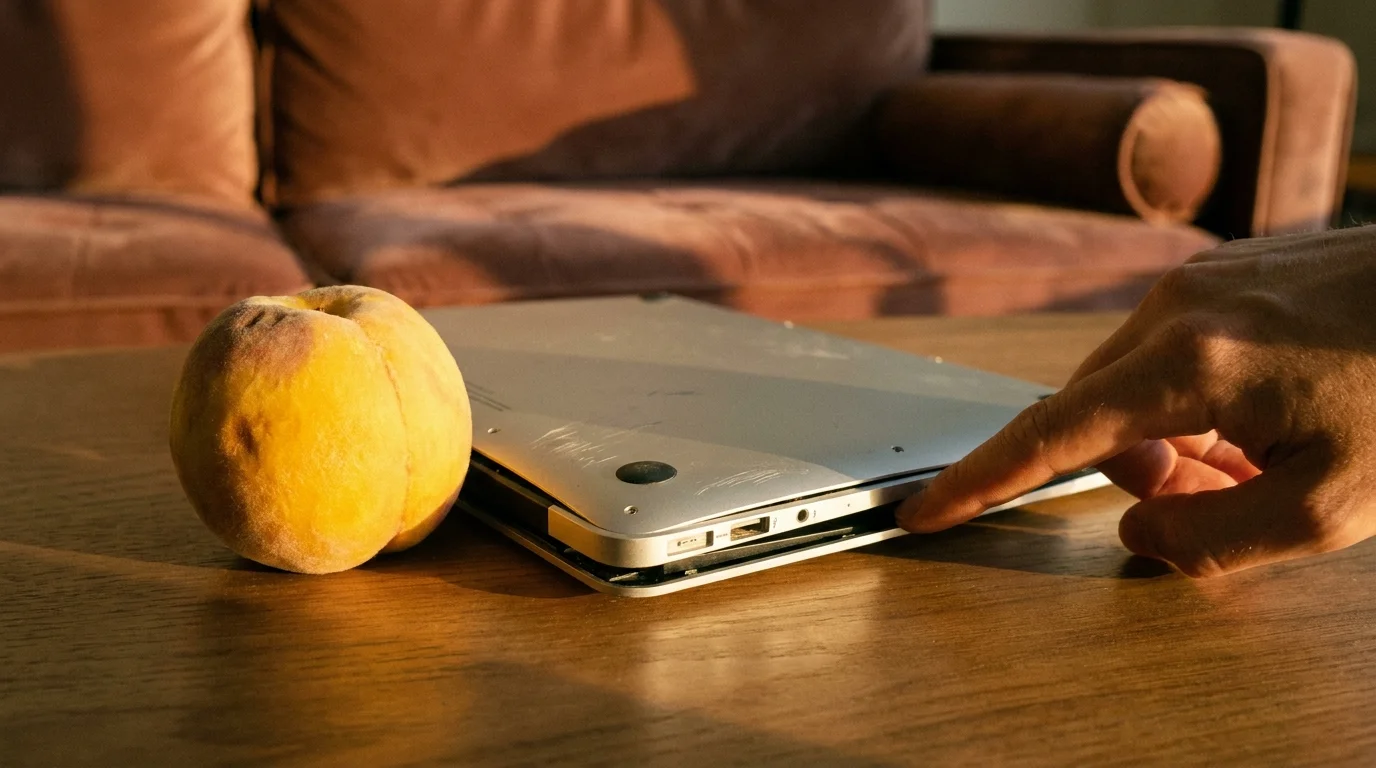
You set the notebook down on a flat glass dining table, expecting the quiet, satisfying thud of four rubber feet meeting polished surfaces in unison. Instead, you hear a hollow, uneven click. When your palm rests against the bottom left corner of the palm rest, the opposite back corner lifts into the air, teetering like a tavern stool with a missing leg. You press down gently, and the machine rocks back and forth, unsteady and awkward.
Running your fingertips across the anodized aluminum underneath, the metal no longer feels crisp and dead-flat. It curves outward in a slight, stubborn swell, warm and taut like skin over an angry sprain. To the casual eye under dim living room lamps, this MacBook Air M2 looks immaculate, free of cosmetic dings, screen delamination, or frayed braided cables.
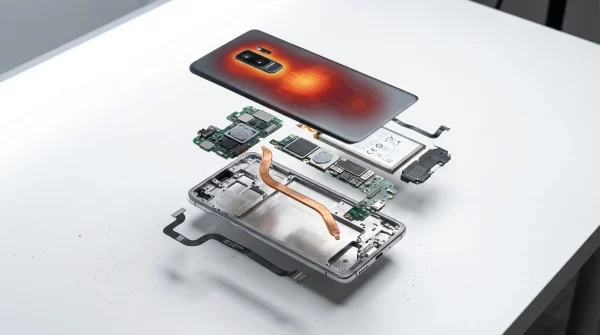
Yet right beneath the keyboard deck, something quiet and volatile is happening. The thin, multi-cell lithium pouch has begun to break down chemically, off-gassing into its sealed polymer envelope and forcing the rigid aluminum unibody to warp against its will. You bought a refurbished laptop tagged with a gleaming cosmetic rating, but you are holding a tiny mechanical bellows pushing outward against structural screws.
Understanding this breakdown before the return window slams shut is the difference between quiet reliability and paying out-of-pocket for an emergency logic board repair that costs nearly what you paid for the entire machine.
The Illusion of the Grade A Sticker
Secondary marketplaces rely entirely on visual hygiene. When a corporate fleet offloads hundreds of Apple silicon machines to third-party liquidators, technicians wipe the drives, blow dust out of the MagSafe ports, and buff the outer shell with isopropyl alcohol. If the display has no dead pixels and the lid carries no scratches, the machine earns a gold-star tier designation and enters the supply stream as a premium bargain.
This cosmetic lens treats modern computing gear like mid-century furniture, judging condition by the lacquer rather than the engine block. A lithium-polymer battery is not an inert reservoir; it is an active, delicate chemical reactor. When an ultrabook spends eighteen months docked permanently to an unmonitored charging brick at maximum capacity, trapped in a hot sleeve or parked near a sunny window, its electrolytes slowly decompose into gas.
The metal chassis does not flex easily. Apple builds these unibody shells from rigid extruded aluminum to act as a natural heatsink, meaning that when cells expand, they have nowhere to go. They push inward against the underside of the trackpad—stiffening the haptic click—and outward against the bottom access plate, turning a precision-machined tool into a strained pressure vessel.
- Garmin Forerunner 265 watches trigger erratic pulse spikes unless wiping sticky sensor grime
- Ugreen Nexode chargers spark blistering phone heat requiring overnight trickle wattage instead
- Google Authenticator app blocks drained bank balances when replacing interceptable mobile SMS codes
- Bose QuietComfort Ultra headphones stop audio stutter when resetting corrupted Bluetooth pairing lists
- Microsoft OneDrive camera backup derails photo libraries leaving blurry low resolution thumbnails
Marcus Vance, a thirty-four-year-old independent hardware technician who runs a bench repair studio in Austin, Texas, catches this flaw weekly. “People bring in these sleek midnight-blue Airs claiming the spacebar feels mushy or the trackpad lost its crisp feedback,” Marcus explains. “They think they bought a pristine machine because the screen is spotless, but the second we back out the pentalobe screws, the bottom plate literally pops off the threads with audible tension. The seller certified the cosmetics, but nobody bothered to inspect the pack.”
Where Refurbished M2 Units Hide Their Strain
Not every expanded battery presents with dramatic chassis distortion right out of the shipping carton. Depending on how the previous owner used the laptop, the symptoms manifest along distinct structural lines that require different checks.
The first profile belongs to the docked workstation setup. These units often spent their initial lives plugged into monitor hubs forty hours a week, held at a continuous 100% charge state under steady thermal load. The cells in these notebooks degrade without logging high cycle counts; they might register fewer than eighty cycles while suffering from advanced internal electrolyte breakdown. The indicator here is not wear on the keycaps, but a stiffened, unresponsive trackpad click where the battery pack presses directly against the adjustment screw beneath the glass surface.
The second category involves travel gear subjected to thermal swings. If an M2 spent months riding in vehicle trunks or operating on soft bedding where the fanless chassis could not bleed off heat, the middle pouch cells tend to swell first. When placed on a flat surface, the center of the machine bulges just enough that the front rubber feet float slightly above the tabletop, causing the notebook to spin like a turntable whenever you adjust its position.
The third group involves poorly handled third-party component swaps. Some non-certified refurbishers replace weakened original Apple batteries with cheap aftermarket cells that lack calibrated thermal sensors and use lower-grade separators. These packs degrade unevenly within months, causing sporadic shutoffs when the battery drops below twenty percent, even while the status bar insists the health is normal.
The Five-Minute Diagnostic Protocol
You do not need a technician’s toolkit or specialized hardware gauges to verify whether an M2 chassis has begun warping. You only need a clean flat surface, a rigid plastic card, and two built-in macOS tools to audit the internal health within minutes of opening the shipping box.
Begin with the physical clearance inspection. Lay the closed notebook on a certified flat stone or glass table, never on wood or laminate that might possess subtle warps of its own.
- The Four-Corner Rock: Rest two fingers on the top-left corner of the display lid and tap the bottom-right corner; if the machine pivots or clicks against the table, the base is no longer coplanar.
- The Business Card Swipe: Take a standard paper business card and slide it under the center belly of the notebook between the front rubber feet. If the card binds tightly against the aluminum before reaching the middle, the bottom plate has started crowning outward.
- The Trackpad Travel Test: Click the glass trackpad across all four corners and the dead center; swollen pouches mute the mechanical haptic sensation in the lower half of the pad first.
Next, move into the operating system to interrogate the power management chips directly. Hold down the Option key, click the Apple menu in the top left, and select System Information. Navigate down to the Power section under the Hardware header, where you will find the raw health telemetry.
Examine the Cycle Count alongside the Condition rating. A machine showing under one hundred cycles with a status listed as “Normal” can still be compromised if the Maximum Capacity percentage has plunged sharply. For a deeper, unfiltered readout, open the Terminal app and paste the following single-line instruction:
ioreg -rn AppleSmartBattery | grep -iE '(CycleCount|MaxCapacity|DesignCapacity|Temperature)'Compare the MaxCapacity against the DesignCapacity. If the resulting calculation shows the pack has lost more than fifteen percent of its original milliwatt-hour volume despite logging under one hundred cycles, the battery has experienced heavy thermal degradation or internal resistance spikes, a prime precursor to pouch swelling.
The Tactical Toolkit
- Reference Surface: A polished granite countertop or a thick sheet of float glass.
- Tolerance Gauge: A standard 300gsm paper business card (roughly 0.012 inches thick) to verify center clearance underneath.
- Diagnostic Command: macOS built-in terminal string targeting
AppleSmartBatteryregisters. - Inspection Time Window: Five minutes immediately upon unboxing, before personal data migration.
Restoring Leverage to Second-Hand Buying
Buying pre-owned hardware should never feel like an anxious roll of the dice. The shift toward Apple silicon introduced notebooks that run cold, sip battery power, and easily outlast previous generations in pure processing utility. This longevity makes them fantastic budget choices, but it also creates an environment where aging components hide behind pristine exteriors.
When you know how to inspect the physical footprint and read the raw battery registers, you reclaim control over the transaction. A seller cannot dismiss your return request when you present them with precise clearance anomalies and terminal telemetry showing compromised cell architecture.
Treating every incoming machine to a disciplined physical and digital check clears away marketing gloss. It ensures that the computer sitting on your desk is a sound, durable tool built to last years, rather than a hidden repair bill waiting to happen.
“True equipment value is found in the integrity of the cell chemistry, never in the shine of polished metal.”
| Key Point | Detail | Added Value for the Reader |
|---|---|---|
| Chassis Flatness | Inspect four rubber contact points on glass; check for rocking or spinning. | Instantly catches battery expansion without needing screwdrivers or voiding return policies. |
| Trackpad Feedback | Swollen packs compress the space directly below the haptic trackpad module. | Distinguishes between a natural system click and mechanical obstruction caused by cell swell. |
| Raw Telemetry | Terminal interrogation of AppleSmartBattery registers versus cosmetic reports. |
Exposes dead battery capacity hidden behind low cycle counts on plugged-in workstations. |
Frequently Asked Questions
Can I safely use an M2 MacBook Air if the battery has only a minor swell?
No. A swollen lithium-ion cell indicates that internal electrolyte gas has breached the core structural layers. Continued charging heats the pack, creating risk of structural damage to the trackpad, unseating logic board connections, or catastrophic thermal runaway.Why do marketplace sellers miss this flaw during their refurbishing process?
Most volume refurbishers rely on automated external wiping and basic operating system diagnostic scripts. If the battery passes the default macOS health toggle and the exterior case lacks dents, the laptop is packed for shipment without a tabletop clearance check.Does Apple’s built-in battery health menu show swelling warnings?
Not directly. The operating system monitors voltage drops, temperature limits, and estimated capacity. It will notify you when service is recommended, but it cannot physically measure whether the pouch has expanded against the chassis.Will a swollen battery crack the screen when the laptop is closed?
In severe cases, yes. Because the M2 MacBook Air has paper-thin tolerances between the keyboard keys and the display glass, an upward-bowing keyboard deck will press keycaps directly into the screen coating, causing permanent stage-light marks or cracking.How much does it cost to replace an M2 Air battery out of warranty?
An official battery replacement from an authorized technician typically costs around $159 in the United States. Identifying the fault within your marketplace return window allows you to demand a seller-funded return or immediate exchange before absorbing that cost.