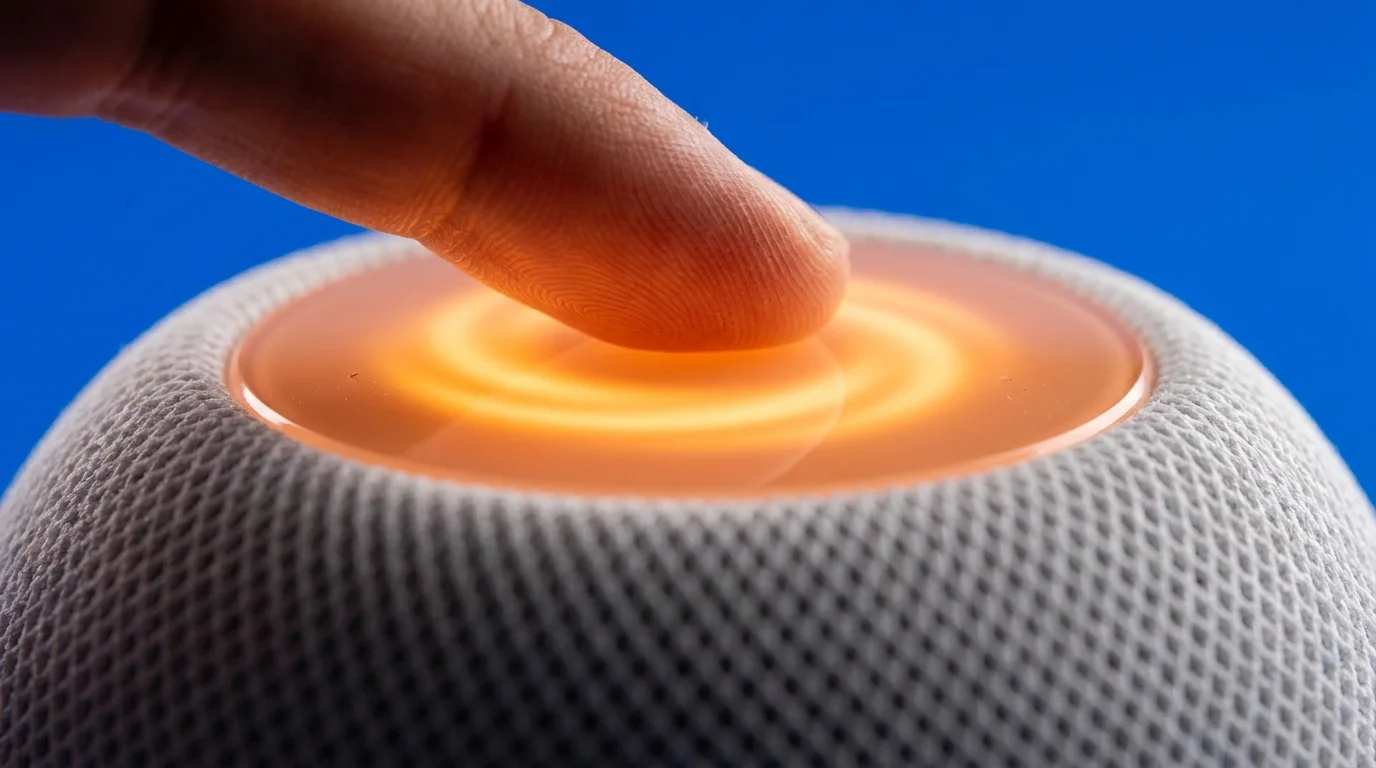
Late at night, your bedroom sits wrapped in heavy silence. On your bedside table, resting on cool wood, the palm-sized fabric sphere hums with silent current. Then, without a sound from you, the top plate stirs. A glowing swirling orange ring blinks softly against the woven texture, listening to a conversation that never happened. Perhaps you simply rustled your bedsheets, cleared your throat, or muttered a half-awake sentence to your partner. Yet the small device registers the cadence as an invitation, capturing a muffled snippet of ambient life before returning to dark glass.
You likely bought the compact speaker for convenient morning alarms, white noise timers, or quick weather checks. Because it blends seamlessly into bookshelves and nightstands, it easily slips from conscious thought. But behind that warm acoustic cloth sits a high-gain microphone array calibrated to latch onto subtle room acoustics. When low-register voices or sudden background noises bounce across floorboards, the hardware frequently triggers false activations.
Instead of remaining stranded on the device’s internal memory core, these accidental audio bursts often travel upstream. When factory defaults remain untouched, snippets of your private environment join an evaluation queue bound for remote servers. Reclaiming your personal boundaries requires more than lowering the volume; it calls for stripping away ambient server logging and severing unnecessary cloud tethering.
The Whisper Fallback: When Hardware Misinterprets Silence
Smart speakers behave like an overzealous butler standing inches outside a cracked doorway, straining to catch half-heard words. They are built with a split-second local memory buffer designed to erase sound every few moments—until a sound wave mimics a trigger word. When that acoustic match registers, the gate swings wide open, packaging the preceding seconds into an encrypted transmission.
Understanding this balance reveals why ambient listening creates ghost recordings across regular domestic spaces. A television murmur in the living room or casual laughter during dinner can masquerade as a voice wake command. Modern voice systems process acoustic data in complex real-world environments where acoustic echoes distort consonants. When doubt occurs, algorithms choose to record rather than miss a prompt, generating phantom audio fragments that leave your physical home.
A Network Analyst’s Late-Night Discovery
David Vance, a forty-two-year-old network systems analyst from Raleigh, North Carolina, noticed this anomaly while auditing his local router traffic during quiet evening hours. His home office held two paired mini spheres flanking his workstation monitors, positioned to handle casual dictation and background jazz. While monitoring egress packets, he spotted repeated bursts of outbound telemetry syncing with Apple’s servers well past midnight, despite the room remaining entirely empty.
- Google Pixel 9 Pro cameras strip muddy photo noise after disabling aggressive sharpening toggles
- Hotel Wi-Fi networks expose sensitive mobile passwords behind sluggish unencrypted login portals
- Uplift V2 standing desks force painful neck stiffness without raised monitor arm mounts
- Calm sleep app trials trap hurried subscribers draining bank balances with hidden auto renew fees
- Refurbished MacBook Air M2 laptops reveal swollen battery packs during five minute diagnostic audits
Curious, David pulled his router’s bandwidth logs against internal audio triggers. He discovered that whenever the central heating kick-started with a deep, shuddering hum, the speakers interpreted the low-frequency rumble as acoustic syllables. They were transmitting brief, muffled ambient noise profiles straight to external servers for analytical evaluation. By tracking down and purging his cloud voice logs, he eliminated the phantom data packets overnight.
Strategic Audits Across the Living Space
Every room presents its own sonic architecture. Tailoring your speaker configuration to the room ensures your devices remain helpful tools rather than passive surveillance posts.
The Bedside and Nursery Enclave
Bedrooms demand the strictest audio insulation. When a unit sits within arm’s reach of your bed, it catches intimate conversations, baby monitor echoes, and quiet morning phone calls. In these spaces, complete wake-word independence offers the cleanest resolution. Turning off ambient listening entirely turns the unit into an AirPlay speaker that only activates through a physical tap on its glass interface, preventing accidental middle-of-the-night triggers.
The Open-Plan Home Office
Professional calls require strict client confidentiality, making stray voice captures a genuine operational liability. If you pace during conference calls or rely on high-fidelity speakerphones, the hardware can easily misinterpret side chatter. For dedicated office setups, retaining Siri voice commands while permanently opting out of the audio evaluation program prevents proprietary business strategy from landing in remote review pools.
The Shared Family Kitchen
Kitchens present a chaotic soundscape of clattering pans, boiling water, and overlapping voices. Here, high ambient noise floors lead to frequent accidental wakes. Keep the wake word active for hands-free kitchen timers, but enforce a strict scheduled cleanup protocol that automatically wipes server-side historical query logs at the start of every month.
Disabling the Ambient Telemetry Pipeline
Taking control of your hardware takes only a few minutes. You do not need deep network engineering skills to enforce a strict boundary between your living space and remote analysis systems.
- Open the primary Home application on your paired mobile device and select your speaker’s card.
- Scroll down to the device settings gear icon and locate the Siri sub-menu.
- Tap Siri History and select Delete Siri & Dictation History to purge previous recordings held on remote servers.
- Navigate back to your primary mobile device’s system Settings, select Privacy & Security, and tap Analytics & Improvements.
- Locate the switch labeled Improve Siri & Dictation and toggle it firmly off to prohibit future cloud audio storage.
- Return to the speaker’s individual settings in the Home app and toggle off Listen for ‘Hey Siri’ if you prefer touch-only glass activation.
Tactical Toolkit: Complete this process within a 5-minute maintenance window. Keep your device firmware within the current release cycle to ensure privacy toggles propagate correctly across paired cloud accounts, and perform an audit once every 90 days.
Reclaiming the Intimate Perimeter
Living with ambient technology should never require sacrificing personal sanctuary. When you understand the operational mechanics behind small, fabric-wrapped hardware, you move from passive consumer to deliberate steward of your environment. You silence unnecessary telemetry, clear out phantom server archives, and configure your surroundings on your own terms.
True peace of mind does not mean casting hardware into the trash; it means establishing clear digital perimeters. When that glowing swirling orange ring finally sleeps until called upon by your intentional touch, your home becomes quiet again—private, unmonitored, and completely your own.
“True household privacy begins the moment you decide your living room conversations belong exclusively to the people sitting within them.”
| Key Point | Detail | Added Value for the Reader |
|---|---|---|
| Ambient Audio Triggers | Low-register noise, TV chatter, and HVAC rumbles create phantom acoustic activations. | Explains why the glowing light ring appears even when nobody addressed the speaker. |
| Telemetry Cloud Storage | Default configurations transmit short audio samples off-site for server-side evaluation. | Reveals where accidental bedroom and office audio snippets actually go. |
| Targeted Settings Toggles | Disabling ‘Improve Siri & Dictation’ halts analytical server storage permanently. | Provides an exact, no-cost software path to seal private room audio. |
| Hardware-Level Tap Mode | Disabling voice triggers converts top glass into a manual, physical-only input. | Guarantees zero acoustic eavesdropping in sensitive areas like bedrooms and nurseries. |
Frequently Asked Questions
Will deleting my Siri history break my smart home automation routines?
No. Clearing voice logs removes past audio recordings from remote analytics servers without disturbing smart home scenes, connected lights, or timers.Why does my HomePod mini glow orange when the room is silent?
An orange swirling light typically signals system updates or network synchronization, but brief pulses can indicate low-frequency sounds that triggered a false acoustic wake state.Does turning off ‘Improve Siri’ make voice recognition less accurate?
Local recognition remains unchanged. The toggle solely prevents third-party audio review and off-site cloud storage of your voice queries.Can guests or children inadvertently re-enable voice data tracking?
No. Analytics toggles sit within your personal iCloud account and primary Home administrator credentials, keeping them protected from casual changes.How often should I wipe the stored cloud voice history?
Running a reset once every quarter maintains a minimal digital footprint without demanding ongoing management.