The autumn air off the subway platform carries a faint chill, and the soft leather earcups of your Sennheiser Momentum 4 settle against your temples like a tailored glove. You expect the familiar velvet weight of low-end bass and wide acoustic space. Instead, halfway down the crowded stairwell, your podcast fractures into sharp, robotic clicks. The audio clips and stutters, sounding less like high-fidelity sound and more like someone whispering through a comb wrapped in wax paper.
Your fingers instantly rise to the plush composite shell, tapping the touch sensor in irritation. The natural human reaction is sudden disappointment: you assume a delicate 42mm transducer has torn loose inside its chassis, or perhaps the wireless receiver has given up under the weight of daily commutes. You begin pricing out warranty claims or bracing for an expensive replacement window.
Yet the physical hardware inside those sleek earcups is almost certainly pristine. What you are hearing is not a dying speaker diaphragm, but a digital logjam occurring behind the scenes. Corrupted Bluetooth pairing profiles turn the headphone’s internal switching chip into an overwhelmed traffic director, causing active data packets to slam into dead connections until the entire audio buffer crumbles.
The Phantom Breakdown: Why Your Drivers Aren't Dying
Modern wireless cans carry an immense operational burden that previous audio generations never had to consider. Multipoint connectivity asks your headphones to maintain parallel conversations with your phone, your laptop, and sometimes your tablet simultaneously. When one of those paired hosts changes its encryption key, undergoes an operating system patch, or moves just out of wireless line-of-sight, the headphone does not simply forget it.
Instead, the device clings to the stale session token. Think of an air traffic controller trying to land two passenger planes on the exact same runway while checking an outdated flight ledger. Every few milliseconds, the Sennheiser firmware attempts to negotiate an invisible handshake with a device sitting asleep in your backpack or back on your office desk.
When that handshake fails to resolve cleanly, data packets collide and drop before they ever reach the internal digital-to-analog converter. The ear simply perceives this invisible radio confusion as an alarming mechanical crackle, convincing you that your premium investment is unraveling from within.
The Grand Central Revelation
Marcus Vance, a 34-year-old studio mix engineer living in Brooklyn, spent nearly three weeks convinced his Momentum 4 unit was suffering from a loose ribbon connector. Every morning inside the concrete acoustic chamber of Grand Central Terminal, his left channel would dissolve into erratic, choppy bursts whenever he transitioned from streaming lossless audio on his phone to picking up a work call.
- Samsung Gallery cloud sync derails family photo libraries leaving blank white album grids during upgrades
- Vizio SmartCast TVs force loud autoplay video previews across sluggish home menu layouts
- Telegram media cache triggers sluggish phone stutter by hoarding gigabytes of hidden video files
- Samsung Eye Comfort Shield blocks harsh blue glare to stop stinging digital eye strain
- Citibank fraud alert texts spark panic on buzzing smartphone screens using spoofed caller codes
Rather than sending the headphones off to a repair bench in Connecticut, Marcus ran an RF packet sniffer on his MacBook. He discovered the headphones were locked in an infinite 40-millisecond query loop, screaming across the 2.4 GHz spectrum to locate his home Mac Mini that was twelve miles away. The pairing table had become bloated and desynchronized, continuously fighting the phone’s primary audio stream for priority.
Tailoring the Connection to Your Daily Setup
Restoring pristine sound requires understanding how you use your devices together. A chaotic connection cache affects different setups in distinct ways:
The Dual-Device Commuter: If you constantly switch between an iPhone in your jacket and a work laptop in your bag, stale session tokens build up quickly. Your laptop closes its lid, but its Bluetooth radio stays half-awake in sleep mode, intermittently pinging the headphones and breaking your phone’s music stream.
The Desktop Audiophile: If your headphones rarely leave your home workspace, background interference from neighboring Wi-Fi channels can corrupt the local handshake cache over several months of continuous standby power. A clean profile state resets the receiver’s adaptive frequency hopping, allowing it to bypass congested local bands.
The Single-Source Minimalist: If you only ever pair with a single smartphone, persistent stuttering typically points to an operating system update that altered your phone’s low-energy Bluetooth negotiation without the headphone firmware adapting to the new rules.
The Master Flush: Clearing the Momentum 4 Pairing Cache
You do not need to delete companion apps or scrub your smartphone to factory defaults. Resolving the packet logjam requires clearing the internal profile table stored directly on the headphone’s memory chip.
The sequence must be performed deliberately with the physical hardware buttons:
- Power the headphones on by holding the hardware button until the voice prompt sounds.
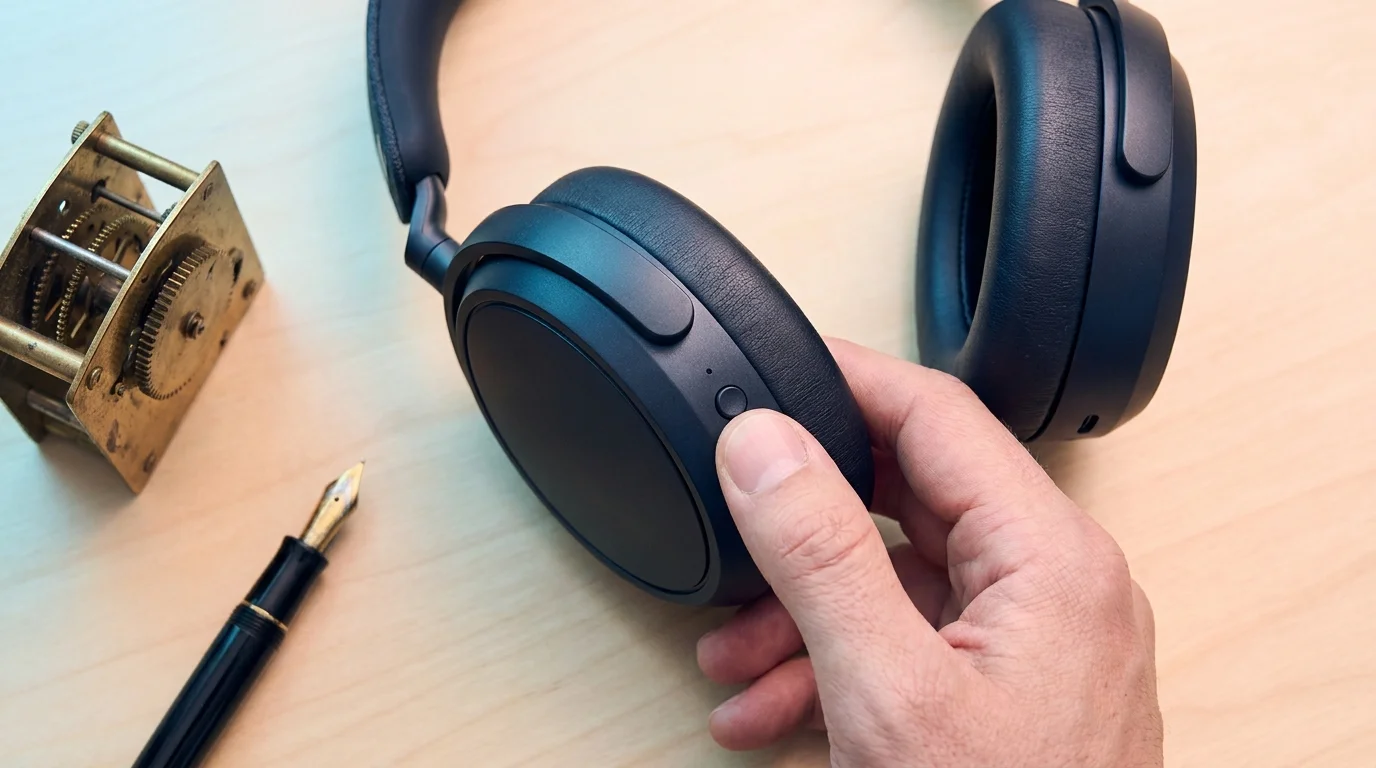
- Press and hold the multi-function power button down continuously for 20 seconds.
- Ignore the initial power-off chime; keep holding through the silence until you hear a secondary tone and the five-stage battery LEDs flash red and blue three times.
- Release the button and let the headset power down completely into standby.
- Open the Bluetooth settings on your host phone and select ‘Forget This Device’ to remove the old pairing key.
- Turn the headphones back on, hold the button for 5 seconds to enter pairing mode, and establish a fresh single connection.
By clearing this memory bank, the stale handshake table vanishes instantly. The internal processor stops searching for ghost devices, freeing up the entire bandwidth pipeline for pure, uninterrupted audio streaming.
Tactical Reset Metrics
Button Hold Time: Exactly 20 seconds from active power state.
Visual Confirmation: LED array cycles red and blue rapidly.
Host Handshake Timeout: Allow 30 seconds of quiet pairing before starting playback.
Reclaiming Your Daily Acoustic Calm
There is quiet satisfaction in understanding that our tools are rarely as fragile as their digital quirks suggest. In a consumer culture that urges you to abandon and replace anything that stutters, learning how connection handshakes function gives you agency over your gear. That sudden crackle during your morning commute is not an expiration date; it is merely an overfilled ledger asking for a clean slate.
Once the memory table is flushed clean, that familiar warmth returns to your ears. The train rattles across the tracks, the city moves outside your window, and your audio plays steady and undisturbed.
Hardware rarely breaks overnight; most often, it is simply choking on old memories it was never told to discard.
| Key Point | Detail | Added Value for the Reader |
|---|---|---|
| Symptom Attribution | Audio drops are usually pairing-table collisions, not blown drivers. | Prevents premature replacements and unnecessary spending. |
| Hardware Flush | A physical 20-second button hold clears the onboard memory. | Restores seamless factory performance in less than a minute. |
| Host Protocol | Removing the profile from your phone clears reciprocal connection logs. | Guarantees that corrupt negotiation keys are not immediately reintroduced. |
Frequently Asked Questions
Does this reset erase custom sound equalizer profiles?
No, internal EQ calibrations saved to the Sennheiser profile remain intact within the accompanying mobile software.Why does audio stutter worse in public transit hubs?
Dense public spaces add hundreds of active 2.4 GHz radios, exacerbating packet loss when stale handshakes are already stressing the buffer.How often should this connection flush be performed?
Only as needed, typically every few months or immediately following a major operating system update on your host device.Will toggling airplane mode resolve the stutter instead?
Airplane mode temporarily reboots your phone’s radio, but it does not clear the corrupted connection table stored inside the headphones.Can I keep multipoint enabled after resetting?
Yes, but you should re-pair your primary audio source first before introducing your secondary device to establish clear priority.