The dusk settles into your living room with the quiet rustle of shifting blinds and the soft hum of the refrigerator. On the sideboard, the chalk-toned fabric of your Google Nest Audio sits perfectly still, mimicking the harmless silhouette of a bookend or a ceramic vase. You sit down with a cup of tea, unwinding from the afternoon, talking to a family member about an unresolved work issue, an overdue mortgage payment, or a doctor visit.
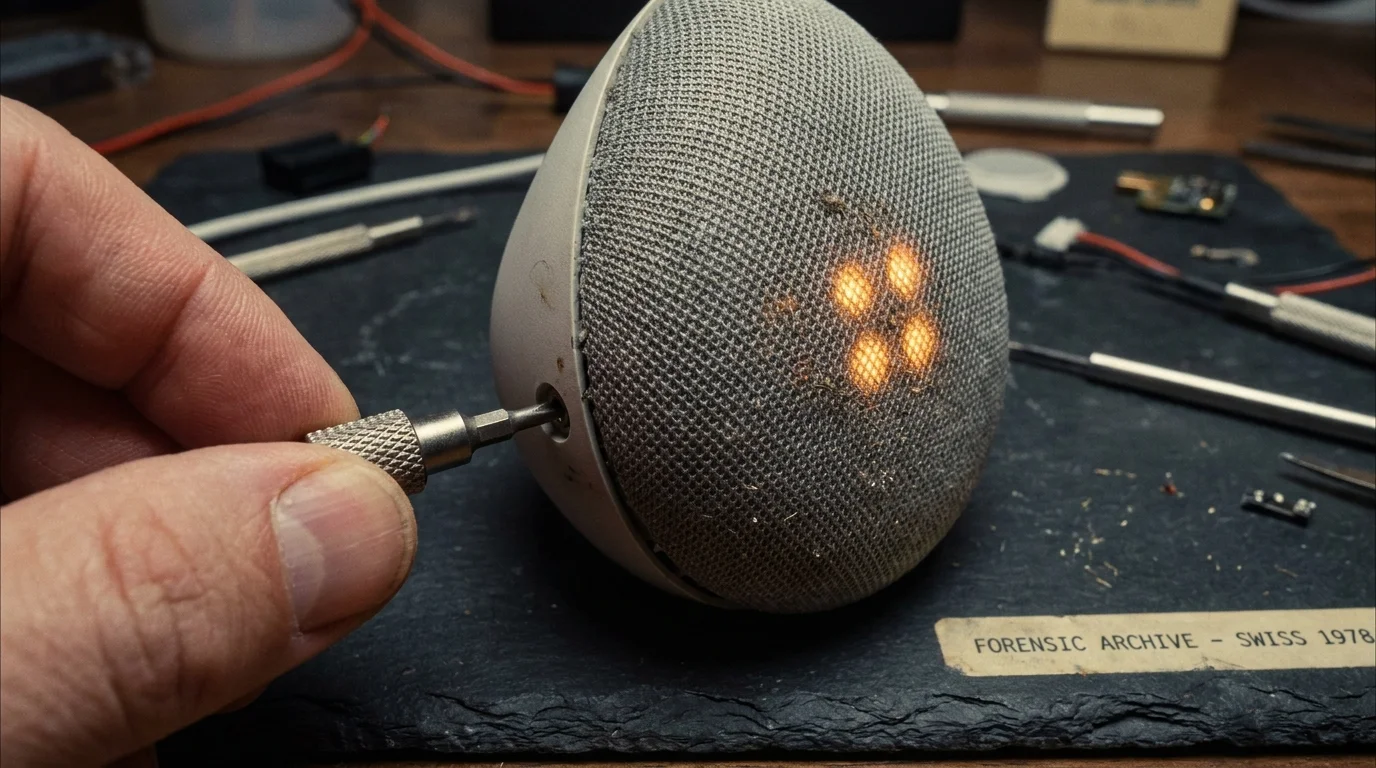
Suddenly, without anyone speaking a prompt, the pulsing four-dot amber LED ring atop the fabric chassis flares alive, shifts to faint white, and dims back down into stillness. It feels polite, almost decorative. You shrug it off as an electrical hiccup or an errant line of code refreshing itself in silence.
It was not an update. In that fleeting second of illumination, an algorithm misheard a vowel sound in your conversational cadence, parsed your private living room murmur as a command, and shuttled a five-second audio snippet straight to an offshore data partition. The quiet cylinder did not ask for permission; it simply listened, archived, and waited for the next stray phoneme.
We invite these devices into our homes under an unwritten contract: speak the magic words, and they answer; stay silent, and they sleep. Yet treating voice technology like a loyal pet ignores how speech processing hardware actually operates. It is not an attentive butler resting outside your door—it is an overzealous, half-deaf stenographer furiously jotting down half-heard phrases through drywall.
The Phantom Wake Word and the Eager Stenographer
To understand why your smart speaker hoards audio clips of evening gossip and late-night television dialogue, you have to peel back the acoustic design. A Nest speaker does not maintain a dormant ear; its microphone array listens in high-fidelity rolling buffers, constantly checking the surrounding room against a mathematical wave pattern of the wake phrase. It is trying to detect an acoustic signature while filtering out ambient air conditioning, barking dogs, and television laughter.
When everyday phrases mimic the cadence of the wake word—such as ‘cold weather,’ ‘baked potato,’ or ‘ok cool’—the local chip panics with enthusiasm. Believing its moment has arrived, the device flags the subsequent room chatter as an active query. Because the onboard machine model wants to refine its future recognition, it pushes that snippet up to your cloud activity log, filing away fragments of your personal life alongside your morning timer requests.
This is where our domestic intuition fails us. We assume that because we did not hear the cheerful acknowledgement chime, nothing happened. In practice, when a Nest speaker wakes by mistake, realizes midway through the recording that you did not give a command, it quietly aborts the reply. But the intake has already occurred. The file exists, tagged with a precise timestamp, waiting inside your account dashboard.
- Galaxy S24 Ultra cameras switch off intelligent optimization stripping away mushy skin textures
- Amtrak passenger Wi-Fi networks expose unencrypted packet traffic forcing immediate DNS encryption switches
- Ergotron monitor arms enforce eye level alignment eliminating stiff neck aches and tangled cables
- MyFitnessPal premium subscriptions trap recurring monthly charges behind obscure nested account toggles
- Refurbished iPad Air tablets require strict white screen checks exposing hidden yellow panel burn
Marcus Vance, a 41-year-old audio firmware researcher based outside Chicago, discovered this reality during an audit of his own home network. Marcus ran packet-capturing tools on three living room hubs for thirty days, cross-referencing server uploads with his family’s daily calendar. Across a single month, his units triggered ninety-two false activations—capturing everything from his teenage daughter’s telephone tears to a confidential legal review conducted over speakerphone. The hardware was not malicious; it was merely doing what sensitive acoustic sensors do when calibrated for maximum obedience over strict restraint.
Tuning the Acoustic Perimeter Across Your Floor Plan
A smart speaker’s physical environment dictates its acoustic paranoia. A device positioned on a granite countertop behaves entirely differently from one resting on a padded bedside table, and treating them as identical units invites constant surveillance creep.
In high-reverberation spaces like modern kitchens, sound waves ricochet off tile, stainless steel, and cabinet faces. These reflections stretch out conversational vowels, turning innocent culinary banter into phonetic matches for voice triggers. If your speaker shares a counter with a boiling teakettle or a clattering dishwasher, the device automatically boosts its microphone gain, making it dramatically more prone to eavesdropping on adjacent dining room discussions.
The bedroom demands a far stricter philosophy. Here, the hazard is not room echo, but lower vocal registers. As human speech drops into evening murmurs, speech recognition engines struggle to differentiate deliberate commands from pillow talk or sleep murmuring. Placing a fabric-covered assistant on a nightstand within arm’s reach of your head is an open invitation for accidental archival.
The living room television lounge presents a third distinct battlefield. High-action films, commercials, and podcast streams frequently emit frequencies that cross the trigger threshold. If a speaker sits directly within the directional firing line of a soundbar or television speaker, it spends its evenings intermittently logging snippets of media dialogue, polluting your data profile with corporate advertising tags.
The Calibrated Boundary: Purging and Hardening Your Nest
Reclaiming your home audio boundary does not require banishing your smart devices to a drawer. It requires changing the default settings that tech giants configure to maximize data collection under the guise of algorithmic refinement. By shifting two specific controls, you strip the speaker of its archiving behavior while dulling its hair-trigger sensitivity.
To permanently stop Google from retaining voice and audio recordings across your ecosystem, you must navigate outside the basic consumer hardware app and into your primary account controls:
- Open the Google Home application, tap your profile avatar in the upper corner, and select Manage your Google Account.
- Navigate directly to the Data & privacy tab, locate Web & App Activity, and expand the setting.
- Look for the sub-checkbox labeled Include voice and audio recordings; uncheck this setting immediately to revoke cloud audio retention.
- Select Auto-delete and adjust the deletion threshold to 3 months, or opt to manually purge all historical voice data currently filed in your log.
Once the cloud vault is sealed, you must recalibrate the physical listening behavior of each individual speaker in your living spaces. Google buries a direct microphone sensitivity slider inside the hardware settings of each unit, allowing you to force the device to require clear, intentional projection before it activates.
- Return to the main screen of the Google Home app and select the specific Nest Audio device you wish to tame.
- Tap the Settings cog in the top right corner, then scroll down to locate ‘Hey Google’ sensitivity.
- Shift the slider down toward Less sensitive; this forces the local acoustic chip to discard ambiguous sounds and phonetically distorted words.
- Repeat this calibration for every unit resting on hard surfaces or sitting near entertainment consoles.
The Tactical Toolkit for Domestic Acoustic Sanity:
- Wake Sensitivity Slider: Shift from Default to -1 (Less Sensitive) or -2 in kitchens and media spaces.
- Retention Window: Set cloud voice log purge to Zero / Disabled.
- Physical Distance: Keep units a minimum of 4 feet away from television soundbars and heavy reflective stone surfaces.
- Visual Audit Interval: Perform a 60-second review of your My Activity: Voice & Audio log once every ninety days.
Restoring the Sacred Walls of Your Home
The rooms where we live, grieve, rest, and celebrate were never intended to generate a paper trail. For decades, our homes provided natural acoustic sanctuary simply through the density of wood, the insulation of drywall, and the limits of human hearing. When we placed connected microphones into that balance, we traded an ancient, fundamental privacy for the minor luxury of setting a kitchen timer hands-free.
Taking command of these settings is not an act of technophobic paranoia; it is a quiet reassertion of basic household etiquette. A microphone that responds only when explicitly, clearly addressed is a capable digital tool. A microphone that logs every half-muttered sentence in the background is a mechanical voyeur you pay an electric bill to maintain.
Once you dial back the sensitivity and purge the historical cache, the dynamic changes. The fabric speaker returns to being what it was always meant to be: an inert, patient circuit waiting silently for an unambiguous request, leaving the warmth and imperfection of your household chatter where it has always belonged—floating harmlessly into the quiet air of your living room, unrecorded and forgotten.
The boundary of a home is defined not by the strength of its locks, but by what is allowed to leave its walls uninvited.
| Key Point | Detail | Added Value for the Reader |
|---|---|---|
| Background Trigger Mechanics | Accidental phonetic matches save 3-5 second audio bursts without alert chimes. | Dispels the false comfort that silent devices are dormant devices. |
| Audio Retention Toggle | Hidden sub-setting beneath general Google Web & App Activity controls. | Permanently blocks cloud storage of all future household voice queries. |
| Acoustic Sensitivity Adjustment | Hardware slider located per-device within individual room configurations. | Eliminates phantom wakes caused by TV dialogue, dish clatter, or room echo. |
Frequently Asked Questions
Does turning off voice recordings disable voice commands?
No. Your Nest speaker will continue to answer inquiries, set timers, and manage lights; it simply processes the command in volatile memory and drops the recording rather than saving a permanent audio copy to your profile.Why does my speaker light up amber instead of white?
A steady amber four-dot ring indicates that the physical microphone mute switch on the rear chassis is engaged. A brief amber flash or pulse during speech indicates an alert status or system calibration event.Will reducing microphone sensitivity make the speaker ignore me?
It will not ignore you, but it will require you to face the device and speak with deliberate cadence. It effectively filters out side conversations and background chatter from several paces away.How do I listen to what Google has already saved from my home?
Navigate to myactivity.google.com, filter the search results by ‘Voice and Audio,’ and tap the small ‘Play’ icons beside individual entries to hear historical clips captured by your hardware.Can physical placement alone prevent false wake-word activations?
Placement helps dramatically. Elevating the speaker above reflective counters and angling its primary grille away from television sound systems significantly lowers accidental triggering before software tweaks are even applied.