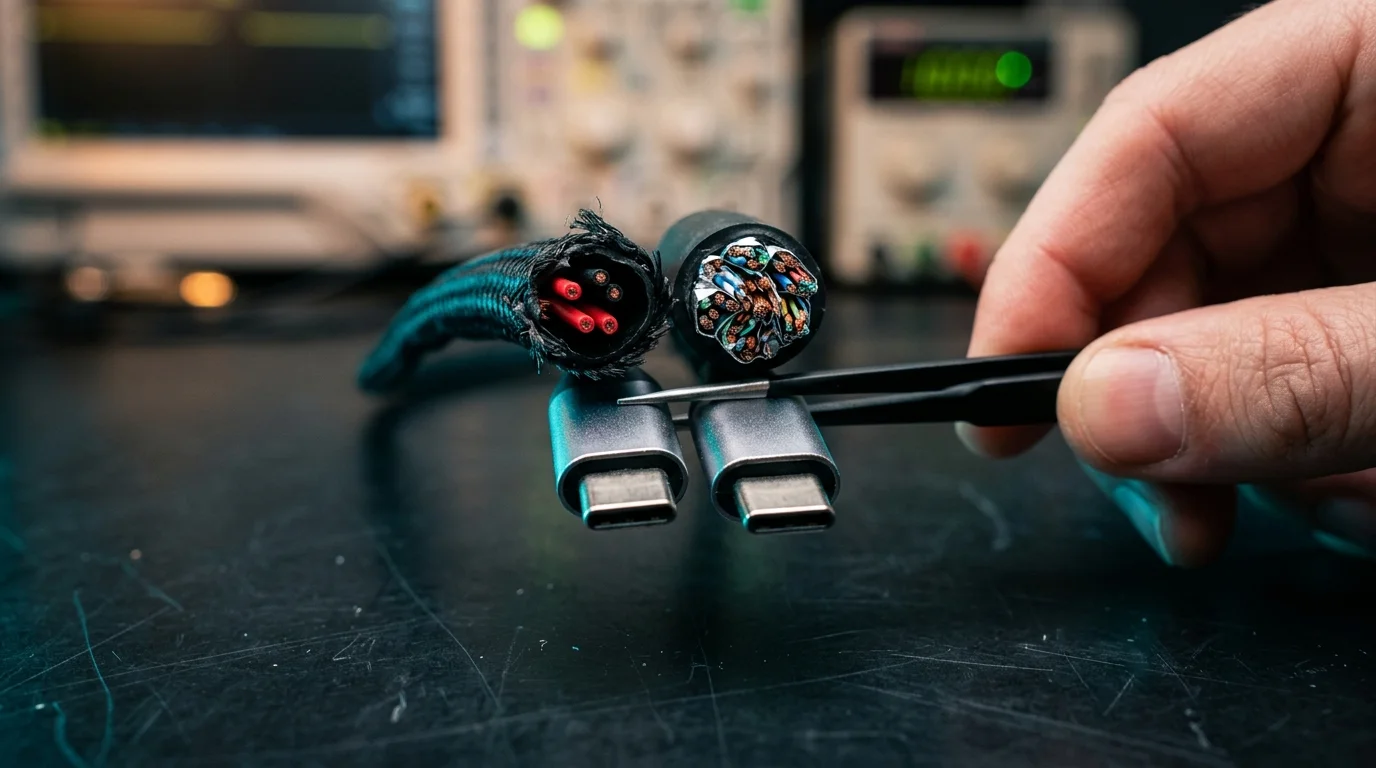
The universal adoption of the USB-C connector has simplified how consumers plug in phones, laptops, and accessories, but the physical shape of the plug reveals nothing about what the wire inside can actually do. Because the USB-C specification separates physical connector design from internal wiring requirements, many cables built primarily for power delivery omit the internal signal pairs required for high-speed file transfers and external monitors.
As a result, two cables that look identical on the outside can perform completely differently when connected to an external solid-state drive or a desktop display. While users often assume a thick, high-wattage cord is equipped for every modern task, hardware specifications from major manufacturers show a sharp divide between charging-focused cords and full-featured data cables.
The Internal Wiring Divide
At the core of the confusion is the distinction between the USB-C form factor and the underlying data protocols. According to Laptop Judge, the reversible USB-C plug is strictly a physical interface rather than a guarantee of transfer speed, power capacity, or video support. Inside a full-featured cable, dedicated SuperSpeed signal pairs handle multi-gigabit data transmissions and video streams alongside separate wires for power and basic data.
However, manufacturers do not have to populate every pin and wire inside the assembly. A cable designed primarily for power delivery can include the necessary wiring for charging and basic USB 2.0 communication while omitting the SuperSpeed signal pairs entirely. When a user connects one of these charging-focused cables between a computer and an external storage drive, the connection falls back to USB 2.0 speeds—topping out at 480 Mbps—or fails to initialize video output altogether.
High Wattage Does Not Mean High Speed
One of the most common misconceptions in consumer hardware is that a cable rated for high-wattage charging automatically includes high-end data wiring. Recent product releases and retail listings demonstrate that power capacity and data bandwidth operate on completely independent tracks.
For example, an October 11, 2026 review by ZDNET examined the Ugreen Nexode 240W USB-C cable, which features a built-in display to monitor power flow. Despite supporting up to 240W of power delivery—enough to charge demanding workstation laptops—the cable’s data transfer rate is capped at the USB 2.0 limit of 480 Mbps, and it does not support video transmission to external monitors.
A similar limitation applies to standard cords sold by major device makers. According to an October 13, 2026 product listing on CDW, Apple’s 1-meter (3.3-foot) 60W USB-C Charge Cable is rated for up to 60 watts of power and transfers data exclusively at USB 2 rates. While individual product listings like Apple’s confirm that major brands sell and package USB 2.0 charging cords, current retail data does not establish the exact percentage of bundled cables across the wider United States market that lack high-speed wiring.
What Full-Featured Cables Require
To move large files quickly or drive an external monitor over a single cord, consumers must look for cables that explicitly state their data bandwidth and video protocols. Driving a monitor over USB-C requires not only a compatible host computer and display, but also a cable wired to support a video path such as DisplayPort Alternate Mode, according to Laptop Judge.
Hardware vendors that cater to enterprise and workstation setups typically separate their cables into distinct performance tiers. An October 13, 2026 listing from Dell details a 2-meter USB-C to USB-C cable engineered to deliver 100W of power alongside a 10 Gbit/s data rate and DisplayPort Alt Mode video support. For heavier workloads, an October 14, 2026 Dell listing specifies a 2-meter high-power cable that combines up to 240W charging with 20 Gbit/s data speeds and DisplayPort Alt Mode support.
Comparing a 480 Mbps charging cord against a 10 Gbit/s or 20 Gbit/s data cable illustrates the practical bottleneck users face. A cable missing SuperSpeed wiring transfers data at a fraction of the speed of a 10 Gbit/s or 20 Gbit/s cord, turning rapid backups into lengthy waits and leaving external displays completely blank.
What This Means for Buyers and Troubleshooting
Because the physical connector provides no visual warning when internal wires are omitted, buyers must treat power delivery, data transfer rate, and video support as three separate specifications. When purchasing a replacement cord or setting up a desk workstation, checking the wattage rating alone is insufficient if the cable will ever connect to an external drive, docking station, or monitor.
How common are USB 2.0-only cables in device boxes?
While specific retail listings such as Apple’s 60W charging cord confirm that USB 2.0 cables are actively sold by major hardware brands, available industry data does not provide a representative survey quantifying what share of phones, tablets, and computers sold in the US include USB 2.0-only cords in the box.
How can consumers distinguish between charging and data cables?
Unless a cable features printed speed and wattage markings directly on the connector housing, users cannot tell them apart by appearance or thickness. Buyers must verify the technical specifications on the retail packaging or product listing, looking specifically for stated data rates—such as 10 Gbit/s or 20 Gbit/s—and explicit mention of DisplayPort Alternate Mode if video output is needed.
When a monitor or fast transfer fails, is the cable always to blame?
Not necessarily. While using a charging-only cable is a frequent cause of blank screens and slow transfers, a complete connection depends on every link in the chain. The host device port, the cable, and the connected monitor or storage drive must all support the same data speed or video protocol for the feature to work.
Sources
- ZDNET – This USB-C cable has a tiny screen – and that’s not its only trick
- CDW – Apple Charge Cable (60W) USB-C 3.3ft (1m) White
- Dell – USB-C to USB-C Cable – 2 Meter 100W 10Gbps with DisplayPort Alt Mode Video Support
- Dell – USB-C to USB-C Cable – 2 Meter 240W 20Gbps with DisplayPort Alt Mode
- Laptop Judge – USB Type-C Cables Guide
- Laptop Judge – USB-C Specification Standards