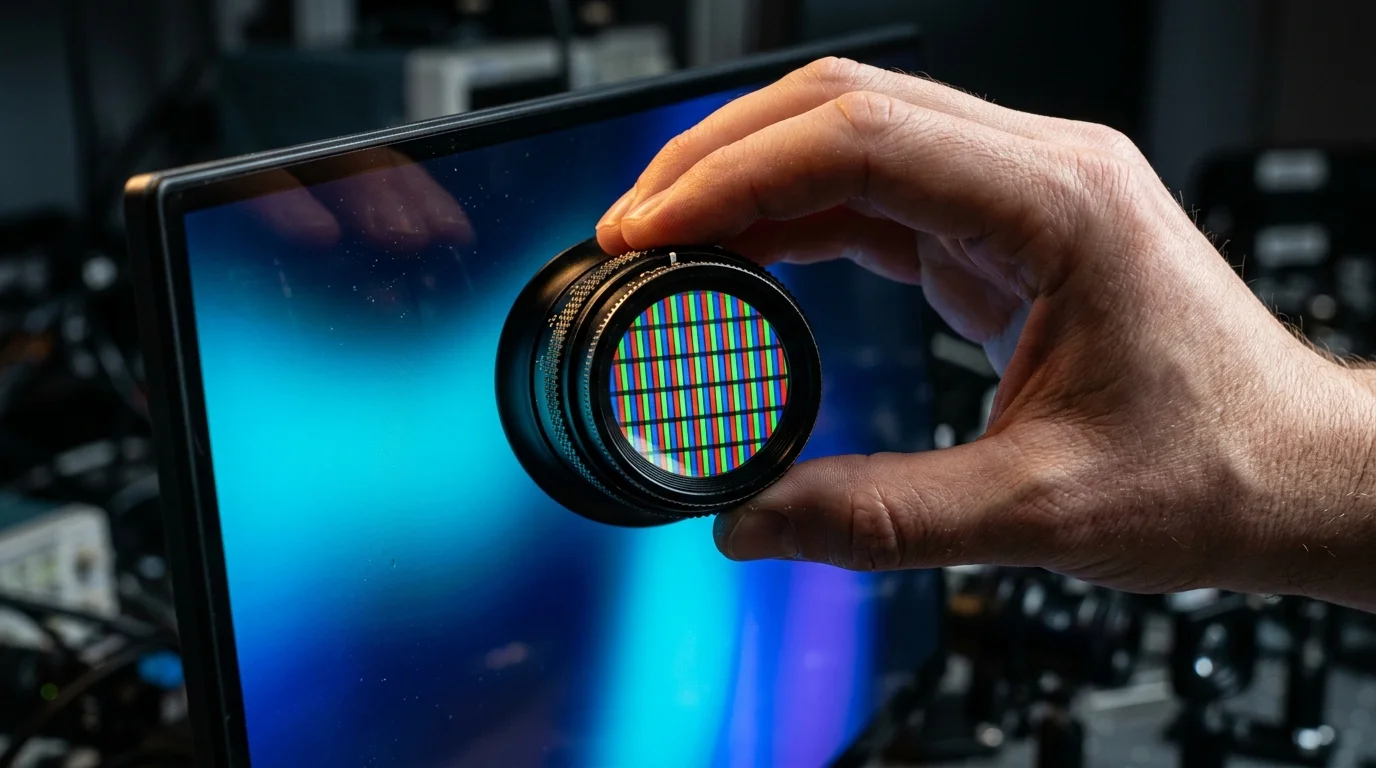
Desktop OLED monitors continue to contend with text rendering challenges on Microsoft Windows due to a fundamental mismatch between legacy operating system font smoothing and modern panel physics. When Windows ClearType renders fine text, it assumes a traditional red-green-blue (RGB) stripe subpixel geometry. Because many Quantum Dot OLED (QD-OLED) and White OLED (WOLED) panels rely on nonstandard subpixel layouts, everyday productivity tasks can exhibit visible color fringing around characters. However, October 2026 hardware evaluations indicate that fifth-generation RGB-stripe OLED panels and updated display processing algorithms are narrowing the clarity gap with traditional LCDs.
The extent of the problem is highly dependent on panel generation, screen resolution, and viewing distance. While early-generation OLED desktop displays struggled to match standard office monitors in spreadsheets and code editors, hardware manufacturers are altering subpixel structures at the silicon and emitter levels to align with how Windows draws text on screen.
The Technical Mismatch Between ClearType and OLED Subpixels
To smooth the jagged edges of digital fonts, Windows relies on ClearType, a subpixel rendering engine designed around conventional LCD panels. On a standard LCD monitor, each pixel is divided into three vertical stripes: red, green, and blue. ClearType treats these individual colored subpixels as addressable luminance elements, blending them to increase horizontal font resolution.
According to technical analyses from LaptopJudge, when a display’s physical subpixel structure deviates from this expected RGB-stripe sequence, ClearType’s color-blending calculations misfire. Instead of producing a smooth black or gray character edge against a white background, the mismatched subpixel activation creates noticeable chromatic halos—commonly referred to as color fringing—along the top, bottom, or sides of letters.
This behavior is not restricted to a single OLED technology. Earlier QD-OLED generations utilized a triangular subpixel arrangement, positioning the green subpixel at the top of the pixel matrix, which frequently resulted in green and magenta fringing along horizontal lines. Similarly, WOLED panels incorporate an additional white subpixel alongside the colored emitters, disrupting the strict three-stripe cadence that Windows font rendering expects.
Fifth-Generation QD-OLED and V-Stripe Layouts
Display makers have begun addressing the subpixel mismatch directly in hardware rather than waiting for operating system overhauls. Recent October 2026 specialist reviews highlight a transition toward standard RGB-stripe geometries in newer QD-OLED generations.
According to an evaluation of the MSI PRO MAX 341QPXW14G by TweakTown, the monitor’s fifth-generation QD-OLED panel adopts a traditional RGB-stripe layout that substantially improves text clarity compared to earlier QD-OLED iterations. By abandoning the older triangular pixel geometry, the display aligns with Windows ClearType expectations, eliminating the worst of the color artifacts during office workloads.
A separate review of the 34-inch Gigabyte MO34WQC36 by GeekaWhat reports similar gains. That monitor utilizes a 3440×1440 QD-OLED panel featuring a V-Stripe RGB subpixel layout. While earlier triangular arrangements drew criticism from productivity users, GeekaWhat notes that the V-Stripe design resolves the distracting text fringing, making the ultrawide display viable for mixed office work and gaming.
Why Pixel Density and Viewing Distance Still Matter
While subpixel geometry dictates whether color fringes appear, raw pixel density (measured in pixels per inch, or PPI) and physical viewing distance determine how sharp text looks to the human eye. Even when an OLED monitor adopts an RGB-stripe layout, resolution constraints can limit its effectiveness for dense document editing.
In its analysis of the 34-inch MSI ultrawide monitor—which features a 3440×1440 resolution in a 21:9 aspect ratio, yielding roughly 110 PPI—TweakTown points out that text clarity still does not match that of a 32-inch 4K monitor. A 32-inch 4K panel delivers approximately 138 PPI, providing a tighter pixel grid that renders fine typography with noticeably cleaner edges regardless of subpixel smoothing.
Conversely, lower pixel densities can be mitigated by sitting further back and relying on built-in display firmware. According to a report in the Dhaka Tribune examining a 39-inch 3440×1440 WOLED display, the panel’s nonstandard subpixel arrangement and low density of roughly 96 PPI present clear theoretical conditions for text fringing. However, the report notes that at a normal viewing distance of about 80 centimeters (roughly 31.5 inches), combined with the manufacturer’s Clear Pixel Edge processing technology, the fringing was not noticeable during ordinary desktop use.
What This Means for PC Buyers and Office Workflows
The current state of OLED monitor technology presents a nuanced reality for buyers building a dual-purpose workstation. The perception of text quality depends heavily on how closely a user sits to the screen and the specific applications they use.
Across the industry, reviewers remain divided on how much subpixel artifacts impact daily computing. While evaluations of older or lower-PPI panels warn of eye strain and blurry characters during close inspection, coverage from TweakTown and GeekaWhat demonstrates that fifth-generation RGB-stripe QD-OLED panels have neutralized the primary cause of color fringing. Even so, as noted by LaptopJudge, professionals whose workflows revolve entirely around static text, spreadsheets, and code often still favor high-PPI IPS LCD monitors, where native subpixel compatibility and higher resolutions come without compromises.
Which OLED monitor panels have improved text clarity?
Monitors utilizing fifth-generation QD-OLED panels with RGB-stripe or V-Stripe subpixel layouts—such as the 34-inch MSI PRO MAX 341QPXW14G and the Gigabyte MO34WQC36—have largely eliminated the color fringing seen on earlier triangular QD-OLED panels.
How much does pixel density affect OLED text rendering compared to subpixel layout?
Both factors play distinct roles. An incompatible subpixel layout causes colored halos around letters, whereas low pixel density makes characters look blocky or soft. Even with an improved RGB-stripe layout, a 34-inch 3440×1440 monitor at 110 PPI will not render text as sharply as a 32-inch 4K monitor at 138 PPI.
Can viewing distance reduce text fringing on WOLED monitors?
Yes. On lower-density displays like a 39-inch 3440×1440 WOLED panel (approximately 96 PPI), sitting at a distance of around 80 centimeters (31.5 inches) and enabling built-in firmware features like Clear Pixel Edge can make subpixel fringing unnoticeable during standard use.