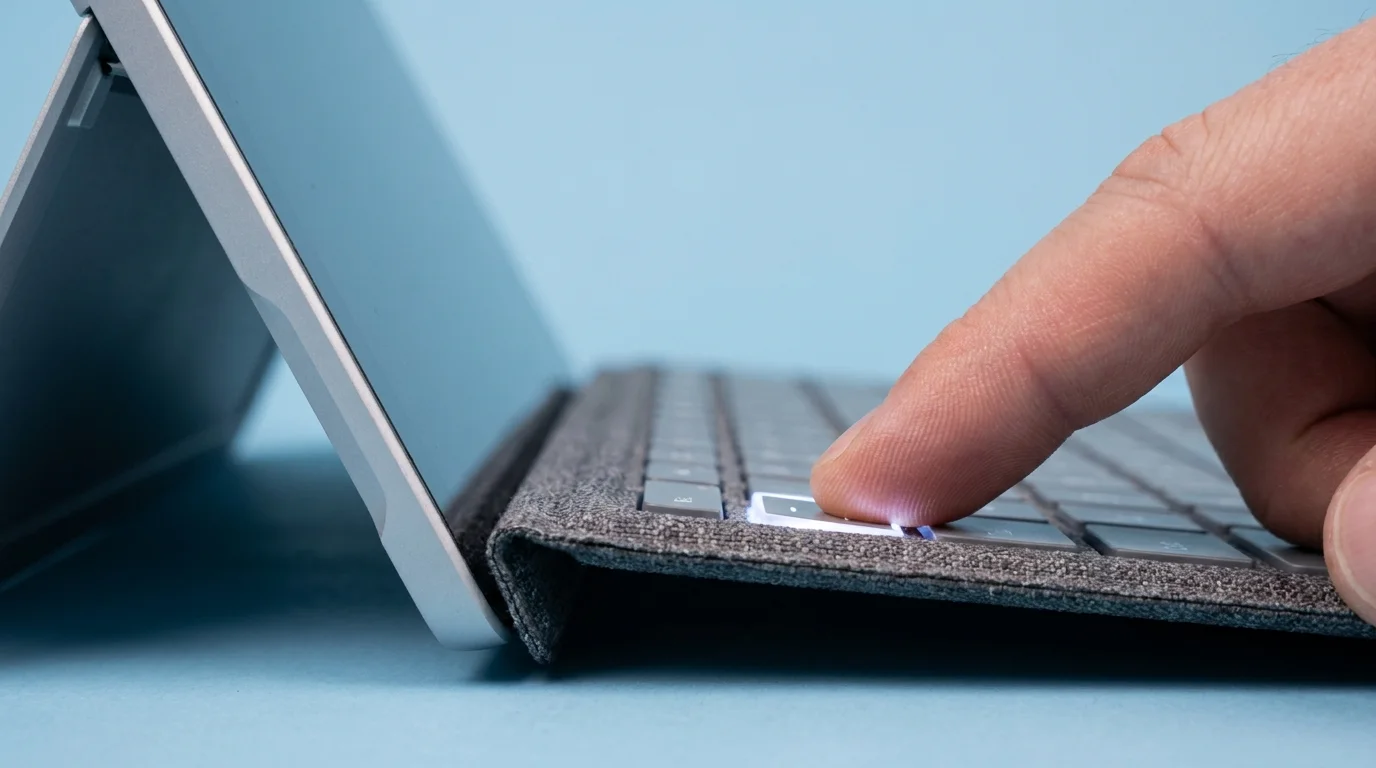
Slip your fingers across the textured woven fabric exterior, press your thumb against the spring-loaded edge, and listen to the clean snap of keys under your pads. At $349 for Apple’s Magic Keyboard, Cupertino asks you to pay half the cost of an entire iPad just for the privilege of typing on a cantilevered metal stand. Meanwhile, sitting quietly on the store shelf at $160 to $229, the Logitech Combo Touch delivers the exact same millimeter of crisp scissor-switch travel without the predatory price tag.
You have likely been told that third-party keyboards always feel like mushy compromises. Apple built an entire marketing myth around the idea that only their proprietary floating hinge could grant an iPad laptop-level dignity. Yet the moment you set the Combo Touch down on a scratched oak table and tap out your first sentence, that illusion dissolves into thin air.
The keycaps settle down with a dry, mechanical snap that feels reassuringly firm. Your fingertips register immediate feedback, catching none of the hollow wobble that used to plague aftermarket accessories a decade ago. Identical tactile keystroke resistance means your muscle memory adapts inside five minutes, leaving you wondering why anyone drops nearly four hundred dollars after taxes on an aluminum bracket that cannot even fold backward.
Instead of locking your machine into a rigid viewing angle, the textured woven fabric case hugs every millimeter of your tablet with a molded rubber perimeter. It breathes like durable tweed under your palm, resistant to the oily fingerprints and peeling polyurethane edges that turn first-party folios greasy within six months of daily commuting.
The Floating Hinge Illusion: Why Modularity Beats Monoliths
Apple engineered the Magic Keyboard as a sculptural statement. It looks striking suspended over an empty desk in an air-conditioned boardroom, but the second you leave that sanitized sanctuary, the cracks in the philosophy begin to show. The floating hinge is top-heavy, prone to tipping backward on uneven knees, and fundamentally demands that your tablet remain trapped inside an all-or-nothing clamshell.
Think of first-party hardware like a tailored tuxedo with the shoes sewn directly onto the trousers. If you want to sketch, take handwritten notes, or simply curl up on a train seat to read an article, you have to rip the tablet entirely naked from its magnetic perch, exposing bare aluminum to concrete floors and commuter scratches. Modularity brings genuine ergonomic sanity to mobile work, allowing the keyboard tray to unclip with a light tug while a sturdy, friction-hinged kickstand guards the glass.
The Combo Touch relies on Apple’s own Smart Connector pins along the tablet’s spine. There is no Bluetooth pairing menu to monitor, no dead battery inside the keyboard frame, and no micro-stutter when waking from sleep. Power siphons directly through the pins at negligible micro-wattage, giving you immediate typing response from the moment the magnetic guide snaps home.
- Windows 11 diagnostic toggles reveal silent keystroke logging while sparking whirring fan noise
- OtterBox Defender phone cases spark scorching battery heat during rapid overnight wireless charging
- Google Chrome Memory Saver toggles stop sluggish browser stutter across freezing web tabs
- Asus Wi-Fi router settings block choppy video stutter through simple bandwidth channel switches
- Samsung Galaxy Z Fold 6 hardware demands massive spending despite identical creased glass
A Lesson from the Field: The Draftsman’s Desk
Marcus Vance, a 34-year-old architectural draftsman based out of Chicago, spent two years defending his purchase of the first-party white cantilever dock. He spent his workdays shuttling between cold construction trailers, drafty coffee shops, and client boardrooms, constantly terrified of staining the pale silicone skin or denting his uncased tablet whenever he pulled it off the magnets to mark up blueprints with his pencil.
During a site walk at a windy high-rise conversion on Michigan Avenue, Marcus set his floating setup on an unbolted plywood desk. A sudden draft caught the rear plate, tipping the top-heavy rig onto bare gravel and chipping the tablet’s bottom chamfer. He replaced it the following morning with a charcoal Logitech Combo Touch, discovering within hours that the kickstand accommodated 20 to 60 degrees of drafting tilt without removing the protective bumper once. The luxury myth shattered the moment he realized the cheaper tool was simply built for the mess of the real world.
Adjustment Layers: Matching the Keystroke to Your Daily Cadence
No two work habits look identical, and peripherals need to bend to your physical environment rather than demanding you adjust your posture to fit their limits.
For the Commuter and Coffee Shop Regular
If you write on cramped cafe tables or commuter rail trays, surface area is everything. The Combo Touch lets you detach the keyboard entirely, pushing the screen back against the wall while keeping the kickstand firm, freeing up inches of space for an espresso cup or physical notebook. Full perimeter drop defense means accidental bumps against cafe porcelain cause zero heart-stopping panic.
For the Student and Digital Note-Taker
Jumping between typing lecture notes and annotating PDFs requires rapid physical reconfiguration. With cantilever designs, transitioning to handwriting means lifting the heavy slate off its magnetic backplate and laying it flat, completely unprotected against tabletop grit. The Combo Touch kickstand drops down to a gentle sketch tilt while the keys stay safely tucked beneath the back cover or detached completely in your bag.
For the Low-Light Night Owl
Typing in dimly lit red-eye cabins or bed frames demands clean legibility without blinding glare. Logitech incorporates a full row of dedicated iPadOS function keys directly above the number row—an omission that took Apple years to address on base accessories. You get immediate access to backlit key brightness, volume, media playback, and screen lock with a single downward tap, avoiding disruptive trips through the control center.
Mindful Calibration: The Tactical Setup
Integrating a performance accessory should feel instinctive. To coax the crispest response out of your woven deck, bypass standard defaults and tune your tablet to match your typing cadence.
- Snap the protective bumper around your tablet, ensuring the speaker cutouts align seamlessly over the acoustic chambers.
- Seat the Smart Connector pins along the left rim; listen for the soft magnetic latch confirming mechanical and electrical contact.
- Open your tablet settings, navigate to General, tap Keyboard, and select Hardware Keyboard to dial in key repeat speeds.
- Install the companion Logitech Control app once to check for low-level firmware patches that smooth out trackpad palm rejection.
- Set the trackpad tracking speed to roughly 65 percent on the native slider to match the physical tactile resistance of the glass surface.
The tactical parameters of this hardware reveal how close the parity sits. You are working with 1.0 millimeter of key travel across full scissor-switch stabilizers, zero Bluetooth latency, and a continuous 40-degree friction hinge capable of sustaining palm pressure without collapsing. Precise resistance prevents phantom keystrokes, ensuring long writing sessions feel grounded rather than floaty.
The Freedom of Choosing Utility Over Status
When you stop viewing technology accessories through the lens of brand allegiance, your relationship with your tools changes. The tech industry thrives on manufactured insecurity, nudging buyers toward monolithic, expensive first-party hardware by implying anything less diminishes the machine inside.
Choosing practical utility over showroom minimalism gives you your mobility back. You end up with an iPad that can survive a three-foot tumble off a kitchen island, an integrated trackpad that clicks uniformly from corner to corner, and an extra $150 sitting in your bank account. Real craftsmanship is not measured by how much empty space hovers beneath your tablet screen; it is measured by how seamlessly a tool gets out of your way while you do your work.
Crisp key travel and thoughtful edge protection will always serve the daily worker far better than brittle design vanity.
| Key Point | Apple Magic Keyboard | Logitech Combo Touch |
|---|---|---|
| Price Investment | $299 to $349 MSRP | $159 to $229 MSRP (Saves over $120) |
| Chassis Protection | Exposed edges; zero drop safety | Full molded perimeter bumper protection |
| Workspace Versatility | Rigid clamshell; no standalone kickstand | Detachable keyboard deck with 20-60° kickstand |
Frequently Asked Questions
Does the trackpad support all native iPadOS gestures?
Yes, the precision trackpad works with multi-finger swipes, pinch-to-zoom, and cursor snaps via the native Smart Connector interface.Does the Combo Touch require separate charging or batteries?
No, it draws micro-current directly through the physical Smart Connector pins on the side of your tablet, meaning it never needs a charging cable.How heavy is the woven fabric case compared to the Magic Keyboard?
Both setups weigh roughly 1.3 to 1.7 pounds depending on your tablet size, but the Logitech model lets you detach the keyboard to carry only the light bumper shell.Can the kickstand hold up during heavy Apple Pencil drawing?
Yes, the friction hinge holds firmly at low angles, providing a steady drafting wedge that does not collapse under normal wrist pressure.Does the woven fabric wear out or collect lint easily?
The textured textile resists skin oils and dirt far better than smooth silicone folios, cleaning easily with a lightly dampened microfiber cloth.