The living room settles into low amber light after a long workday. You kick off your shoes, grab the remote with its soft purple directional pad, and flick on a late-night crime documentary or an old sitcom rerun. The glass panel radiates a calm blue wash across your floorboards, humming quietly as you lose track of time on the couch.
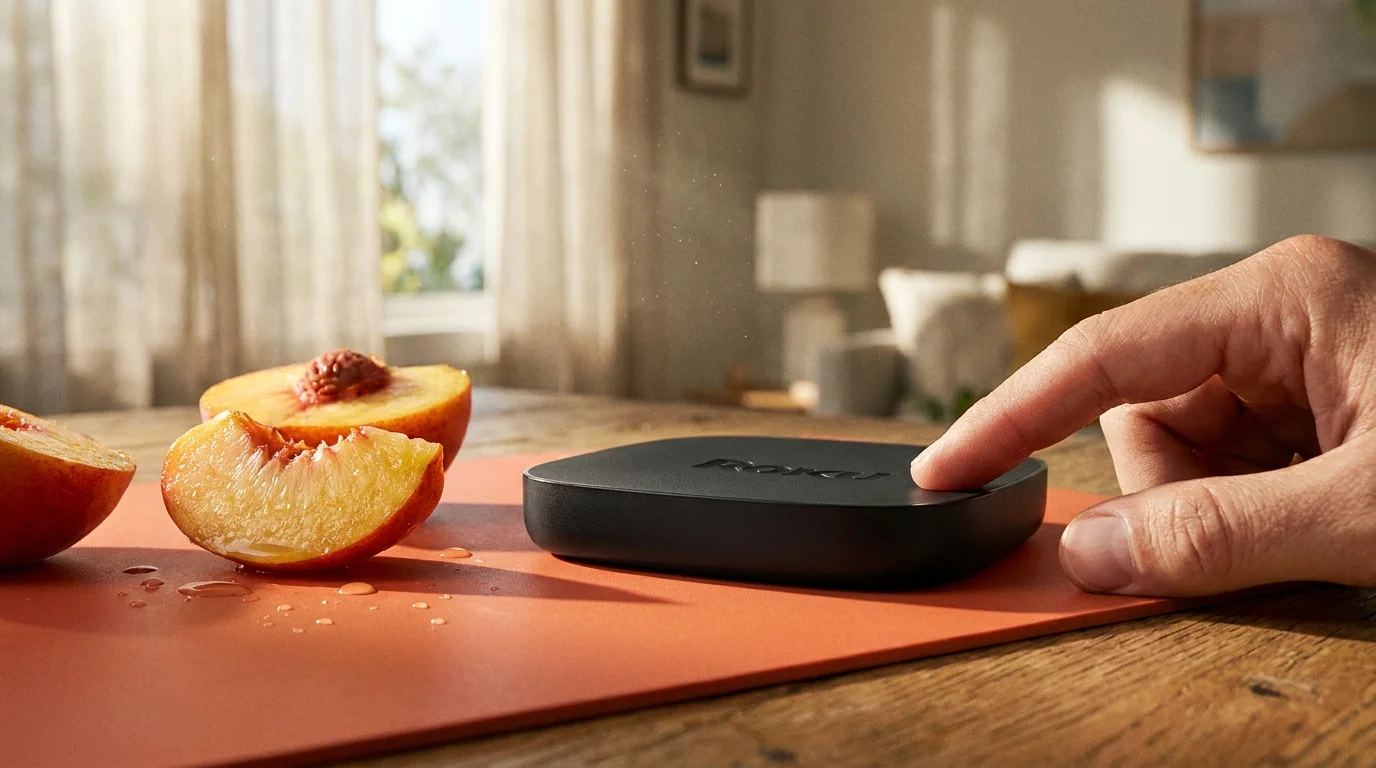
You assume this relationship is strictly one-directional. The plastic dongle tucked behind your television feels like a simple plumbing fixture for entertainment, pumping pixels into your living space while asking for nothing in return. But as you sink back into the cushions, that tiny black enclosure is auditing your optical diet down to the exact second.
Every frame lighting up your living room is sampled, hashed into microscopic mathematical fingerprints, and compared against a vast media database. Long before the closing credits roll, a digital receipt detailing your late-night viewing habits has quietly slipped out of your home network and landed on an ad-tech trading exchange.
The Living Room Mirror That Watches Back
To understand what modern streaming hardware is actually doing, you have to discard the idea that you purchased a media receiver. In reality, you brought home a high-frequency acoustic and visual scanner wrapped in budget-friendly consumer plastic. Hardware margins on streamers dried up years ago; the real commerce lives inside Automated Content Recognition, or ACR.
Think of ACR like a digital stenographer sitting right between your screen and your eyes. The software does not record video in the traditional sense, which would choke your Wi-Fi bandwidth. Instead, it takes hundreds of microscopic screen grabs every minute, analyzing small clusters of square pixels across your display. It generates an acoustic or visual barcode of whatever is on screen—whether that is a streaming movie, an over-the-air local news broadcast through an antenna, or even a home video playing through an external HDMI port.
Within milliseconds, that acoustic or visual signature is matched against a master catalog of content and commercial spots. If a political ad runs on your local evening news, the system notes the exact timestamp. If you pause a movie to raid the refrigerator, the system registers your pause interval. The television stops acting as an open window and functions instead like a one-way mirror.
- MagSafe wireless pucks scorch phone chassis heat silently degrading lithium battery cells
- Netgear Nighthawk routers eliminate stuttering video streams after switching channel widths
- Samsung Galaxy S24 displays trap buyers paying premiums over identical older glass
- PayPal SMS alerts conceal malicious credential traps targeting rushed smartphone screens
- Samsung One UI toggles silence background location polling saving drained battery bars
The Portland Lab and the Silent Data Stream
Elena Vance, a 42-year-old independent network security researcher based out of Portland, spent three weeks running packet analysis on consumer streaming devices connected to an isolated test router. Her living room looked less like a home theater and more like a diagnostic bay, with ethernet cables draped over book stacks and continuous terminal windows scrolling across secondary monitors.
“People assume tracking only happens inside individual streaming apps—like your Netflix profile or your YouTube recommendations,” Elena explained while pointing to a sudden burst of outbound encrypted packets. “The real eye-opener is watching a Roku TV sample HDMI input one while someone plays a vintage video game console or watches a private home DVD. The baseline operating system is constantly asking remote servers, ‘What image is the viewer looking at right now?'”
Elena discovered that even when viewers bypassed built-in apps entirely by using an external Blu-ray player or an antenna cable, the underlying system kept attempting to fingerprint those frames. The hardware was designed to monetize attention regardless of the source signal, quietly bridging your private leisure time with real-time advertising auctions.
Segmentation: Standalone Sticks Versus Integrated Glass
Tackling this telemetry requires recognizing that not every piece of streaming gear behaves identically. The intrusion levels split into distinct tiers depending on whether your software is built into the physical screen or plugged into an external port.
The Integrated Roku TV (TCL, Hisense, Sharp)
Integrated televisions house the most aggressive implementation of ACR because the operating system commands direct hardware control over every HDMI port, internal tuner, and analog input. Every external gaming console, cable set-top box, and laptop plugged into the display passes through the same internal video processor. This setup actively tries to offer you “interactive pop-ups” or dynamic sidebars during live broadcasts, meaning the panel is actively parsing every broadcast feed in real time.
The Standalone Streaming Stick or Player
If you run a small black box or streaming stick plugged into a standard display, the tracking scope shifts. Because the stick only controls its own HDMI output, it cannot monitor what you do on other inputs or local broadcast tuners. However, it compensates by aggressively tracking user interaction across the core home launcher, logging how long your cursor lingers over specific carousel titles, and building an identity profile tied to your home IP address.
Mindful Application: Disabling the Telemetry Trap
Neutralizing this background scanner does not require throwing your streaming stick in the recycling bin or learning network command-line scripts. It simply requires cutting through several misleadingly labeled menus that manufacturers bury beneath benign sounding headers.
Take ten quiet minutes with your remote control in hand to systematically revoke these surveillance permissions:
- Extinguish Automated Content Recognition: Navigate from your home screen to Settings > Privacy > Smart TV experience. Uncheck the box labeled Use info from TV inputs. This single action stops the processor from running optical fingerprint algorithms against external HDMI feeds and over-the-air broadcasts.
- Kill Interactive Overlays: In that same submenu, toggle off Use automatic content recognition and disable Enable interactive TV experiences. This prevents pop-up suggestions from interrupting your screen when commercial spots run.
- Sever Targeted Ad Matching: Move back to Settings > Privacy > Advertising. Select Reset advertising ID to sever the historical behavioral profile tied to your hardware. Immediately check the box labeled Limit ad tracking to stop future telemetry grouping.
- Clear Micro-Cache Channels: Head back to Settings > System > Power > System restart. A complete reboot flushes temporary frame buffers and locks in the new privacy constraints without lingering telemetry tasks running in background RAM.
For those who want an extra layer of silence, consider adding localized domain blocking at the household router level. Routing household traffic through a local DNS filter that sinks outbound telemetry domains—such as traces.roku.com and ads.roku.com—stops the device from reporting diagnostic telemetry even if an automatic system update re-enables these switches later.
The Bigger Picture: Reclaiming Your Domestic Sanctuary
Our homes are the last true perimeter against an economy built on perpetual surveillance. When you shut your front door at dusk, lower the blinds, and sit down with family or a quiet cup of tea, your living room should offer absolute rest. It should not double as a remote focus group that catalogs your evening habits for consumer brands.
Taking back control of your hardware changes how your home feels. When you flick through the menus of a display that has been stripped of its tracking tethers, the responsiveness sharpens. The interface stops hitching as it tries to load third-party ad pixels, and the quiet spaces between your shows remain truly quiet. Reclaiming that boundary requires only a few deliberate clicks, restoring your electronics to what they were always meant to be: obedient tools that serve you, not silent observers reporting on you.
“When consumer displays are subsidized by tracking software, taking ten minutes to turn off screen-scraping telemetry is the single most valuable maintenance task you can perform for your privacy.” — Elena Vance, Network Security Researcher
| Key Point | Detail | Added Value for the Reader |
|---|---|---|
| Automatic Content Recognition | Samples screen pixel hashes hundreds of times per minute across all active inputs. | Explains why ad suggestions appear even when watching third-party HDMI devices or cable boxes. |
| ‘Use Info From TV Inputs’ | The specific buried switch located under Settings > Privacy > Smart TV Experience. | Gives the exact path to permanently halt optical fingerprinting across live viewing feeds. |
| Advertising ID Reset | A unique tracking hash stored in local flash memory that aggregates cross-app activity. | Allows you to sever all historical behavioral data previously tied to your household network. |
Frequently Asked Questions
Will disabling Automatic Content Recognition break my streaming apps?
No. Disabling ACR only shuts off background screen-sampling and cross-input behavioral telemetry. Core platforms like Netflix, Prime Video, and YouTube will continue to stream at their maximum resolution without any operational issues.Why can’t I find the ‘Smart TV experience’ menu on my streaming stick?
That specific menu label appears predominantly on integrated television sets (like TCL or Hisense Roku TVs) that feature multiple physical video inputs. On standalone streaming sticks, focus on disabling telemetry under the Settings > Privacy > Advertising menu instead.Does a system software update turn these settings back on?
Major annual firmware revisions occasionally reset privacy preferences back to their factory defaults. It is good practice to run through the privacy submenus every six months to confirm your toggles remain unchecked.Does turning off ACR eliminate all advertisements from the home screen?
It does not remove static interface ad banners completely, but it prevents those banners from using your viewing history to target you. The ads will become generic, and the background data drain drops significantly.Does ACR tracking slow down my home Wi-Fi network?
While individual pixel fingerprint packets are relatively small, continuous logging can contribute to micro-stutter on congested wireless networks. Disabling it reduces continuous outbound background requests from your media panel.