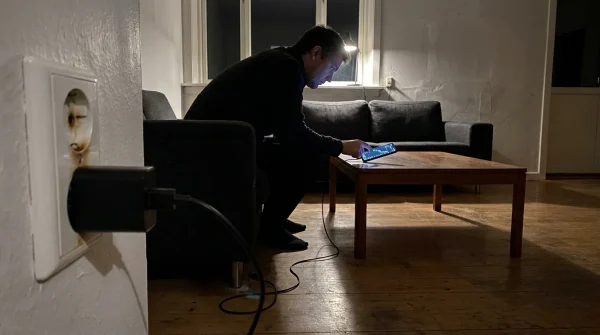
The bedroom is quiet, illuminated only by the cold square of glass hovering inches from your pillow. Outside, a gentle 65-degree spring breeze taps the windowpane, but inside, your temples throb with a dull, insistent pressure. You have pulled the brightness slider all the way down to its lowest notch to protect your vision, expecting a soft glow that invites sleep. Instead, after barely ten minutes of reading, your eyelids feel raw, dry, and distinctly sandy, as if you have been staring directly into desert wind.
We assume that reducing brightness lowers the physical strain on our retinas. Modern engineering, however, hides a jarring mechanical paradox behind vibrant mobile screens. When you drag that brightness slider below thirty percent on modern displays, the glass does not simply dim its light like a dying ember. Instead, it begins to flash at frantic speeds, firing intense pulses of absolute darkness directly into your dilated pupils.
You do not consciously see this rapid strobe, but the intricate machinery behind your iris registers every single spike. Your ciliary muscles continuously contract and relax, struggling to find an impossible focal equilibrium against a surface that is turning off and on hundreds of times every second. This silent flicker, known technically as Pulse-Width Modulation, is often the true culprit behind mysterious midnight headaches and gritty, burning eyes.
Taking control of this hidden hardware behavior does not require buying specialized lenses or putting your device into a drawer forever. By discovering the steady current controls built right into modern display firmware, you can eliminate the invisible strobe and restore genuine nighttime comfort to your bedtime reading routine.
The Strobe Fallacy: Current Versus Pulses
To understand why modern panels torment dark-adapted eyes, imagine trying to light a dinner table with a lightning bolt. If you fire that lightning bolt once an hour, the room stays dark; fire it ten times a second, and the room appears dimly lit through persistence of vision. This is precisely how Pulse-Width Modulation, or PWM, operates. Rather than reducing the electrical power feeding each pixel, the controller simply shuts the light off completely for longer slices of time. At five percent brightness, your screen spends ninety-five percent of each cycle in total blackness, masquerading as a gentle nightlight.
Direct Current dimming, or DC dimming, completely dismantles this optical illusion. Instead of tricking your brain with high-speed blackouts, it physically dials back the voltage sent across the organic display layers. The light source remains continuously energized, simply burning with less intensity, much like turning down the valve on a gas lantern. Your pupil can finally rest against a steady, uninterrupted plane of light rather than absorbing hundreds of microscopic shocks every passing minute.
- Fraud alert robocalls spoof local bank numbers stealing login credentials from panicked smartphone owners
- Spotify offline caches hoard fifty gigabytes of phantom storage behind forgotten song downloads
- Baseus GaN chargers slash expensive replacement costs while matching blistering laptop charging speeds
- Android notification listeners intercept sensitive banking verification codes behind rogue flashlight app permissions
- Chrome Privacy Sandbox settings expose browsing habits to advertising trackers until manual toggles switch
For years, display manufacturers avoided wide implementation of direct current at low brightness levels because organic light-emitting diodes behave unpredictably when starved of power. At whisper-quiet voltages, individual pixels can display subtle color shifts, tilting dark grays toward an earthy purple or creating faint banding across smooth gradients. Yet for anyone who reads late into the night, trading absolute color accuracy for total ocular calm is one of the easiest bargains in modern consumer technology.
The Clinical Shift: Insights from Visual Ergonomics
Dr. Elena Vance, a 42-year-old clinical optometrist based in Portland, Oregon, spent three years tracking patients who reported persistent nighttime asthenopia—the clinical term for ocular muscle fatigue and burning sensations. Nearly all of them had traded older LCD smartphones for flagship devices featuring ultra-deep contrast ratios, and nearly all of them complained of headaches that developed exclusively while reading in bed.
Dr. Vance noticed that standard blue-light filter apps were failing to solve their discomfort. When she introduced simple slow-motion video captures to inspect the patients’ screens under subdued lighting, the issue became glaringly obvious. The displays were hammering their retinas with aggressive 240Hz strobing cycles while their pupils were dilated to maximum aperture. Once her patients enabled hardware-level anti-flicker switches, over eighty percent reported an immediate reduction in late-night eye strain and ocular burning within forty-eight hours.
Tuning Your Glass: Profiles for Evening Use
Every set of eyes tolerates flicker differently. Finding your personal comfort threshold depends heavily on how you read, what you read, and the ambient environment of your living space.
For the Midnight Bookworm
If you read long-form essays or novels in pitch-black rooms, screen strobing hits you with maximum severity. When ambient light drops near zero, your pupils open wide to gather photons, maximizing the retinal footprint of every sub-perceptual black frame. You should enable full DC dimming toggles or anti-flicker options immediately. Pair this with a dedicated warm reading mode set around 3000 Kelvin. The slight loss of deep black level accuracy on black-and-white text pages is a trivial compromise for hours of zero-strain reading.
For the Evening Media Consumer
If your late-night habit involves cinematic streaming or scrolling through photography, pure voltage-based dimming can occasionally crush subtle shadow detail in moody video scenes. In this scenario, leave a dim, warm accent lamp switched on nearby—ideally an incandescent or flicker-free LED bulb producing roughly forty lumens. This preserves your peripheral depth perception, keeps your pupils partially constricted, and naturally cushions your ocular nerves against the aggressive effects of display flickering.
Mindful Calibration: Activating Steady Current
Restoring a steady beam of light to your device takes less than two minutes once you know where manufacturers conceal these toggles. Follow this simple calibration sequence to stabilize your bedtime screen:
- Locate Hardware Anti-Flicker: Open your smartphone settings and navigate to the display sub-menu. Look for toggles labeled ‘DC Dimming’, ‘Anti-Flicker Mode’, or ‘Eye Comfort Flicker Shield’. On some performance-oriented brands, this switch is housed inside Developer Options or dedicated battery laboratory panels.
- Establish Brightness Floors: If your specific manufacturer lacks a native DC dimming switch, never pull your hardware brightness slider below thirty percent in a dark room. Instead, keep hardware brightness at thirty-five percent (where PWM flickering is either absent or operating at high duty cycles) and install a software-level neutral-density filter overlay app to reduce luminescence without triggering hardware strobing.
- Lock Refresh Synchronicity: Set your screen refresh rate to a fixed 60Hz or 120Hz rather than variable dynamic rates while reading in the dark. Variable refresh rates frequently alter PWM cycle phases on the fly, introducing secondary micro-stutter that compounds eye fatigue.
Take two deep breaths, close your eyes for twenty seconds after toggling these options, and allow your optical muscles to release their residual daytime tension.
A Quieter Window Into the Digital World
We spend our days negotiating intense cognitive demands, navigating bright offices, traffic, and endless streams of data. When we finally retreat to the safety of our blankets at the end of a long day, our relationship with technology should become gentle, calm, and physically restful. A screen should behave like illuminated paper, quietly serving your curiosity without launching an invisible assault on your nervous system.
Understanding how your display manages electricity changes your relationship with the objects you carry everywhere. You stop accepting burning eyes and tension headaches as the inevitable tax of modern life. With a single thoughtful toggle, you transform an aggressive strobe into a quiet, comforting glow—giving your mind the peaceful transition into sleep it has been asking for all along.
The most restorative display technology is the kind your nervous system forgets is even running.
| Key Point | Detail | Added Value for the Reader |
|---|---|---|
| Pulse-Width Modulation (PWM) | Dims screens by turning LEDs completely on and off at rapid intervals. | Reveals why low brightness settings often paradoxically cause severe eye fatigue. |
| Direct Current (DC) Dimming | Reduces display brightness by lowering continuous electrical voltage. | Eliminates high-speed black frame insertion to preserve ocular muscle relaxation. |
| Ambient Balance Strategy | Using a soft 40-lumen room light alongside anti-flicker display modes. | Prevents extreme pupil dilation, buffering sensitive eyes against residual panel flicker. |
Frequently Asked Questions
Why do my eyes burn more when I turn my screen brightness down in bed?
At lower brightness settings, screens rely on Pulse-Width Modulation (PWM), rapidly cycling the backlight on and off to simulate low light. Because your pupils dilate in the dark, they take the full brunt of these rapid strobe pulses, causing ciliary muscle spasms and dry, burning sensations.What exactly does DC dimming do on my phone?
DC dimming controls brightness by regulating the actual electrical current running to the display rather than strobing it. This creates a solid, uninterrupted stream of light, stopping the invisible screen flicker that strains your eyes during late-night reading sessions.Will enabling DC dimming affect the colors on my screen?
Yes, slightly. At extremely low brightness levels, direct current dimming can cause minor color shifts, such as dark grays appearing slightly reddish or purple. However, for reading text or browsing articles in the dark, the trade-off in physical comfort far outweighs the subtle loss in color precision.What can I do if my smartphone does not have a DC dimming toggle?
Keep your device brightness slider above thirty-five percent to avoid severe PWM strobing cycles, and download a screen filter app that applies a dark semi-transparent software overlay. This keeps the physical hardware lit steadily while comfortably lowering overall light output.Does a standard blue-light filter eliminate display flicker?
No. Blue-light filters simply adjust color temperature toward amber hues; they do not alter the underlying electrical frequency or pulse mechanics of your screen backlight. True flicker reduction requires activating DC dimming or hardware anti-flicker options.