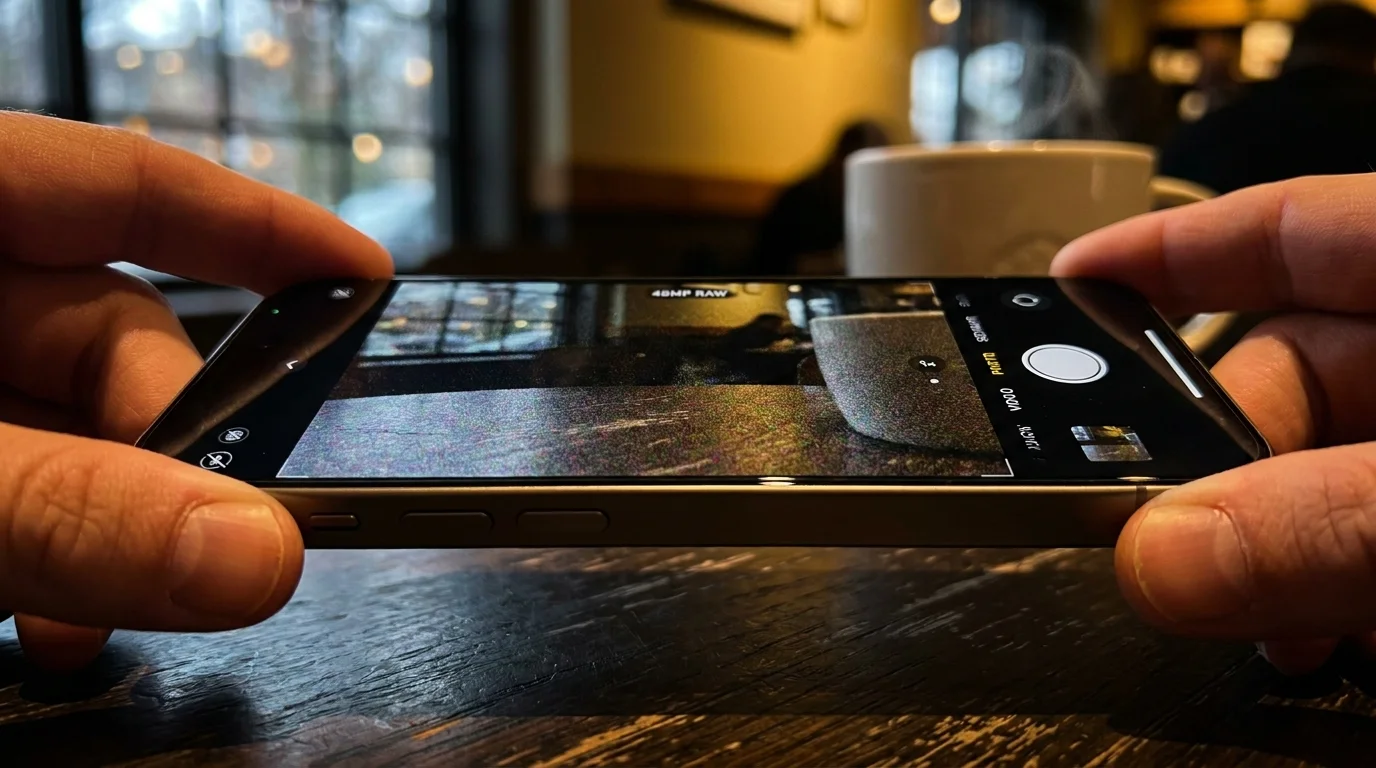
The twilight air in late October carries a crisp bite, hovering near 48 degrees Fahrenheit as the streetlights flicker alive along wet asphalt. You hold up your phone, framing the amber glow spilling from a corner coffee shop window. The glass reflects rain beads, neon signs, and dark coats rushing through the mist. It is the exact scene you bought the phone for, so you reach to the top right corner of the viewfinder and toggle on 48MP ProRAW, convinced you are about to capture a gallery-grade frame.
You tap the shutter, wait for the capture to process, and pull open the camera roll. At first glance on the pocket-sized screen, the composition holds a striking quietness. But the moment you pinch to zoom into the dark brickwork or the shadow cast beneath the café awning, the illusion crumbles. Instead of razor-sharp mortar and crisp stone textures, **a swarm of muddy grain** greets you, turning shadowed contours into smeared, blotchy watercolor.
It feels like a betrayal of modern sensor specifications. The packaging promised quadruple the resolution of previous sensors, yet the standard point-and-shoot snapshot your friend took on an older device looks somehow cleaner, warmer, and sharper across the shadows. You did not misfocus, and your hands did not tremble. You simply walked headfirst into the physical trap of raw megapixel capture.
The Thimble Trap: Why Raw Resolution Starves Low Light
To understand why this digital sludge appears, think of your camera sensor as an open courtyard during a drizzle. If you set out twelve wide, shallow buckets across that courtyard, each bucket will catch enough water within a few seconds to fill its base completely. But if you divide that exact same surface area into forty-eight tiny thimbles, each minuscule cup catches only a few scattered droplets. In bright midday sun, the thimbles fill effortlessly. Under dim evening clouds, they dry out before they register a drink.
When your camera operates in its standard mode, it groups those tiny thimbles into clusters of four—a physical process called sensor binning. More critically, the default processing pipeline takes that pooled light and runs it through the Photonic Engine. It snaps up to nine bracketed exposures in milliseconds before you even press the shutter, blending underexposed highlights and long-exposure shadows into one impeccably balanced file. This invisible computational choreography keeps dark corners pristine.
When you force the sensor into raw 48MP capture, you deliberately sever that computational lifeline. The phone disables multi-frame light balancing and stops stacking bracketed exposures to preserve sensor readout speed and raw data integrity. You are no longer leaning on advanced silicon algorithms; you are forcing physical light receptors smaller than bacteria to capture dim illumination entirely on their own, resulting in severe sensor starvation.
- iPhone App Switcher force-closes drain battery bars through constant memory reloads
- Samsung Galaxy S24 cellular switching drains battery bars along daily commutes
- Blink Outdoor cameras freeze motion sensors once subscription cloud tiers expire
- iPhone 16 screens flash hidden backlight pulses triggering strained eye fatigue
- PS5 Digital Edition vertical stands drain cooling alloy across bare processors
The Seattle Field Test: A Lesson from Marcus Vance
Marcus Vance, a 39-year-old architectural photographer who splits his time between commercial shoots and street documentary in rainy Seattle, ran into this exact wall during a winter assignment. Commissioned to document historic brick warehouses at dusk, he bypassed his heavy mirrorless rig and attempted to shoot the entire portfolio using 48MP raw mobile files to prove phone cameras could handle commercial print work.
By the third evening, Marcus realized his shadow areas were unusable. Every frame shot after sunset suffered from heavy chroma noise that destroyed structural edges rather than rendering them clean. When he switched his default workflow back to standard 24MP computational capture for scenes below 50 lux, the digital artifacts disappeared. The phone was able to breathe again, using its computational stacking to smooth away electronic grain while retaining crisp edge contrast across the old masonry.
Scene Segmentation: When to Push Resolution and When to Retreat
Understanding your sensor requires treating it like distinct film stocks tailored to different lighting thresholds. Resolution without light is merely noise magnified.
High-Noon Architecture and Sunlit Landscapes
This is the native habitat of high-resolution capture. When natural sunlight drenches a facade, your sensor has light to spare. Here, engaging 48MP capture delivers breathtaking fidelity across distant bridge cables, distant leaf canopies, and sharp structural lines. The individual sensor wells fill instantly, keeping digital noise well below the threshold of visibility.
Golden Hour Portraits and Backlit Scenes
As the sun approaches the horizon, light drops rapidly. In this window, switching to the standard 24MP computational default provides the sweet spot. It retains noticeably more micro-contrast than older 12MP modes while still applying multi-frame noise suppression to keep skin tones creamy and shadow gradients smooth.
Twilight Streetscapes and Dim Interiors
The moment interior lamps click on or the western sky fades to dark cobalt, **lock away the 48MP switch**. Bypassing sensor binning in these conditions will consistently ruin your dynamic range. In dim environments, rely on standard Night Mode or default captures, which combine grouped pixels with algorithmic exposure fusion to keep shadows textured rather than noisy.
The Low-Light Protocol: Simple Steps for Clean Evening Frames
You do not need an engineering background to capture clean evening photos; you simply need to respect the mechanical limits of tiny lenses. When the light dims, small adjustments produce dramatically better frames than brute-force megapixel counts.
- Turn off ProRAW or HEIF Max as soon as ambient sunlight fades below street-level reading light.
- Tap and drag the exposure slider slightly downward on your subject to prevent the camera from artificially brightening deep shadows into grainy gray.
- Brace your elbows against your ribs or rest your phone against a wall to allow Night Mode’s stabilization to stack longer exposures cleanly.
- Rely on the 1x main camera whenever possible; the sensor is physically larger and collects twice the photons of the telephoto or ultra-wide lenses.
Keep a mental checklist: if the scene feels atmospheric and moody to your naked eyes, it is too dim for 48 independent megapixels. Let the computational engine take the wheel so you can keep the mood intact.
The Tactical Low-Light Toolkit
When working outside balanced studio lighting, maintain these precise hardware thresholds to prevent grain from spoiling your shots:
- Ambient Light Threshold: 100 Lux minimum for 48MP (equivalent to an overcast afternoon). Below 100 Lux, revert to 24MP or 12MP.
- Handheld Shutter Floor: 1/30 second. If the phone drops below this to expose a 48MP frame, physical hand shake will compound sensor grain.
- Exposure Compensation: Dial down between -0.3 EV and -0.7 EV in twilight to preserve dark values naturally.
The Bigger Picture: Trusting the Silicon
We live in a culture that mistakes larger numbers for better tools. We assume forty-eight megapixels must be four times better than twelve, forgetting that photography has always been the art of capturing light, not counting dots. When you turn off the high-resolution toggle in the dark, you are not settling for an inferior image; you are choosing to use the most sophisticated computational photography system ever built.
Letting go of raw resolution during quiet evening hours brings an unexpected creative peace. You stop zooming in at 400 percent to analyze digital grit, and you start looking at the frame the way human eyes see the world—through atmosphere, color harmony, and emotion. The tool works best when you stop fighting its design and let its algorithms handle the dark.
The sharpest camera is never the one capturing the most pixels, but the one catching enough light to tell the truth about the room.
| Capture Setting | Optimal Lighting Condition | Added Value for the Reader |
|---|---|---|
| 48MP RAW / HEIF Max | Direct sunlight, bright open landscapes (>250 Lux) | Maximized structural detail for large prints and heavy cropping without noise penalty. |
| 24MP Computational Default | Overcast days, golden hour, well-lit modern interiors | Balanced edge sharpness and multi-frame dynamic range without filling your phone storage. |
| 12MP / Night Mode Stacking | Blue hour, dark dining rooms, street scenes at night | Clean, grain-free shadow areas with balanced highlights powered by algorithmic binning. |
Frequently Asked Questions
Why do my 48MP raw photos look grainier than standard 24MP shots in the evening?
Because 48MP raw capture disables multi-frame computational stacking. In dim light, tiny individual sensor pixels do not collect enough light on their own, resulting in severe chroma noise and muddy dark areas.Does sensor binning actually reduce image quality?
No, it improves signal quality. Binning combines four adjacent hardware pixels into one virtual super-pixel, dramatically boosting light sensitivity and lowering visual noise at the cost of slight extreme-edge crop resolution.When is the absolute best time to shoot in 48MP mode?
Midday outdoor settings, architectural walks in bright daylight, and controlled studio environments with ample lighting. If you can see strong shadows cast by natural sunlight, 48MP will shine.Will using a mobile tripod make 48MP raw photos clean at night?
A tripod helps eliminate motion blur, but it cannot fix the lack of multi-frame computational exposure. Unless you manually shoot multiple bracketed raw exposures and merge them on a computer, the shadow areas will still carry heavy sensor grain.How do I switch quickly between 48MP and standard capture?
Keep the resolution toggle pinned in your native camera app toolbar. Tap the RAW or MAX icon to turn it off when stepping indoors or shooting under evening streetlights, and turn it back on only when the sun is behind you.