A quiet evening in your living room carries a distinct texture. The refrigerator hums at a low drone, tea steams gently on the wooden coffee table, and shadows lengthen across the floorboards. On the corner shelf sits a familiar fabric-covered cylinder, blending seamlessly into your home decor. You chat comfortably about family finances, personal frustrations, or tomorrow’s medical appointment, trusting that the little speaker remains completely deaf until you summon it by name.
Then, without warning, the rim flares into a spinning halo of cyan and soft white. Nobody uttered the wake word, yet the device heard a phantom acoustic trigger buried in your casual conversation. In that quiet second, a snippet of your private life was digitized, compressed, and transmitted across your home router to a remote cloud server.
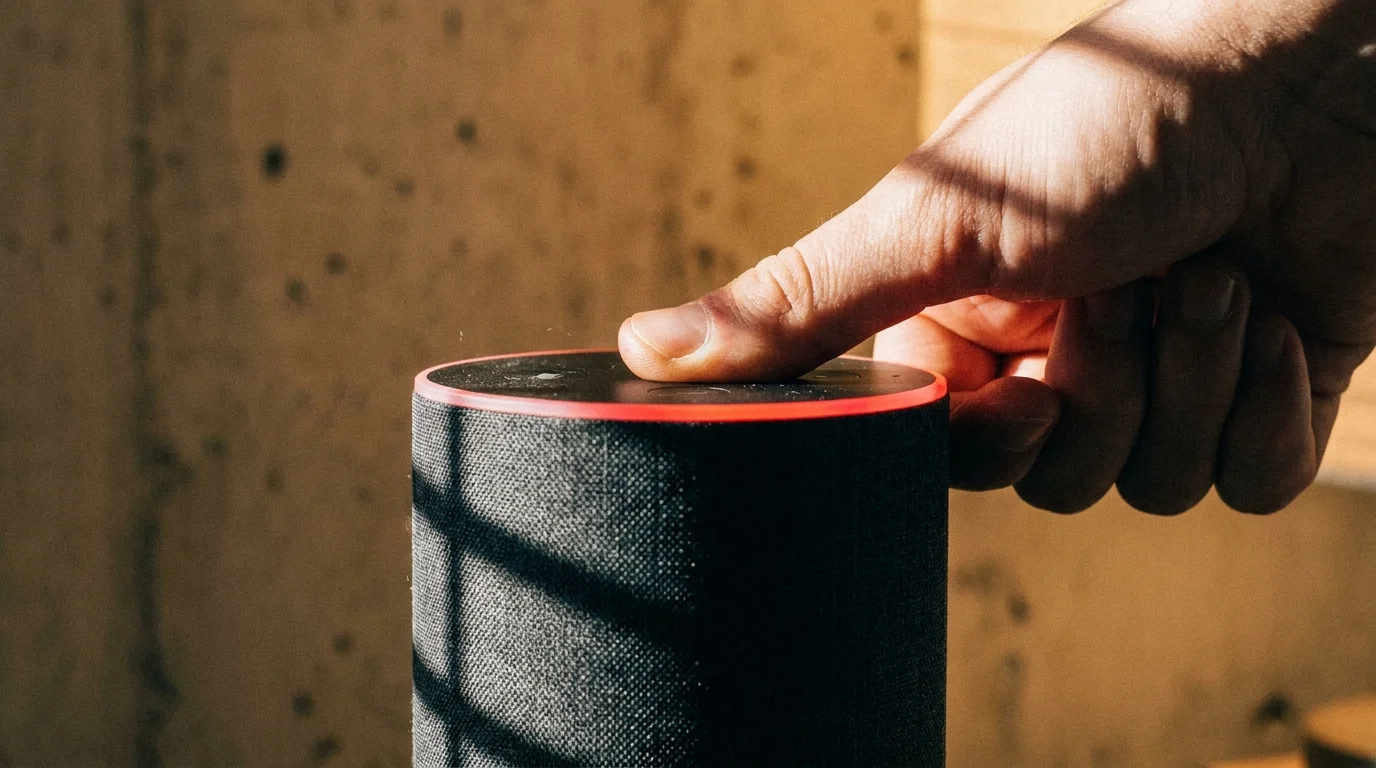
When you walk over and press the physical button on top, a glowing red microphone mute ring casts a sharp, crimson circle against the wall. That vibrant red halo is your hardware disconnect switch, but the digital trail of past snippets already lives somewhere else. Reclaiming your household privacy requires looking beyond the physical microphone switch to address the cloud archive operating behind the scenes.
The Acoustic Tripwire: How Ambient Audio Leaves the Living Room
Most people treat a smart speaker like an old-fashioned landline telephone that only connects when you lift the handset. In reality, the hardware operates more like a vigilant court reporter sitting quietly in the corner of your room, constantly filtering the ambient audio through a local rolling buffer that discards sounds every few seconds until a specific acoustic frequency pattern trips the digital switch.
The central friction lies in how these devices handle false positives. When a syllable in a television drama or an inflection in your voice roughly mimics the wake phrase, the hardware immediately begins shipping raw audio to remote training servers. Once stored, those sound files are retained by default to train machine learning models and refine automated transcription algorithms, creating an accidental diary of your domestic life.
Understanding this architecture changes your relationship with the hardware. You do not have to discard convenience to protect your boundaries, but you do need to understand that cloud storage, telemetry toggles, and data retention settings are entirely up to you to manage rather than trusting factory presets.
- iPhone 15 camera settings trigger aggressive sharpening unless users switch off HDR
- Starbucks Wi-Fi portals expose unencrypted device traffic without instant DNS switches
- IKEA standing desks require precise monitor risers to stop slouching neck strain
- Google Play subscriptions trap monthly banking autopays inside hidden third-party loops
- Used iPhone 14 units expose hidden screen swaps during rapid battery diagnostics
The Engineer’s Audit: What Network Packets Reveal
Marcus Vance, a 42-year-old embedded systems engineer based in Austin, Texas, decided to audit his home network traffic after his kitchen speaker randomly chimed during a private dinner party. By capturing outbound network packets through a dedicated hardware firewall, he discovered that brief audio snippets were being transmitted several times a week without any wake phrase ever being deliberately spoken.
“People assume the wake word is an absolute digital lock, but it is actually a statistical probability calculation running on low-power silicon,” Marcus explains. “When the confidence threshold dips just enough, the buffer empties into the cloud. If you haven’t switched off data retention and human review toggles in the platform settings, those snippets stay in your profile indefinitely.”
Tuning Your Household Boundaries: Three Profiles
For the Minimal Friction Household
If you rely on kitchen timers, morning news briefings, and automated smart plugs, you want utility without leaving an open-ended audio footprint. Your focus should be on automated daily recording purges that wipe the cloud ledger clean every twenty-four hours while preserving your custom device routines.
For the Family Living Space
Homes with toddlers, teenagers, and constant ambient chatter experience a significantly higher rate of false-positive triggers. In these multi-occupant environments, disabling third-party skill tracking and human review pipelines ensures that children’s voices and background family conversations never become part of a corporate machine-learning dataset.
For the Focused Home Office
When you handle sensitive client calls, financial discussions, or confidential professional data, software switches alone are insufficient. In this environment, relying on physical hardware mute buttons during working hours creates an air-gapped acoustic barrier that software updates cannot accidentally override.
Mindful Configuration: The Step-by-Step Privacy Audit
Securing your voice assistant takes less than five minutes within the mobile companion app on your smartphone. Follow these precise navigation steps to review past voice recordings and permanently cut off background telemetry pipelines.
- Open the Alexa companion app on iOS or Android and tap More in the bottom-right navigation bar.
- Select Settings, then scroll down and tap Alexa Privacy.
- Tap Manage Your Alexa Data to open the telemetry controls.
- Scroll to Help Improve Alexa and toggle Use of Voice Recordings strictly to Off.
- Turn off the toggle for Use Messages to Improve Transcriptions directly below it.
- Navigate back to the main Alexa Privacy menu and tap Review Voice History.
- Under Filter by Date, select All History, tap Delete All My Recordings, and confirm your choice.
- Select Automatically Delete Recordings and adjust the rule to Don’t Save Recordings.
• Time required: 4 minutes
• Key path: More > Settings > Alexa Privacy > Manage Your Alexa Data
• Recommended retention rule: Don’t save recordings
• Physical trigger: Press the microphone mute button (look for the illuminated red light ring) during sensitive meetings.
Reclaiming the Domestic Space
Home is the one sanctuary where you should never feel the pressure of an invisible audience. Technology should serve your daily rhythm without demanding a silent tax on your peace of mind or recording your unguarded moments.
By taking a few mindful minutes to adjust your telemetry permissions and establish clear acoustic boundaries, you transform a potentially intrusive gadget into a respectful, obedient tool. The red light on your device ceases to be a warning and becomes a statement of intentional living.
“A smart home is only truly smart when it knows when to stop listening.”
| Key Point | Detail | Added Value for the Reader |
|---|---|---|
| Default Retention | Indefinite storage of voice logs on cloud servers | Purging history removes old private audio archives |
| Human Review Pipeline | Telemetry toggles enable manual audio evaluation | Disabling stops human ears from reviewing false triggers |
| Hardware Mute Ring | Physical circuit disconnect signaled by a red ring | Guarantees zero microphone power during private conversations |
Frequently Asked Questions
Does muting the smart speaker delete my past recordings?
No. The mute button physically cuts power to the microphone array to stop future listening, but it does not remove files already stored in the cloud.Will deleting my voice history break my smart home routines?
Not at all. Your automated schedules, smart plug triggers, and group configurations remain fully operational even when voice logs are deleted instantly.Why does the speaker light up when nobody said the wake word?
Acoustic similarities in background speech, television audio, or music can accidentally meet the mathematical threshold of the wake engine, causing a false trigger.What does the red light on top of the Echo indicate?
The illuminated red ring signifies that the physical microphone circuit is fully open, meaning the device cannot detect acoustic waves or stream audio.How often should I audit my voice privacy settings?
It is good practice to check your privacy dashboard twice a year or immediately following major operating system and companion app updates.