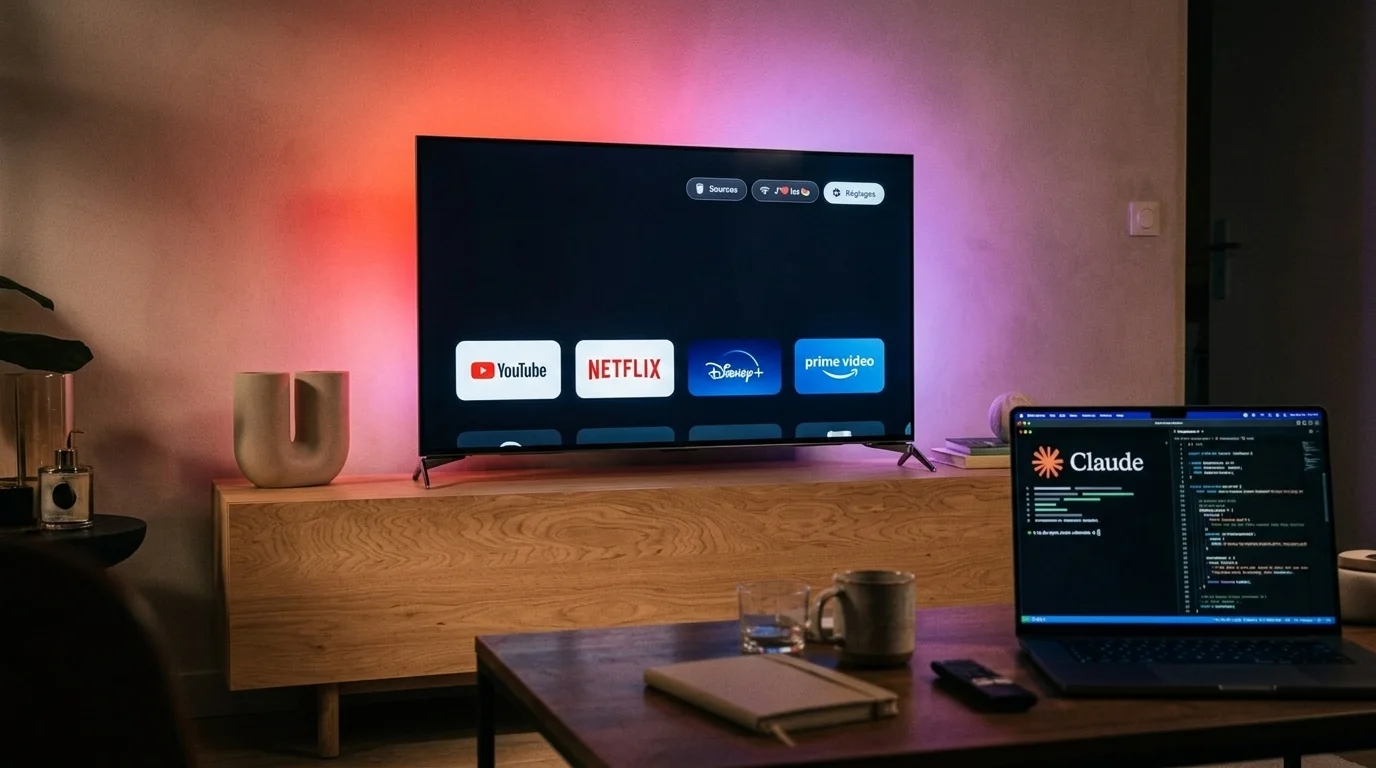
Smart television owners frustrated by sluggish interfaces and intrusive home-screen advertisements are turning to artificial intelligence coding assistants and open-source tools to overhaul their devices. Over the weekend of October 17, 2026, a developer known as Gathin T. released an open-source project called tv-vibehack—renamed cleanyourtv on October 19—that instructs AI agents like Anthropic’s Claude Code to strip manufacturer bloatware from Android TV and Google TV sets over Wi-Fi and install a lightweight, Apple TV-inspired home screen.
The movement highlights a growing clash between consumer hardware owners and television manufacturers that subsidize hardware margins through post-purchase monetization. According to TechCrunch, modern smart TVs routinely ship with automatic content recognition (ACR) software that captures screenshots or audio fingerprints to track viewing habits and sell data to advertisers. By pairing standard Android developer tools with conversational AI assistants, everyday users are now executing system-level modifications that previously required specialized technical knowledge.
How AI Coding Tools Strip Smart TV Bloatware
At the center of the trend is the fact that Android TV and Google TV devices share the same underlying architecture and Android Debug Bridge (ADB) protocols as Android smartphones. To initiate the process, users navigate to their television’s settings menu, click the OS build entry seven times to enable Developer Options, and toggle on USB or wireless network debugging, as outlined in the project’s GitHub prompt instructions.
Once the television and a computer are connected to the same local Wi-Fi network, the user pastes a structured prompt into an AI coding assistant with command-line shell access, such as Claude Code, xAI’s Grok 4.7, or Deepseek V4.1 Flash. After the user approves an authorization prompt on the television screen, the AI agent inspects the device over ADB, catalogs pre-installed system packages, and asks the owner three or four checklist questions about which streaming apps, voice assistants, or casting features they wish to keep.
- AMD and Nvidia Lead Tech Stock Rebound Ahead of Meta, Tesla, and SpaceX Earnings
- WBUR and News Outlets Break Down AI Jargon as Autonomous Agents Enter Mainstream Use
- AICPA and AIUC Launch Combined SOC 2 and AI Agent Assurance Certification
- NBA Expands AI Integration Across Officiating, Broadcasts, and Fan App Features
- U.S. Banks Block Third-Party AI Agents From Moving Customer Money
Rather than rooting the hardware or permanently deleting files, the workflow uses Android’s standard pm disable-user command to deactivate unwanted software. According to Techaeris, the tool then compiles and installs a custom Java-based launcher directly onto the television. Weighing approximately 1.6 MB in source form (and about 280 KB once installed, per the GitHub repository), the interface is designed specifically for budget televisions operating on as little as 1 GB of RAM. It replaces autoplay video banners and sponsored content rows with a pitch-black background, a four-app dock, quick-access toggles for HDMI inputs and Wi-Fi, and a drifting clock screensaver to prevent screen burn-in.
A Viral Pushback Against Home-Screen Clutter
The catalyst for tv-vibehack began on October 17, when Gathin T. attempted to clean up his parents’ Xiaomi Mi TV 4A after noticing it displayed a sponsored advertisement before allowing access to Netflix. In a social media post that Frandroid reports has surpassed 2.3 million views, the developer explained that he fed the television’s model number to Claude Code, which located the set over Wi-Fi, disabled 25 Xiaomi packages, and wrote the replacement launcher in a single afternoon. With the community repository now hosting pre-mapped package lists for 54 television models, subsequent users report completing the setup in roughly 15 to 30 minutes.
The cleanup process varies significantly depending on the hardware brand and user preferences. While the initial Xiaomi demonstration disabled 25 packages, a reporter testing the tool with Grok 4.7 for Frandroid disabled 20 Philips and Google packages—including retail demo modes, Alexa integration, and telemetry services—on a 2021 Philips UHD set. A separate firsthand account on Substack reported disabling 35 packages on a personal television, while TechPP detailed a similar 30-minute workflow using a $20-per-month Claude Pro subscription to clean up a sluggish Sony Bravia TV, substitute the stock interface with Projectivy Launcher, and configure AdGuard Private DNS.
Parallel projects are also emerging. TechCrunch highlighted another repository called dumbtv, developed by Muzzammil Yasin Sabuwala using a combination of Deepseek V4.1 Flash, Claude Opus 5.5, and Claude Sonnet 5.5 to strip tracking and unrequested updates from smart displays.
Device Compatibility, Risks, and Technical Limitations
While the repositories describe broad compatibility across Android TV and Google TV hardware—including sets from Sony, TCL, Hisense, Xiaomi, Philips, OnePlus, Realme, and the Nvidia Shield—hardware support is not universal. Televisions running proprietary operating systems, such as Samsung’s Tizen and LG’s webOS, do not support the Android-based workflow (though contributors have begun experimenting with a separate webOS port).
Reports also differ on how well the tools function across non-standard Android derivatives and varied firmware setups:
- Amazon Fire TV: According to the
cleanyourtvdocumentation, Amazon’s Fire OS accepts the package-debloating script but refuses to hand over the Home button to a third-party launcher. Meanwhile, Sabuwala told TechCrunch thatdumbtvwas tested end-to-end on a Fire TV Edition television, and a separate community developer has launched a GitHub fork specifically targeting Fire TV cleanup. - Debugging Availability: While the primary guides present wireless ADB debugging as a straightforward menu toggle, an independent report from It’s FOSS points out that some television models do not expose a wireless debugging setting in their menus at all, meaning ADB access is not a guaranteed turnkey option for every consumer. Additionally, a few China-market TCL models block custom launchers entirely, and enabling USB debugging on certain streaming boxes cuts power to the physical USB ports until debugging is turned back off.
- System Stability and Reversibility: Although the developers emphasize that disabling packages via
pm disable-useris fully reversible using a one-line restore script, disabling the stock Google launcher and reassigning the system Home handler is a consequential system-level modification. Techaeris notes that disabling the wrong system package can break core features like voice search or Chromecast, and most debloat scripts switch off the manufacturer’s firmware update service, pausing security and OS patches until the user manually re-enables them.
Frequently Asked Questions
Which types of ads do these AI tools actually remove?
Tools like tv-vibehack remove home-screen banner ads, autoplaying trailers, and sponsored content rows generated by the television manufacturer or the Google TV launcher. They do not block internal video advertisements served inside individual streaming applications like Netflix, YouTube, or Hulu.
Does debloating an Android TV measurably improve performance?
Multiple firsthand testers report noticeably faster boot times and smoother menu navigation after disabling background telemetry and switching to a lightweight launcher, particularly on budget TVs with 1 GB of RAM. However, no standardized, independent hardware benchmarks measuring memory usage or latency before and after the modification have been published.
Does modifying the launcher affect the manufacturer warranty?
Because the workflow uses standard developer options and disables packages without rooting the device or flashing custom firmware, changes can normally be reverted to factory defaults. However, manufacturers have not issued formal statements on the trend, and users perform system-level ADB modifications at their own risk.
Sources
- TechCrunch – People are using AI to make their smart TVs dumb again
- Techaeris – Android TV Debloat Gets a Free tvOS-Style Makeover With tv-vibehack
- TechPP – How I Made My Android TV Faster and Ad-Free Using Claude Code
- Frandroid – Google TV lent et envahi par les pubs : le projet tv-vibehack corrige tout ça grâce à l’IA, j’ai tenté l’expérience
- GitHub – Gathin23/cleanyourtv: Debloat any Android or Google TV over Wi-Fi and get an Apple TV-style home
- GitHub – cleanyourtv/PROMPT.md at main
- Substack – I removed every ad from my TV with AI
- It’s FOSS – Debloat Smart TV
- GitHub – itsmeterrylin/fire-tv-cleanup